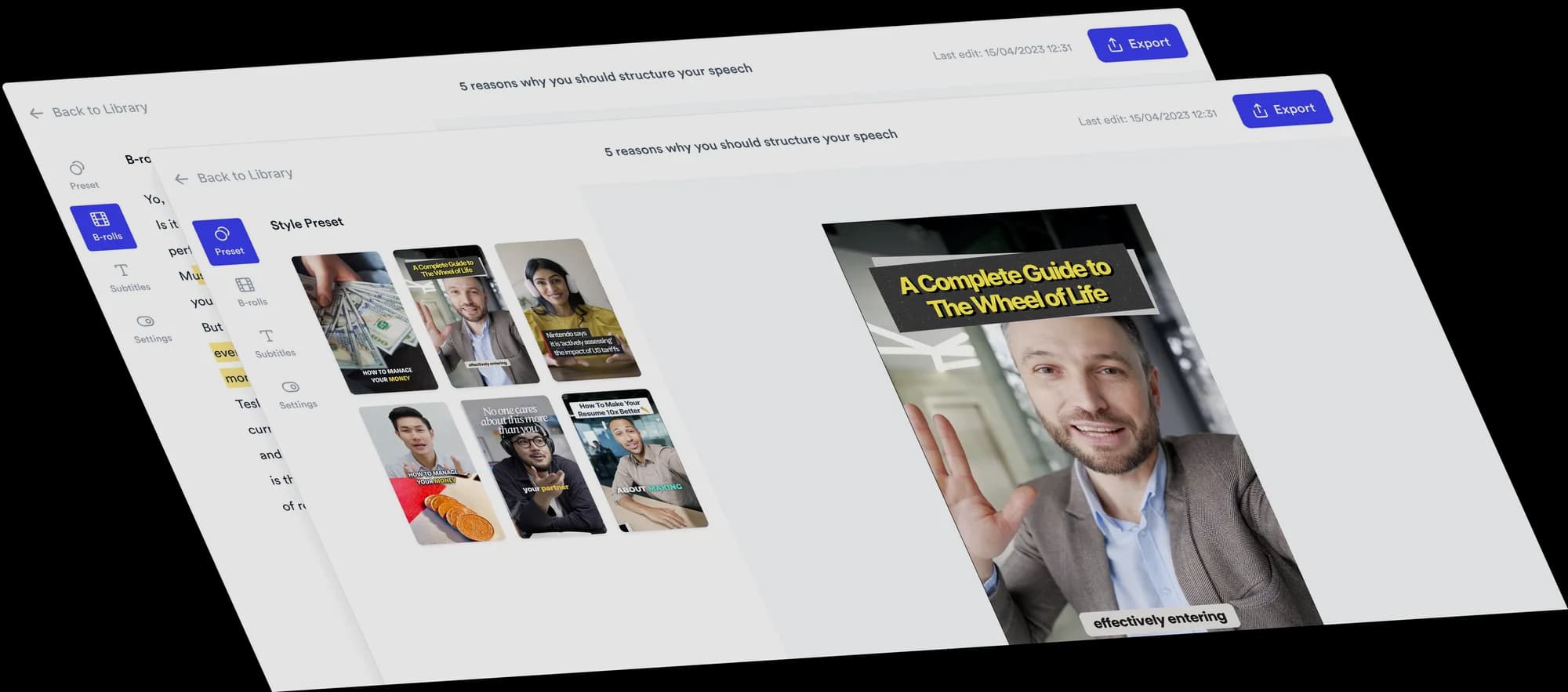
Best video formats · Real estate agents · Last updated November 2026
Best Video Formats for Real Estate Agents
Formats help turn your expertise into clear, watchable videos. A video format is a recognizable on-screen structure, such as a Tier List or 2 Column, not a dimension like 9:16 or a file type like MP4. Here are the formats that suit real estate agents, with examples and how to make each one.
Three formats to try
The short answer
For videos where you talk to camera, the most useful formats are 3 Column for sorting options into three categories, 2 Column for clear distinctions, Tier List for ranking home improvements or buyer trade-offs, Split screen for explaining a concept like a whiteboard, Green Screen for case studies and housing news, and Do & Don’t for buyer and seller mistakes. Property tours are a separate kind of video that needs your own footage.
- A format is the on-screen structure, not the platform or the 9:16 ratio.
- Match the format to the question: decide, rank, explain or correct.
- No format guarantees views; a clear answer still does the work.
Quick pick: which format for which video
| Format | Best for | Skip it when |
|---|---|---|
| 3 Column | You are sorting options into three meaningful categories. | You have no real reason behind each call. The reasons are what make the video interesting. |
| 2 Column | You want to make a clear distinction between two sides. | The answer depends on many personal factors that do not sort neatly into two sides. |
| Tier List | You want to rank several options and explain why. | Ranking would mean judging areas by who lives there or by “safety”. Stick to price, commute, inventory and similar facts. |
| Split screen | You are explaining a concept, a timeline or a single number and what it means. | You need specific photos of a listing on screen, which would have to be your own images. |
| Green screen | You are doing a case study, investigating a local topic or covering a headline your clients have seen. | There is no local angle. A national story without your take is just news. |
| Do & Don't | Each mistake has a clear better alternative. | The advice is a single tip, which is better as a plain talking head. |
| Talking head with B-roll | The video answers one question. | You are comparing several options, where columns or a ranking are easier to follow. |
1. 3 Column
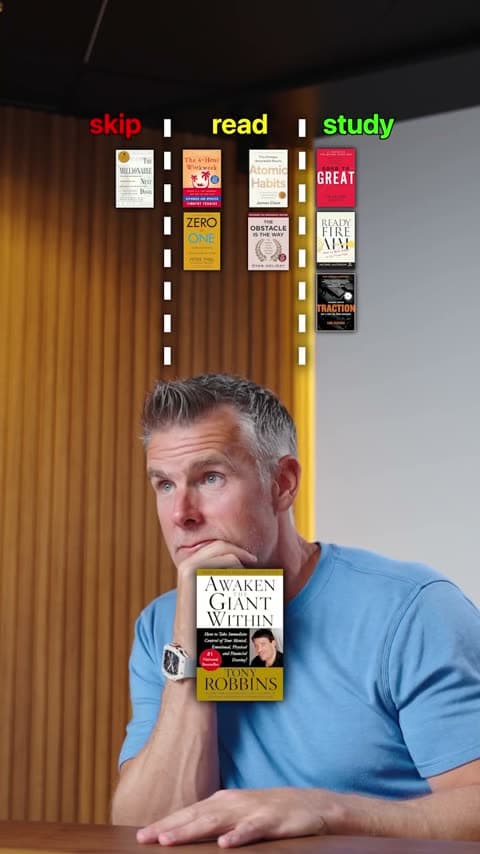
Use it to sort options into three meaningful categories, such as do now, consider and skip. The insight comes from explaining why each one belongs where it does, which shows sellers how you advise them.
- What the viewer sees
- Three columns with meaningful labels, such as do now, consider and skip. Each item drops into its column as you explain your call.
- Example for real estate agents
- Home improvements sorted into do now, consider and skip, with the reason for each call.
- Use it when
- You are sorting options into three meaningful categories.
- Skip it when
- You have no real reason behind each call. The reasons are what make the video interesting.
2. 2 Column
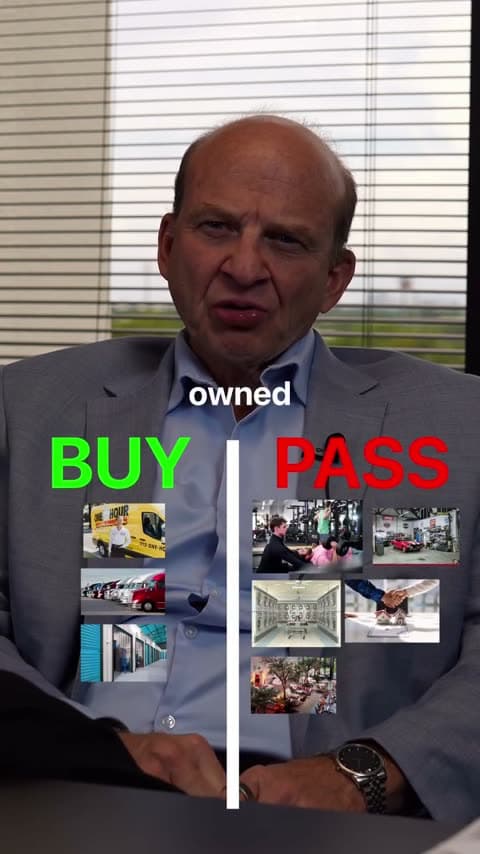
Use it to make a clear distinction, such as myth or fact or keep or cut. Each item goes on one side, and you explain why. Real estate is full of beliefs worth settling.
- What the viewer sees
- Two columns, such as Myth and Fact. Each item drops into its side as you give your verdict.
- Example for real estate agents
- Common buyer beliefs, such as “you need 20% down”, sorted into Myth and Fact.
- Use it when
- You want to make a clear distinction between two sides.
- Skip it when
- The answer depends on many personal factors that do not sort neatly into two sides.
Try a format on your next answer
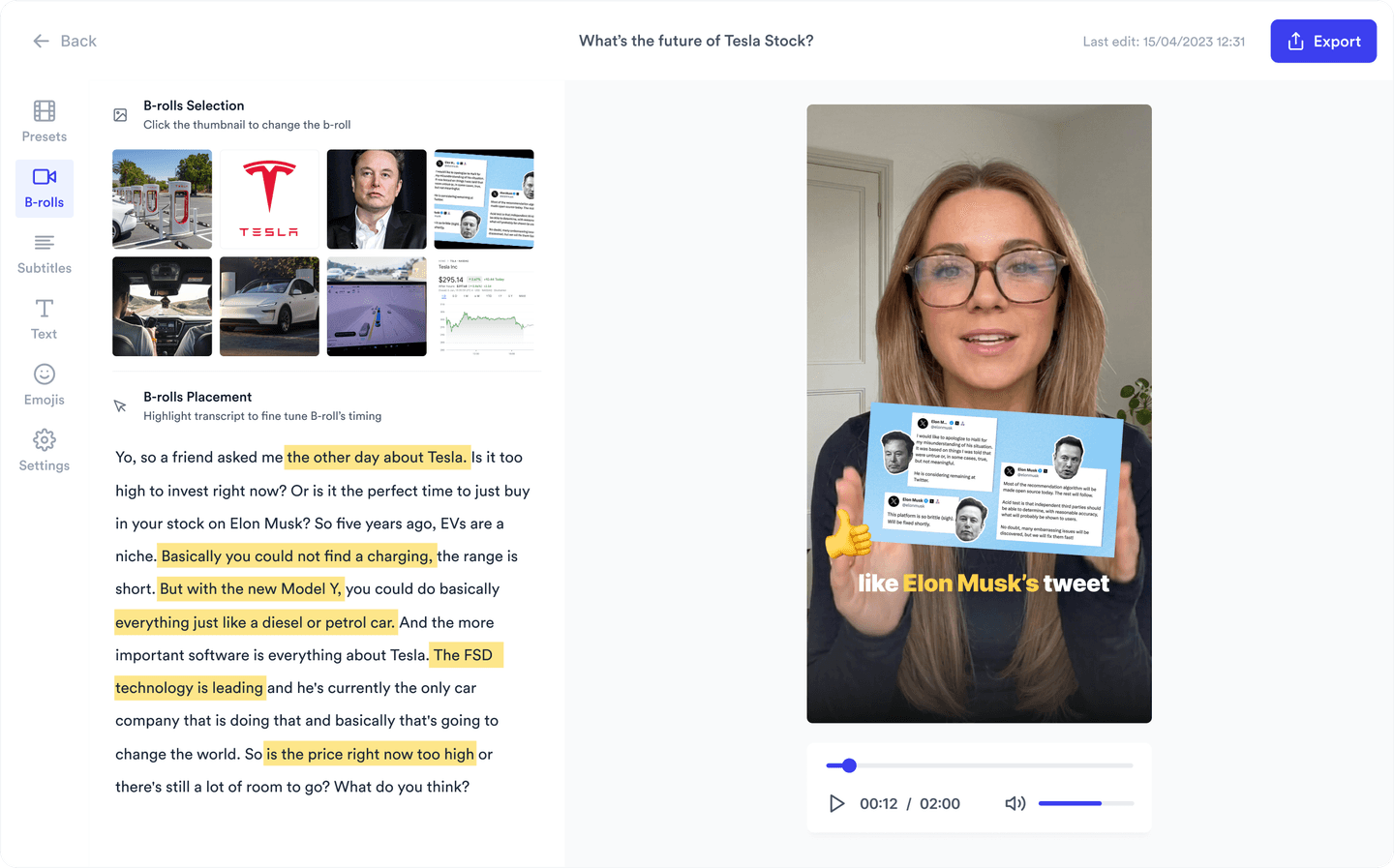
Record yourself talking, pick a Format, and Jupitrr builds it from what you say.
3. Tier List
One of the most popular video formats right now. Use it to rank options and defend your judgment, placing each item in a tier while you explain why. Clear reasons make your local knowledge easy to follow.

- What the viewer sees
- A tier board below you. Each item is placed into its tier as you explain why it belongs there.
- Example for real estate agents
- Buyer trade-offs, such as commute, yard size and move-in condition, ranked for a first-time buyer.
- Use it when
- You want to rank several options and explain why.
- Skip it when
- Ranking would mean judging areas by who lives there or by “safety”. Stick to price, commute, inventory and similar facts.
4. Split screen
Best for B-roll-heavy videos. When you explain a concept, it stays on screen like a whiteboard while you talk. Jupitrr fills this half with B-roll matched to your words. To keep a specific breakdown on screen, upload it as an image and drag the clip to cover that section.
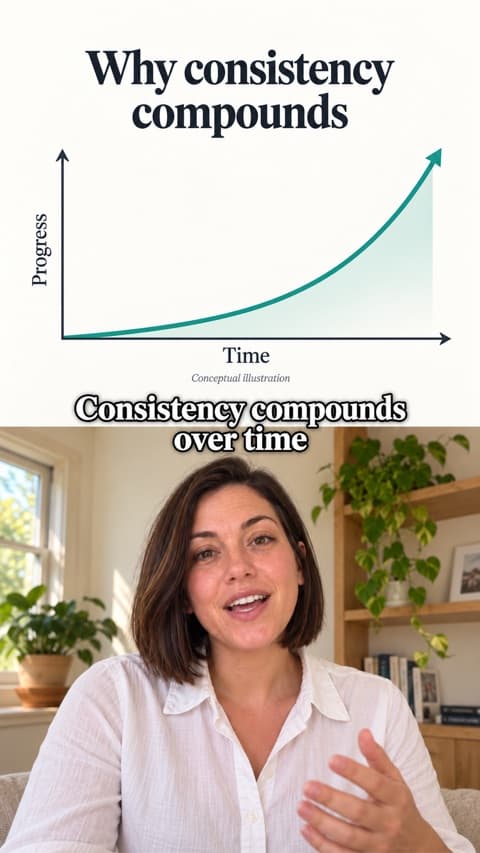
- What the viewer sees
- The concept or B-roll in one half and you in the other for the whole video, like talking through a whiteboard.
- Example for real estate agents
- “Closing costs explained”, with your own breakdown added on screen as you go through it.
- Use it when
- You are explaining a concept, a timeline or a single number and what it means.
- Skip it when
- You need specific photos of a listing on screen, which would have to be your own images.
5. Green screen
Suits investigations and case studies of a company or topic, where screenshots and B-roll carry the story, and it works well for news. The changing background adds variety to longer videos, and the cutout works on videos up to 10 minutes. Jupitrr places matched B-roll behind you automatically; you add any specific screenshots yourself. Use it to translate the story for your market.

- What the viewer sees
- You cut out of your background, in front of the screenshots, headlines or B-roll you are talking about.
- Example for real estate agents
- An agent stands in front of a national mortgage-rate headline and explains what it means for buyers in their county this month.
- Use it when
- You are doing a case study, investigating a local topic or covering a headline your clients have seen.
- Skip it when
- There is no local angle. A national story without your take is just news.
6. Do & Don't
Buyers and sellers make predictable mistakes. Do & Don’t pairs each one with what to do instead.
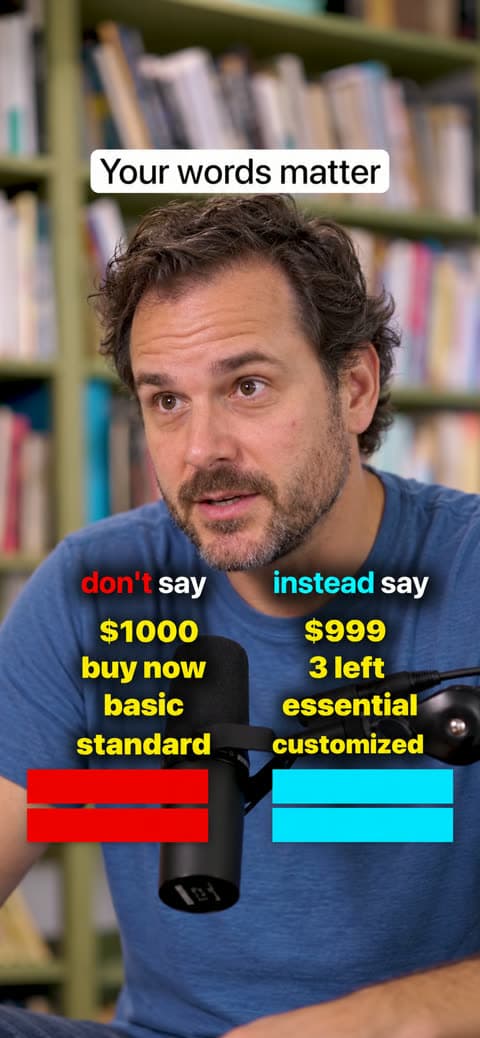
- What the viewer sees
- Two columns of pairs, each word revealed as you say it.
- Example for real estate agents
- “Don’t leave kitchen counters crowded. Do clear them before the photographer arrives.”
- Use it when
- Each mistake has a clear better alternative.
- Skip it when
- The advice is a single tip, which is better as a plain talking head.
7. Talking head with B-roll
For one question with one answer, a talking head with subtitles and B-roll is still the clearest structure.
- What the viewer sees
- You talking to camera, with subtitles and short stock B-roll that illustrates your points.
- Example for real estate agents
- “Should I replace my roof before selling?” Answer first, then the two exceptions.
- Use it when
- The video answers one question.
- Skip it when
- You are comparing several options, where columns or a ranking are easier to follow.
Real estate videos that need a different tool
Cinematic property walkthroughs, drone shots, listing teasers and POV tours depend on footage of the home and careful pacing, music and colour. They are usually shot by you or a videographer and edited in a full video editor.
Jupitrr edits talking-head videos. It does not insert your own listing footage as B-roll today, so use the formats above when you are on camera, and keep tours separate.
How to choose a format
- Sorting options into three categories? 3 Column.
- Making a clear distinction? 2 Column.
- Ranking several options on facts? Tier List.
- Explaining a concept, a timeline or a number? Split screen.
- Covering a case study or news? Green Screen.
- Mistakes with better alternatives? Do & Don’t.
- One question, one answer? Talking head with B-roll.
Frequently asked questions
A video format is a recognizable structure for your video, such as a Tier List or 2 Column. It helps because you start from a shape viewers already understand, so you only need to bring your knowledge. For your first post, pick a question clients always ask, choose the format that fits it and record your answer.
A real estate agent should start with 3 Column: sorting home improvements into do now, consider and skip does not need a listing. If it does not feel like you, try another one. The right first format is the one you will actually record.
These Jupitrr formats start with you talking to camera. A phone and one clear idea are enough. You can use them alongside other content such as property tours and open house clips.
You do not have to edit your video before you use a format. Upload your raw footage and choose a format. Jupitrr builds the edit automatically, ready for you to review and adjust. You can trim mistakes or remove silence first if you want to, but you do not have to.
Choose a format and topic, outline or script your points, record yourself talking, then upload your footage and select the format in Jupitrr. Review the automatic edit, adjust it and export.
Trying one or two video formats a week is a good starting point, not a rule. You do not need every format to gain traction. Repeat what works for your audience, and keep more than one format in rotation if it suits you.
The best aspect ratio for real estate videos is vertical 9:16 for Reels, TikTok and Shorts, and 16:9 for longer YouTube videos. Aspect ratio is a separate decision from format: any of the formats on this page work in a vertical short video.
A property tour is a type of video rather than an on-screen structure, and it depends on footage of the home. The formats on this page are for videos where you are the main subject.
No format guarantees views. A format makes a good answer easier to follow and share, but the question you answer and your opinion matter more.
Pick the format, keep your voice
Choose a Format like Tier List or Split screen, and Jupitrr builds the edit automatically, ready for you to review and adjust.