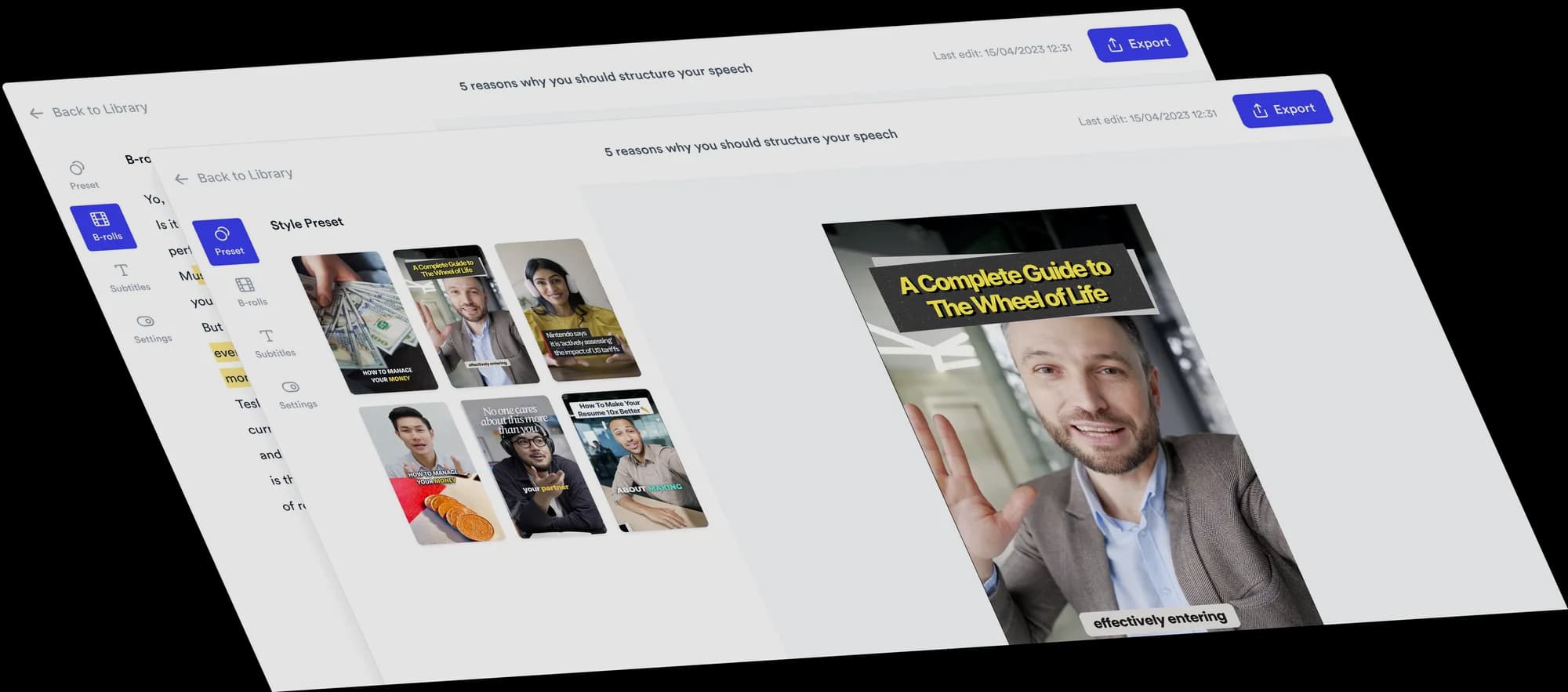
AI video editor for bookkeepers
Help prospective clients get to know your bookkeeping practice. Record a short introduction or answer a question, and Jupitrr adds B-roll, subtitles and editable layouts.
 Trusted by 200K+ coaches and consultants






Record between jobs. Jupitrr makes the first edit.
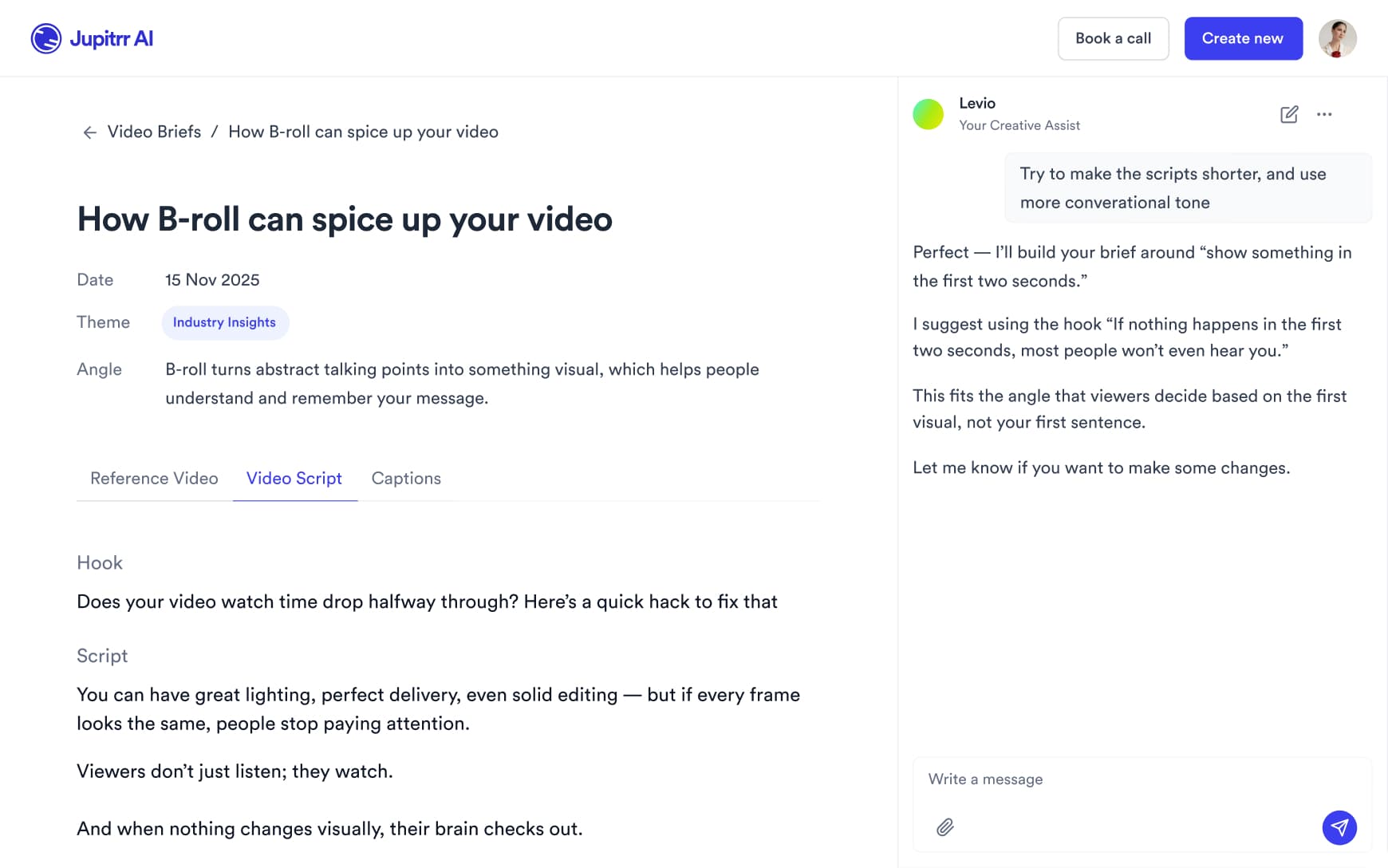
Film a two-minute answer on your phone between client work and upload it. Jupitrr adds stock B-roll and web images matched to what you say, subtitles, a hook, music and sound effects, laid out in a Format if you pick one. Upload your own blank templates or screenshots of your own dummy data where something needs to be on screen. Change anything on the timeline, or ask Levio.
Three Formats to try
Pick a Format when you upload, and Jupitrr lays out your video around what you say. Each card has one idea to start from.
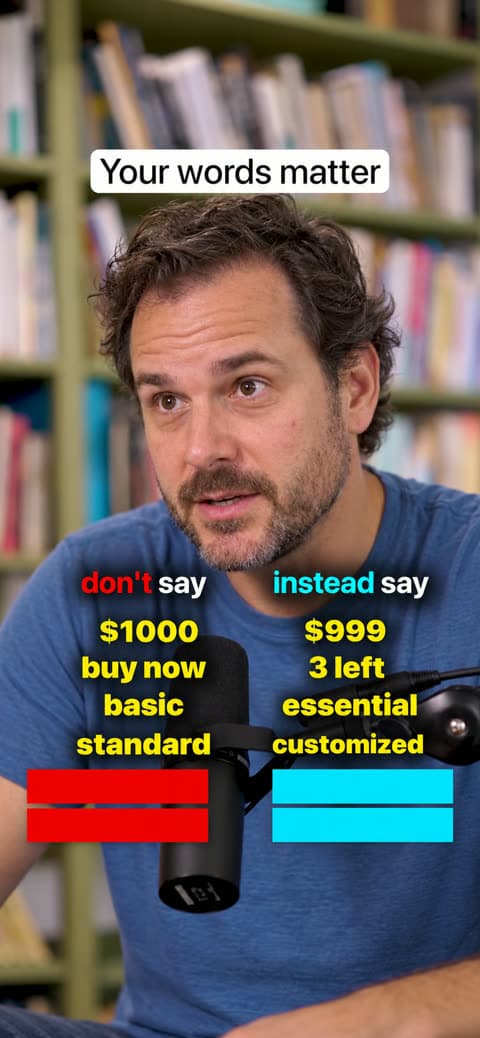
Do & Don't
Try this: signs a business has outgrown doing its own books, each paired with what changes when it hands them over.
See the Do & Don't Format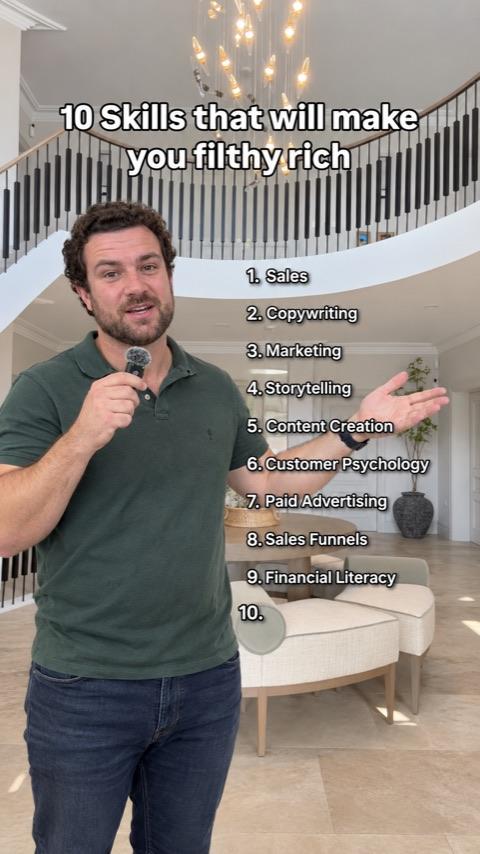
Long List
Try this: what to have ready before your first call with a bookkeeper, as a short numbered list.

Green screen
Try this: put your own onboarding checklist behind you and walk through what the first month with your practice looks like.
See the Green screen Format
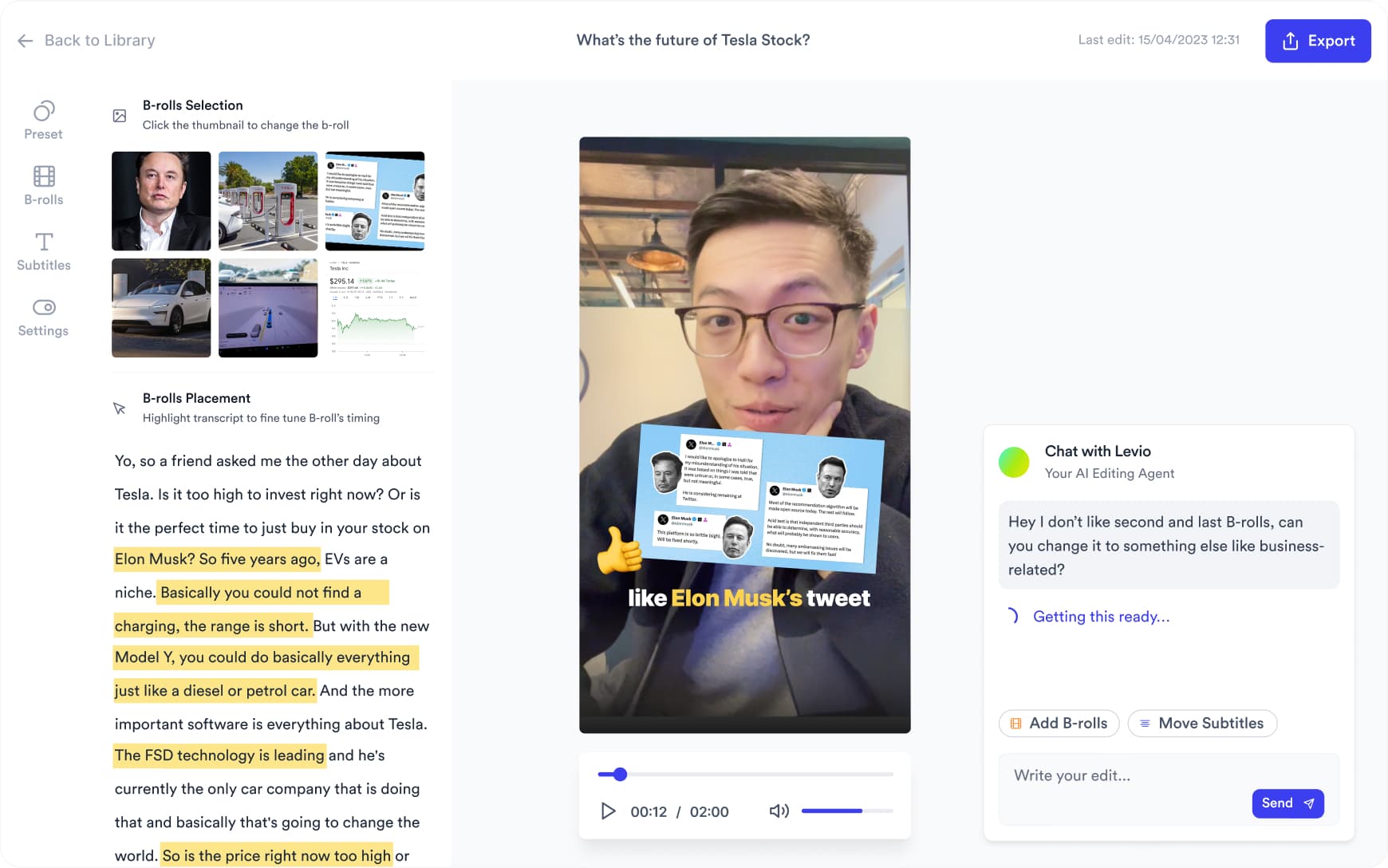
Want something changed? Ask Levio.
“Replace the B-roll at 0:14 with a stock video of a small business owner going through paperwork.”
Levio, the editing agent in Jupitrr, shows the change as a draft on the preview, and you keep it or undo it. It handles B-roll, subtitles, the hook, music volume and other visual changes; the other editor tabs cover the rest. How Levio works
Plan your next videos
- Client education for accountants and tax advisorsCreate videos that help existing clients prepare and understand your processes.
- Create your first videoFrom upload to export in Jupitrr.
- Record without memorising a scriptTeleprompter and scene-by-scene recording tips.
- Best video editors for LinkedInSix editors compared on LinkedIn publishing.
Plan videos that answer prospect questions
Start with a question such as “Can I switch bookkeepers without disrupting my business?” Build a short script around the handover, the records you need and the first step to book a call. Jupitrr helps draft the hook, talking points and caption for you to review.
Batch several videos in one recording session
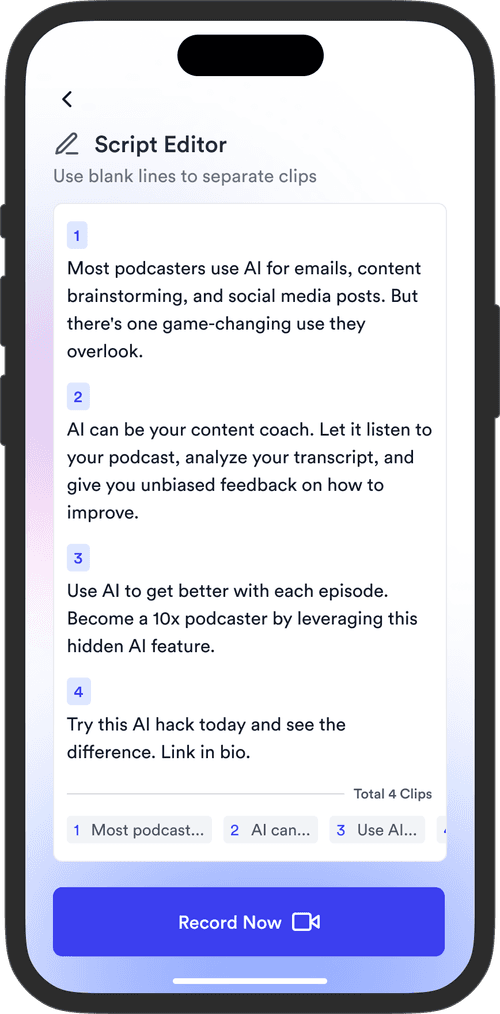
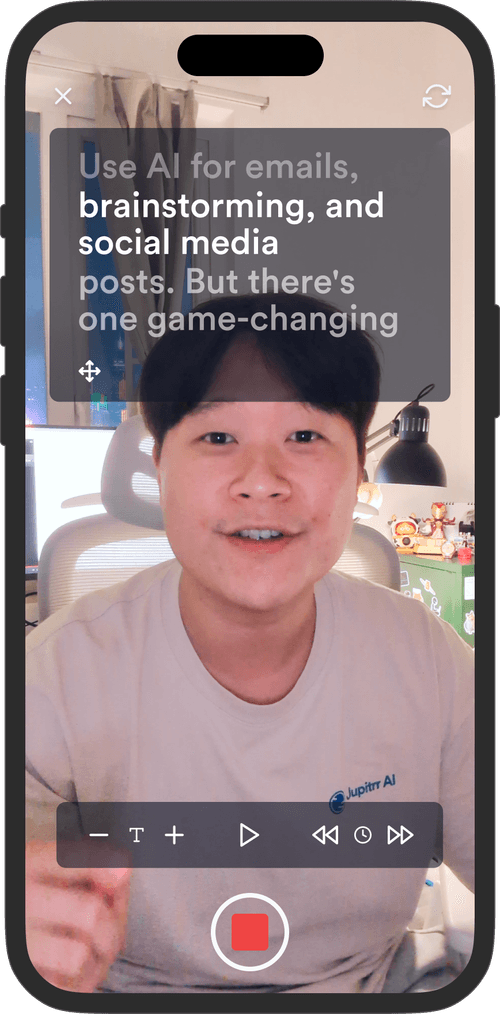
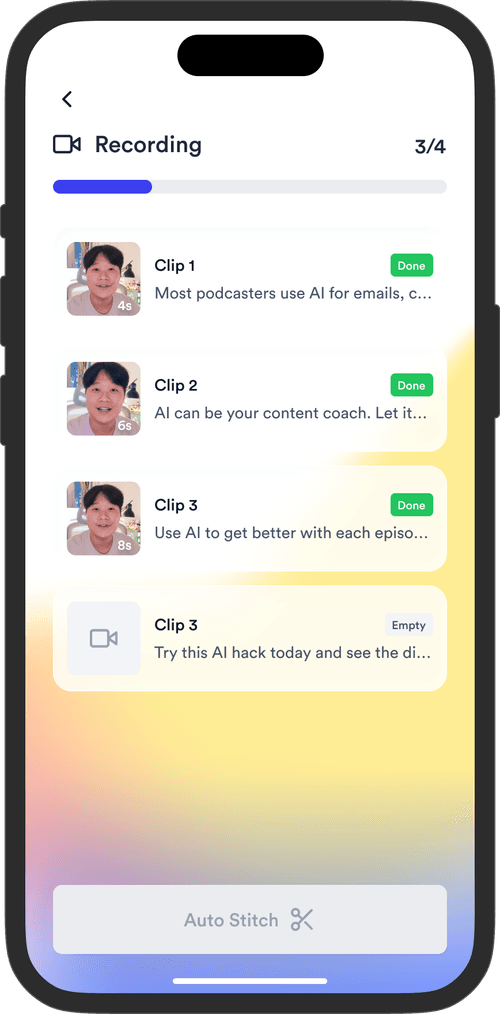
Set aside time to record several scripts with the Jupitrr Cut teleprompter app. Retake any scene; the app trims silence around each take and stitches your scenes into a video. Keep a few recordings ready for the weeks when client work takes priority.
Post where business owners are
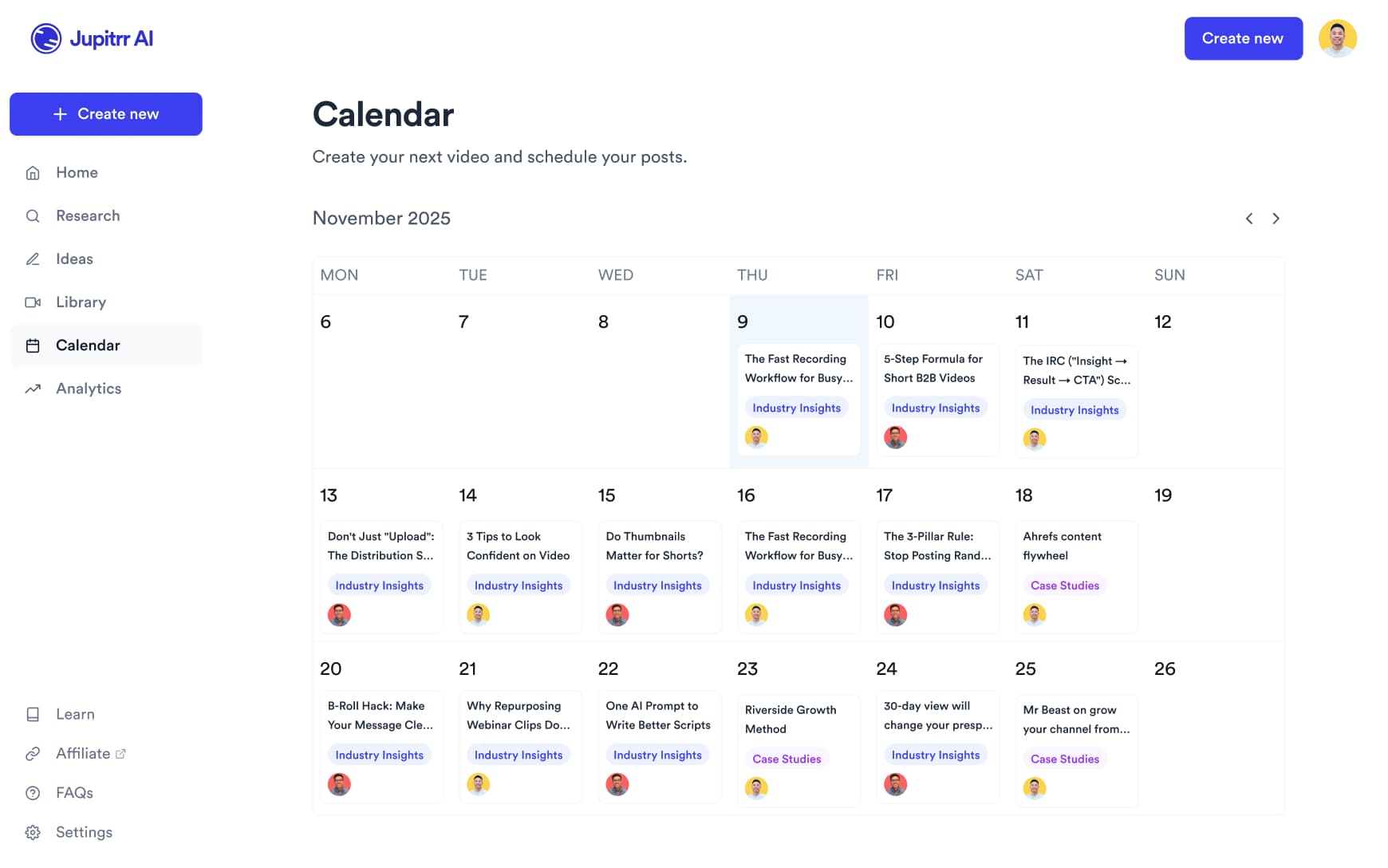
On Pro, schedule videos to LinkedIn, YouTube, Instagram and TikTok from the content calendar. Use video analytics to review views and engagement on connected YouTube and Instagram accounts. Choose the channels where your prospective clients already follow you.
Help future clients
get to know your practice.
Record it once between jobs. Jupitrr makes the first edit and schedules the post.
2 Formats
for talking-head videos
54+
subtitle languages
Up to 10 min
per upload on Pro
Frequently asked questions
Jupitrr suits practice owners who want to be visible to the businesses they want as clients. You record yourself talking to camera and Jupitrr makes the first edit with B-roll, subtitles, a hook and music, then schedules it on Pro. It edits the video; it does not check accounting content, know the rules where your clients trade, or give advice, so keep examples general and review every video before you publish.
Start with questions a prospective client asks before hiring you: when to outsource bookkeeping, how switching providers works, what your monthly service includes and which businesses you specialise in. For example, record a 60-second introduction to your handover process and end with an invitation to book a call. Use dummy data for any examples on screen.
Start where your prospective clients already spend time. LinkedIn is a useful channel to test if you serve business owners and finance teams; Instagram or YouTube may suit an audience you already reach there. On Pro, Jupitrr can schedule to LinkedIn, YouTube, Instagram and TikTok. Compare enquiries through your own booking or contact process.
A video of you talking to camera, filmed on a phone or webcam. Portrait suits Shorts, Reels, TikTok and LinkedIn and is needed for Formats; Jupitrr also exports landscape and square. You can add your own blank templates or screenshots of dummy data as B-roll. Do not upload client records or anything that identifies a client.
Yes. Swap any B-roll clip for a different stock clip, a web image or your own upload, and edit subtitles line by line, which matters for software names and terms the transcriber gets wrong. Change or remove the hook, music and sound effects. Levio can make visual changes such as replacing a clip or resizing the subtitles when you ask in plain language, and you keep or undo each draft.
Yes. The Team plan includes 5 seats, so partners, client managers and marketing colleagues can work in the same workspace with their own access. Email [email protected] if you need more seats.
Uploads can be up to 5 minutes on Starter, 20 minutes on Pro and 60 minutes on Team. Formats such as 2 Column and Green Screen are for portrait videos, so they suit short clips for Shorts, Reels, TikTok and LinkedIn. Longer videos take several minutes to process.
Sign up, open the sample video to see an automatic edit before you pay, then upload your own recording on a paid plan. Plans start at $11/month billed annually, and you can cancel any time from Manage Plan in your account settings.
Be the practice they already recognise
Record one answer between client jobs, and let Jupitrr turn it into an edited video.