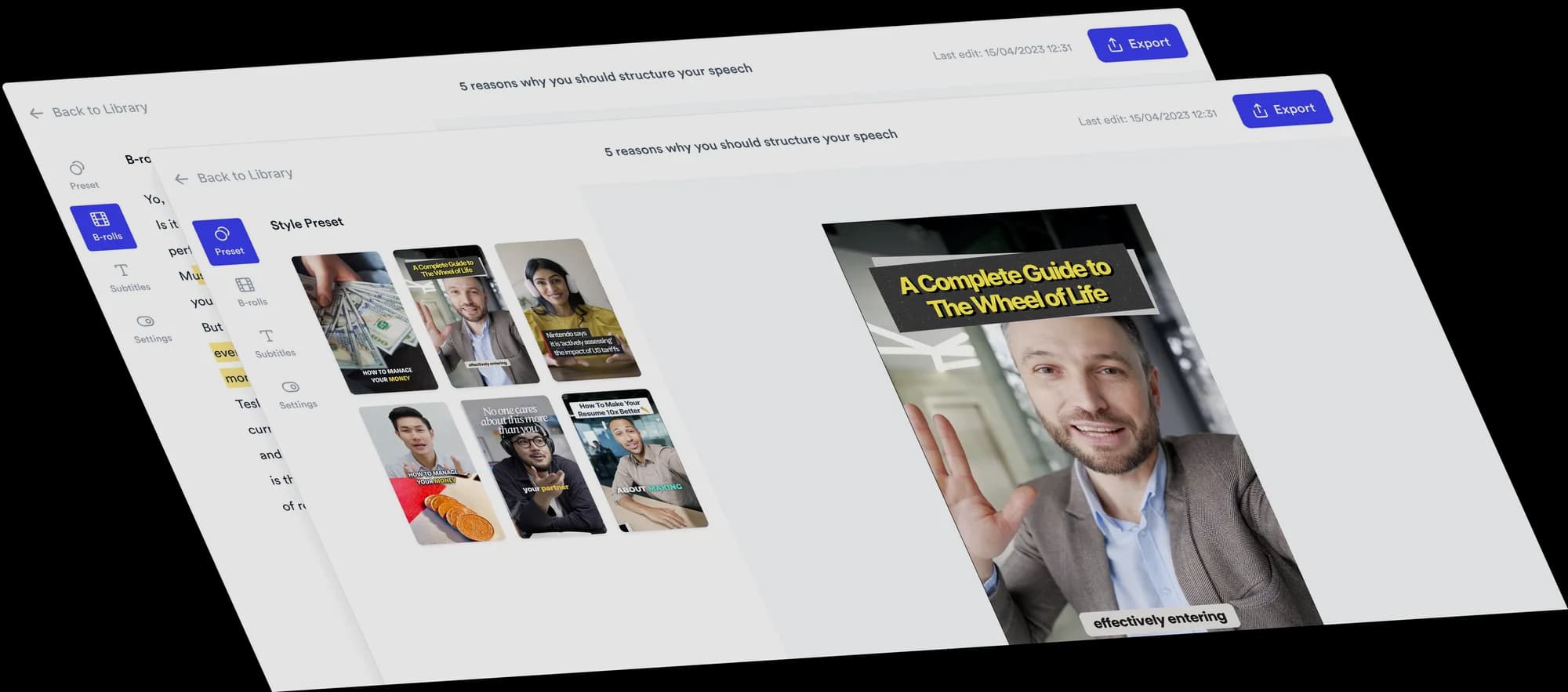
Turn your opinions into a 2 Column video
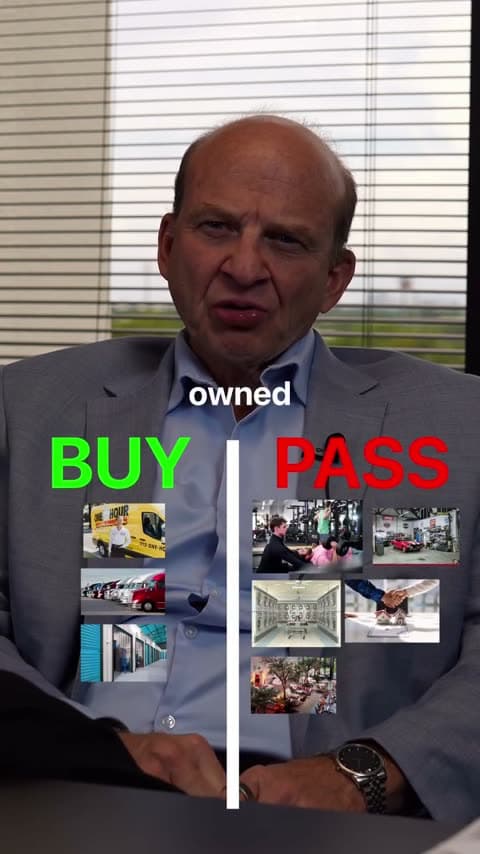
A two-column sorting video makes a clear distinction. Every item goes on one side: Buy or Pass, Myth or Fact, Keep or Cut. In Jupitrr this is the 2 Column Format. It finds each item you judge, adds a picture, and drops it into its column at the moment you call it.
 Trusted by 200K+ coaches and consultants






How a 2 Column video comes together
You give the verdicts. Jupitrr builds the board, finds the pictures and times every drop.
- Step 1
Record your verdicts and choose 2 Column
Name each item and say which side it goes on. Choose 2 Column as the Format in "Set up your video". The board owns the screen, so automatic B-roll, emojis and transitions start off.
- Step 2
Jupitrr sorts each item
It finds every item you give a verdict, names the columns (Buy and Pass by default, or your own words such as Myth and Fact) and adds a web picture for each item. Each item shows large as you name it, then drops into its column on your verdict.
- Step 3
Check the board, then export
Move an item to the other column, change its picture or name, rename or recolour the columns and set the board size and position.
Why two-way verdicts are easy to follow
A two-way choice is the quickest opinion to read, and the Format makes each call clear.
One decision per item
A verdict such as Keep or Cut needs no explanation, so viewers spend their attention on your reasons.
Viewers compare their own answer
People guess the verdict before you say it, then see if they agree.
A summary at the end
By the last item, the board shows every verdict in one frame.
Topics that suit 2 Column
Buy or pass
Products, businesses or investments worth a clear verdict.
Myth or fact
Claims your audience keeps hearing in your field.
Keep or cut
Tactics, subscriptions or habits that earn their place, or do not.
Worth it or not
Purchases, courses or tools judged on their value.
Who 2 Column suits
Consultants and advisers
Give a clear recommendation on options your clients ask about.
Coaches
Sort popular advice into what works and what does not.
Agency owners
Review tactics, channels or trends with a quick keep-or-cut verdict.
Educators
Run myth-or-fact videos on the misconceptions in your subject.
2 Column video ideas
Any topic with a clear yes or no works. Pick two words that fit your field.
- Business coach
Businesses: buy or pass
“Not every business is worth buying. Here is my verdict on five.”
- Marketing consultant
Tactics: keep or cut
“I audited our marketing. Here is what we kept and what we cut.”
- Nutrition coach
Health claims: myth or fact
“Five things you have heard about protein. Myth or fact?”
- Financial educator
Purchases: worth it or not
“Things people buy to save money. Worth it, or not?”
- Founder
Tools: keep or cancel
“Our software stack, one subscription at a time.”
- Career coach
CV advice: do or skip
“Common CV advice. Which is worth following?”
A short 2 Column script
Name the item first, then give the verdict in a word that matches a column.
- Hook“Which subscriptions would I keep, and which would I cancel?”On screen: A title for the board, which becomes your hook.
- Item 1“The scheduling tool I use every day. Keep.”On screen: A picture of the tool shows large, then drops under Keep.
- Item 2“The reporting app that duplicates another tool. Cut.”On screen: A picture of the app drops under Cut.
- Item 3“The backup service for our work. Keep.”On screen: The third picture lands under Keep.
- Close“Start with what you actually use.”On screen: The full board, with every verdict in place.
Jupitrr only places items you give a clear verdict. Pictures come from a web search for each item, and you can change any of them.
What Jupitrr does and what you adjust
The board, pictures and timing come ready. You can change all of them.
Items from your verdicts
Up to 30 items per video, each placed at the moment you name it. Items you do not give a verdict are left out.
Your column names
Buy and Pass by default. If you say other verdicts, Jupitrr uses your words. Rename or recolour either column.
Pictures for each item
Pictures are filled from web search. Change one with "Search web images", "Upload" your own, or use "Auto Images" again.
Move or add items
Pick a different "Column" for any item, remove it, or use "Add item at playhead".
Reveal Items Animation
Each item shows large as you name it, then drops into its column. Change its size and position, or switch it off.
Board size and position
Choose size S, M or L and set the board's Y position.
Pictures without the download loop
A sorting board works best when every item has a recognisable picture.
Web images per item
Open an item and search for its picture inside the editor.
Your own images
Upload a product shot, logo or screenshot up to 5 MB.
Web image results come from the open web, so their rights vary. You are responsible for confirming you can use an image, especially in ads.
Tips for a clear 2 Column video
Do
- Say the item's name clearly before the verdict.
- Use the same two verdict words all the way through.
- Keep each item to a short name: one to five words.
- Six to twelve items fit a short video; the board shrinks to fit more.
Avoid
- Hedging ("it depends") without a final verdict. Undecided items are left out.
- Switching between verdict words, such as "buy", "get it" and "worth it".
- Leaving web pictures unchecked before you export.
- Using it for pairs of a mistake and its fix, where Do & Don't fits better.
Good to know
- Portrait videos only.
- Exactly two columns. For three levels, use 3 Column; for a full ranking, use Tier List.
- Up to 30 items per video.
- Turning on 2 Column in the editor removes automatic B-roll and automatic text overlays. B-roll and text you added yourself stay.
- Re-detect rebuilds items, columns, colours and pictures from your transcript and replaces your edits. Style settings stay.
- Levio cannot edit the board. Use the Formats tab.
Trusted by 200K+ coaches and consultants



Frequently asked questions
What is a 2 Column video?
Can I use other column names?
Where do the item pictures come from?
Is 2 Column a split screen video?
What is the difference between 2 Column and 3 Column?
Will a 2 Column video go viral?
Give your verdicts. Get the board.
Upload your recording, choose 2 Column, and edit the board Jupitrr builds from your words. From $11/mo billed annually.