AI video editor for coaches
Record yourself teaching what you know, upload it, and get back an editable first cut with B-roll, subtitles, a hook, music and sound effects. For business, executive, career, fitness and wellness coaches who sell through video.
 Trusted by 200K+ coaches and consultants






What they say about us
I never thought I'd be someone who posts every day. Jupitrr just made it easy enough that I actually do.

Jamie Brooks
Nutritionist
I've tried way too many tools over the years. This is the one I can finally stop juggling with.

Rishi Suvarna
Personal Trainer
Everything used to be all over the place. Now my content is actually planned and scheduled in one spot.

Priya Nair
Meditation Coach
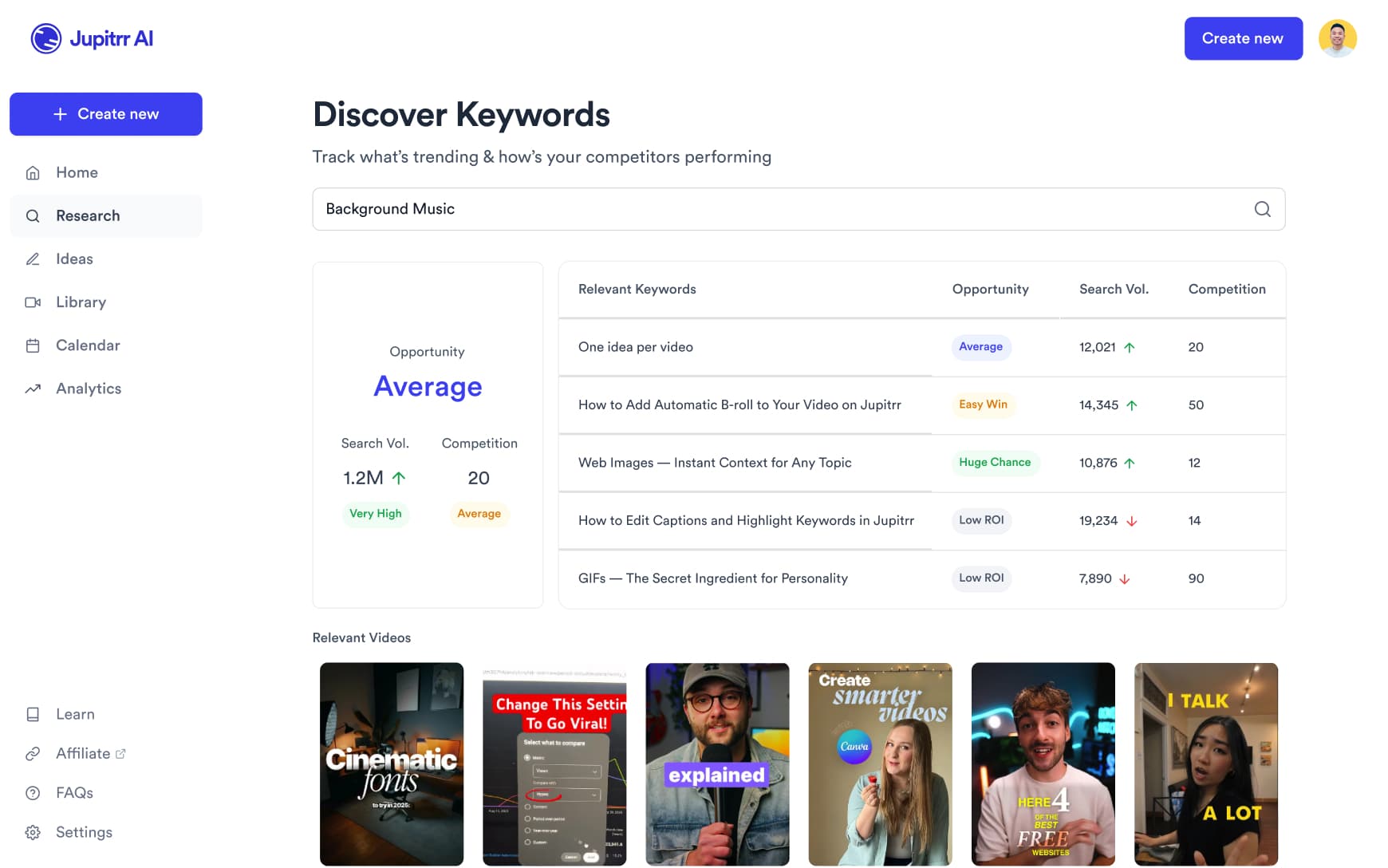
Find what your future clients are watching
Search what is working in your niche on YouTube, TikTok and Instagram, and see the hooks and angles that already land with your audience.
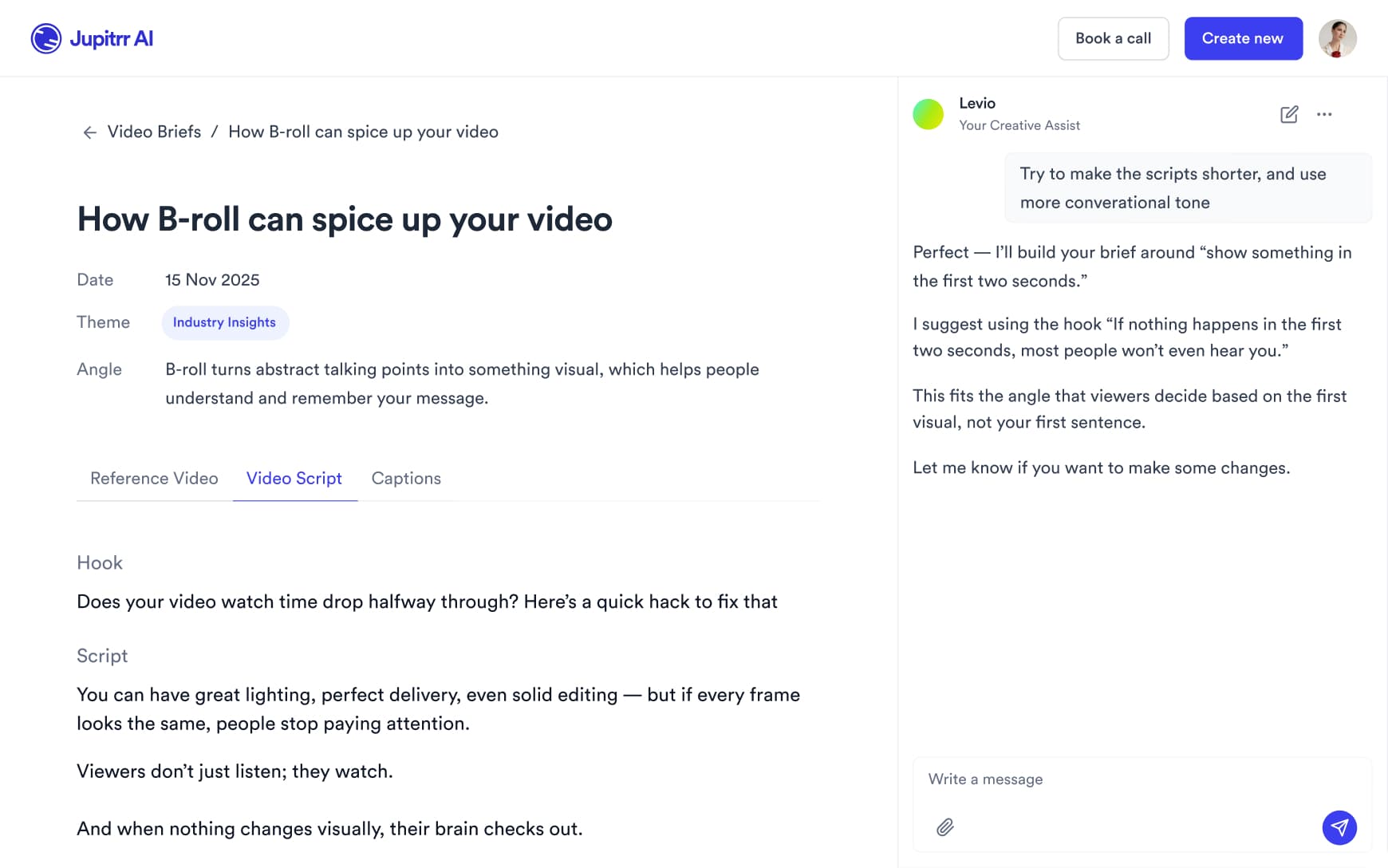
Scripts for frameworks, client stories and advice
Get a full script with a hook, talking points and a caption written in your voice, then adjust it before you record.
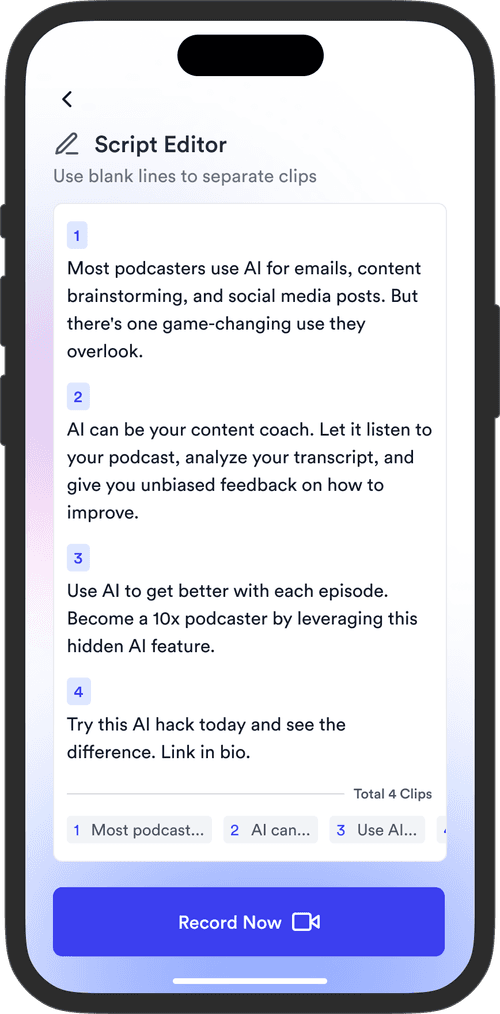
Record between sessions, wherever you coach
Read your script on the Jupitrr Cut teleprompter app, retake any scene, and it trims the silence around each take and stitches them into one video.
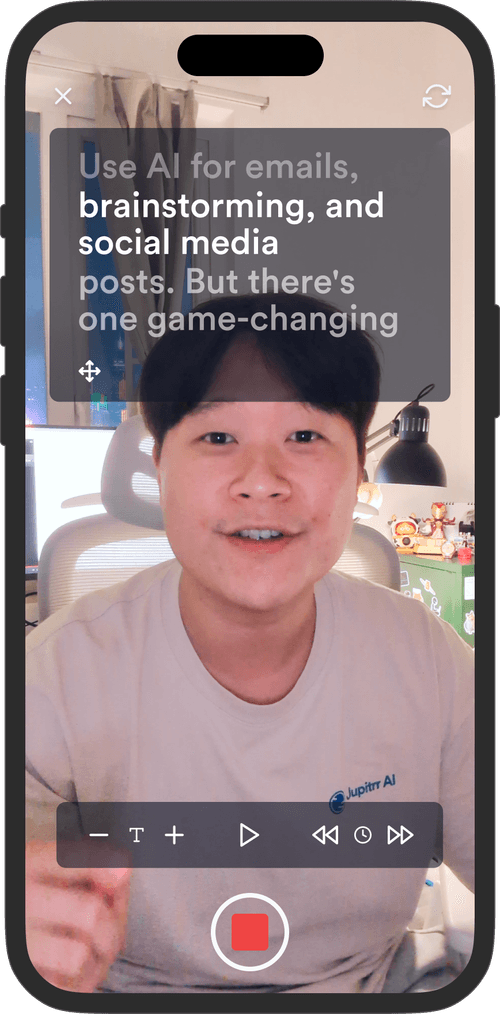
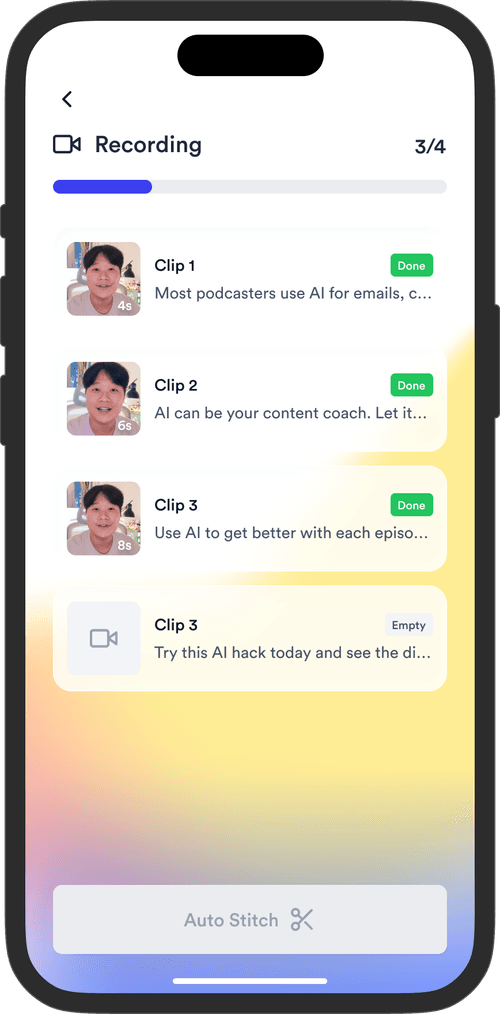
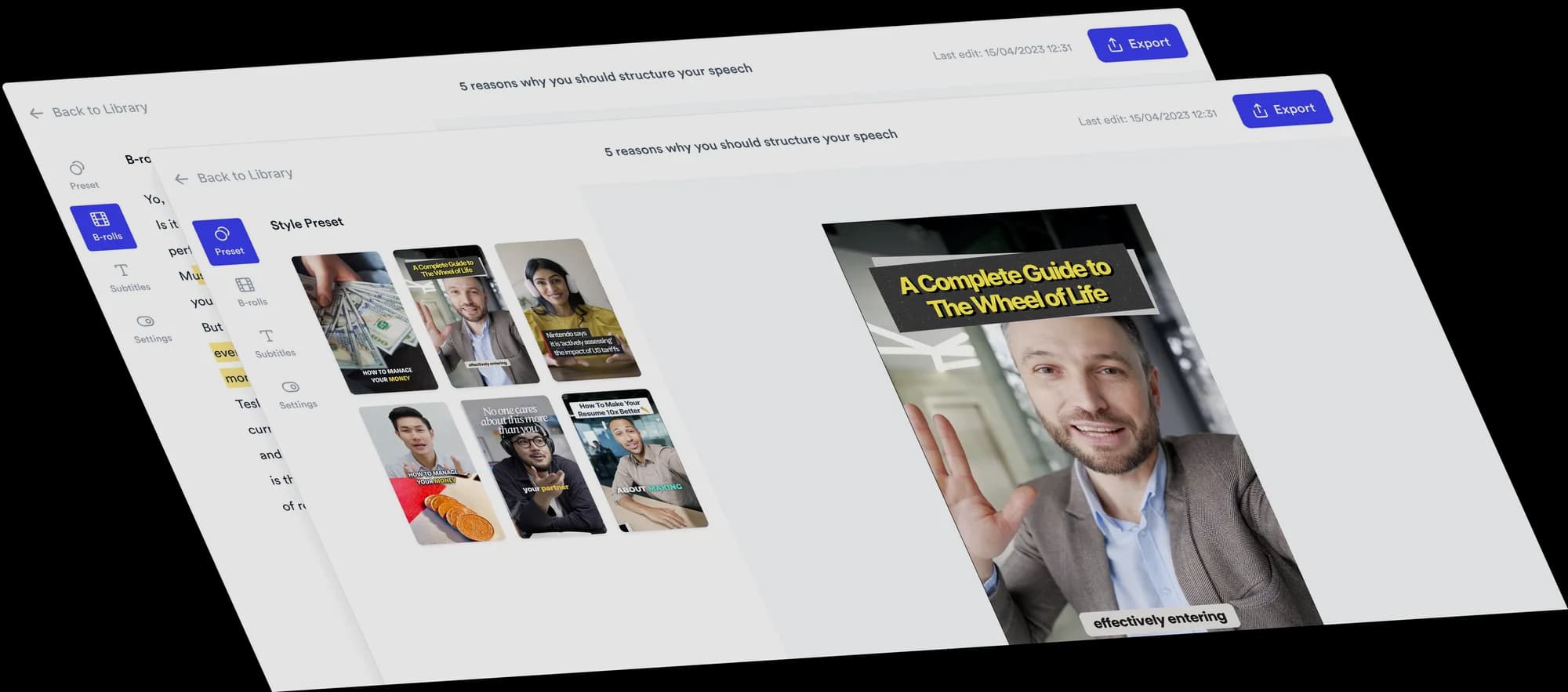
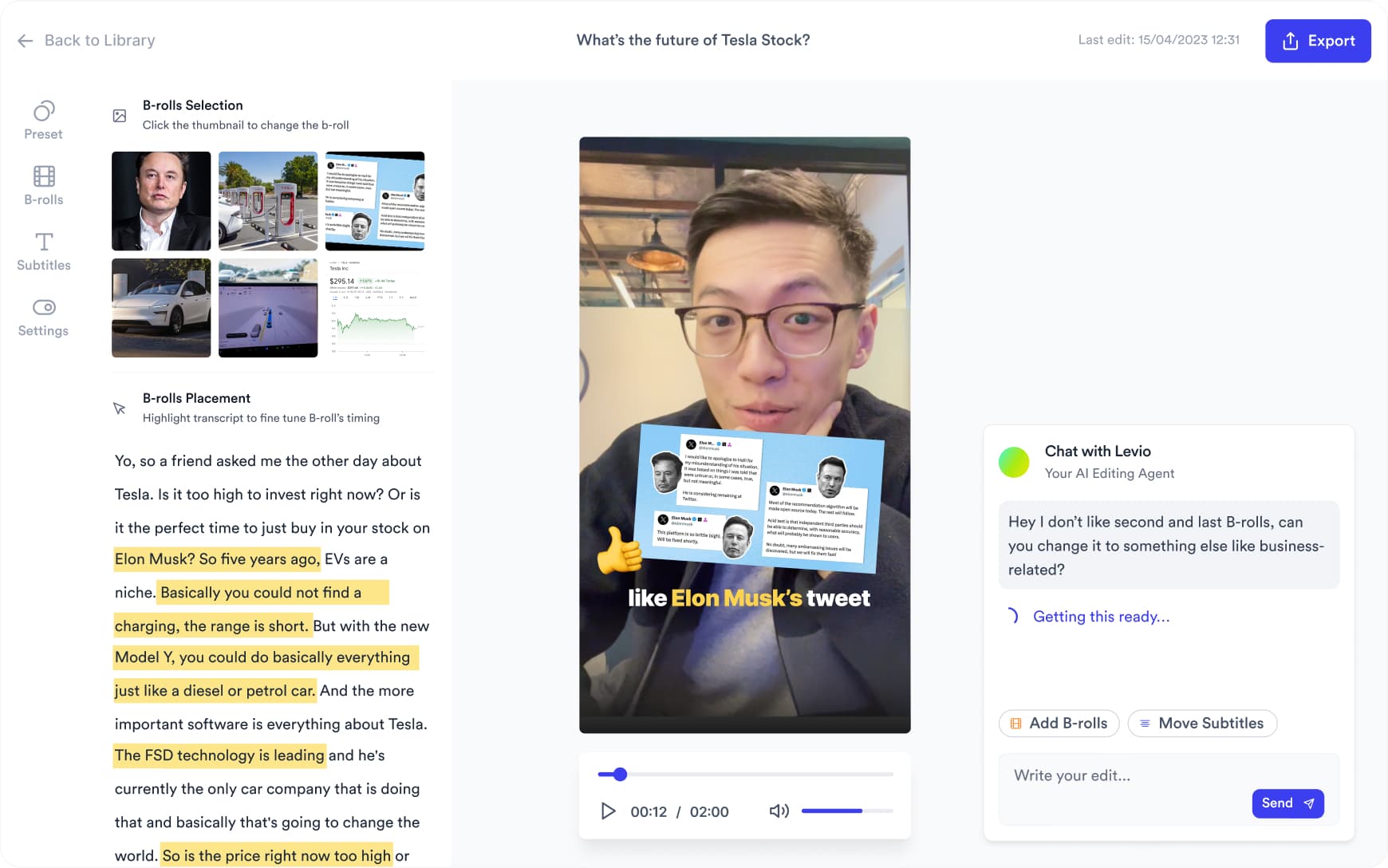
Your recording comes back edited
Upload the video and Jupitrr adds B-roll at the moments that need a visual, styled subtitles, a hook, music and sound effects. Change anything on the timeline, or ask Jupitrr Agent.
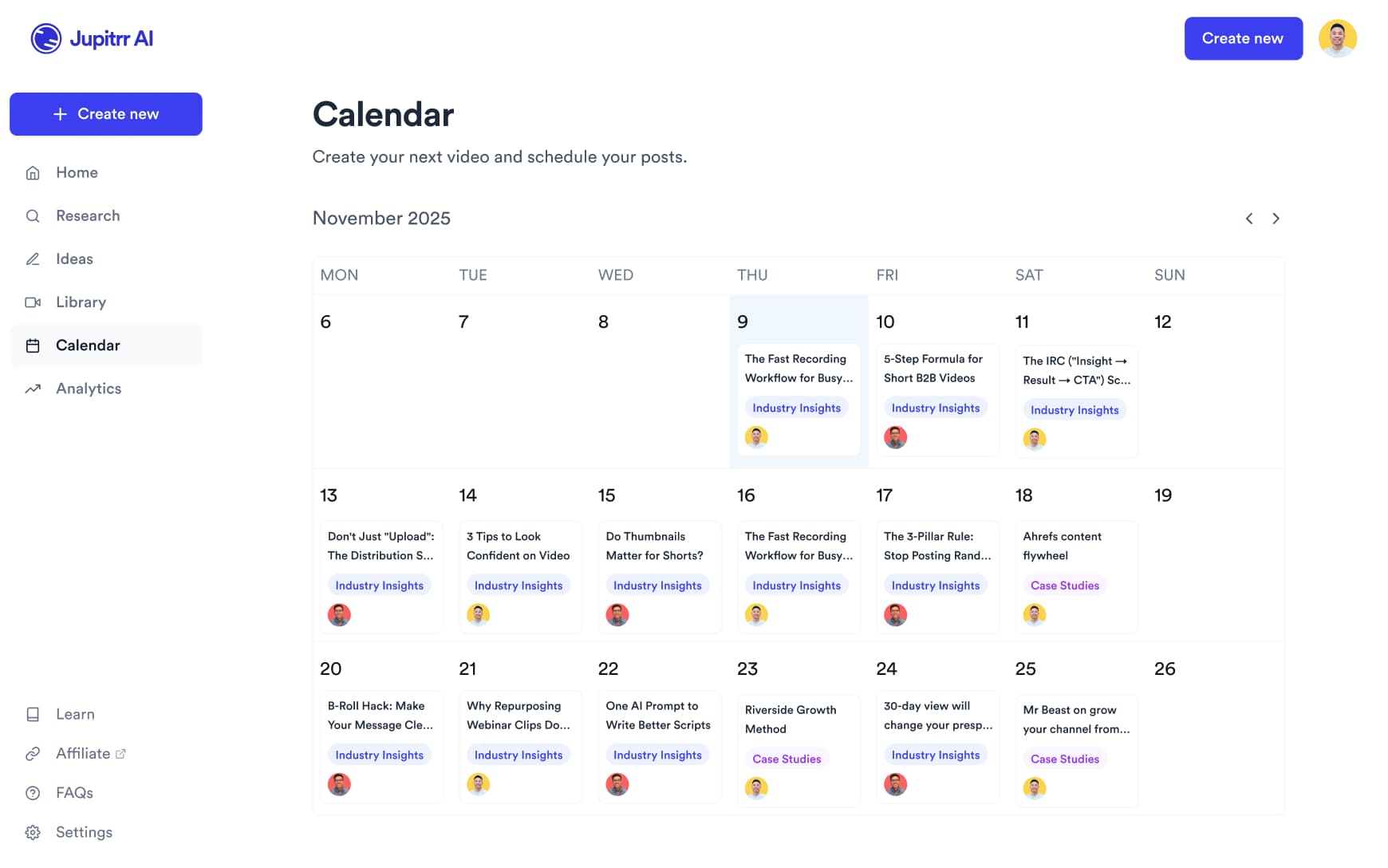
Schedule to every platform
Schedule and publish to YouTube, Instagram, TikTok and LinkedIn from the content calendar, and see how each video performed.
Every video that grows your coach business
From grabbing your audience's attention to getting them to trust you. Every format, one platform.
Myth Busting
Pick a common myth in your niche and bust it on camera. A counterintuitive take stops the scroll and shows people you know your subject.
Explainer Video
Break down one idea your clients need to understand: a framework, a mistake to avoid, a step in your method. Useful explainers get saved and shared.
React Video
Show someone else's clip and give your expert take on it. Correct bad advice or react to a trend in your field.
Client Story
Walk through a client's before and after: what they struggled with, what you worked on together and where they are now. Real results, told honestly.
Recipe Video
For nutrition and wellness coaches: cook something on camera and keep it casual. Recipe content is one of the most saved formats on social.
Review Video
Give your honest take on a product, book, tool or trend in your field. Your audience wants to know what you actually think.
Workout Breakdown
For fitness coaches: demo an exercise, correct the form and explain what it targets.
Challenge Video
Launch a 7-day or 30-day challenge and bring your audience along. Challenges drive repeat views and give people a reason to follow you for weeks.
Challenge Video
Launch a 7-day or 30-day challenge and bring your audience along. Challenges drive repeat views and give people a reason to follow you for weeks.
Myth Busting
Pick a common myth in your niche and bust it on camera. A counterintuitive take stops the scroll and shows people you know your subject.
Explainer Video
Break down one idea your clients need to understand: a framework, a mistake to avoid, a step in your method. Useful explainers get saved and shared.
React Video
Show someone else's clip and give your expert take on it. Correct bad advice or react to a trend in your field.
Client Story
Walk through a client's before and after: what they struggled with, what you worked on together and where they are now. Real results, told honestly.
Recipe Video
For nutrition and wellness coaches: cook something on camera and keep it casual. Recipe content is one of the most saved formats on social.
Review Video
Give your honest take on a product, book, tool or trend in your field. Your audience wants to know what you actually think.
Workout Breakdown
For fitness coaches: demo an exercise, correct the form and explain what it targets.
Challenge Video
Launch a 7-day or 30-day challenge and bring your audience along. Challenges drive repeat views and give people a reason to follow you for weeks.
Myth Busting
Pick a common myth in your niche and bust it on camera. A counterintuitive take stops the scroll and shows people you know your subject.
Spend time closing deals,
not making videos.
Get back the time you could have spent with your clients.
0 app
from script to scheduled post
44+
subtitle languages
Up to 10 min
per upload on Pro
Frequently asked questions
Coaching is bought on trust. Before someone books a call, they want to see how you think, how you explain things and whether your style suits them. Regular talking-head videos on YouTube, Instagram, TikTok and LinkedIn let prospective clients get to know you before the first conversation, in a way a written bio cannot.
It covers the steps you would otherwise spread across several tools. It researches what is working in your niche on YouTube, TikTok and Instagram, writes a script with a hook, talking points and a caption in your voice, and shows it on a teleprompter while you record. When you upload the recording, it adds B-roll at the moments that benefit from a visual, subtitles, a hook, music and sound effects. On Pro it schedules and publishes to YouTube, Instagram, TikTok and LinkedIn. You adjust the edit on the timeline or the transcript. It is not built for multicam production or motion graphics.
No. The first edit is made before you open the editor. Upload a talking-to-camera video, review what Jupitrr placed, and change what you disagree with in a click, or describe the change to Jupitrr Agent in plain language and it applies it.
Yes, any part of it. Every B-roll clip can be swapped for a different stock clip, a web image, a GIF or your own footage, and you can change how it appears and animates in. Subtitles are editable line by line, including wording, styling and language. Music, sound effects and the hook can each be changed or removed. Swapping one clip leaves the rest of the video as it was.
Stock from iStock by Getty Images on paid plans and Pexels, web images with licence labels shown where available, GIFs, and anything you upload. Jupitrr places it at the moments in your recording that benefit from a visual, rather than on every sentence. Each source has its own licence terms, so check the licence of a clip before using an export in paid ads, and confirm the rights on any web image.
Yes. Upload your own clips and images and use them alongside the stock footage or in place of it. Many coaches use stock for general context and their own footage for anything that needs to be visibly theirs. Uploaded media stays in your library for future videos.
Partly. The Jupitrr Cut teleprompter app trims the silence around each take as you record, and Trim & Stitch can remove silences and let you split out mistakes before the edit. Jupitrr does not detect filler words or repeated takes automatically.
Uploads can be up to 5 minutes on Starter, 20 minutes on Pro and 30 minutes on Team. Longer videos take several minutes to process. See the guide to editing long talking-head videos for what to expect.
There is no free plan; you can try a sample video free. Starter is $11/month billed annually ($22 monthly) with 10 exports a month, 3 video briefs and 5-minute uploads. Pro is $24.50/month billed annually ($49 monthly) and adds the AI scriptwriter, viral video search, the content calendar, social publishing and analytics, with 30 exports and 20-minute uploads. Team is $89/month billed annually ($149 monthly) for coaching businesses with staff.
Yes. Every new account can try a sample video free before paying. Paid plans can be cancelled at any time from your account settings under Manage Plan. Your plan stays active until the end of the period you have paid for.
Go deeper
Best Video Editors for Business Coaches
Editors compared for coaching content, with what each one is best at.
Best Video Editors for Talking-Head Videos
Talking-head editors compared by how the edit gets made.
Jupitrr Cut Teleprompter
Record scripted video scene by scene, with the silence around each take trimmed.
AI B-Roll Generator
B-roll placed at the moments in your recording that benefit from a visual.
Start attracting clients with video
Record what you know, and let Jupitrr turn it into edited videos you can post every week.