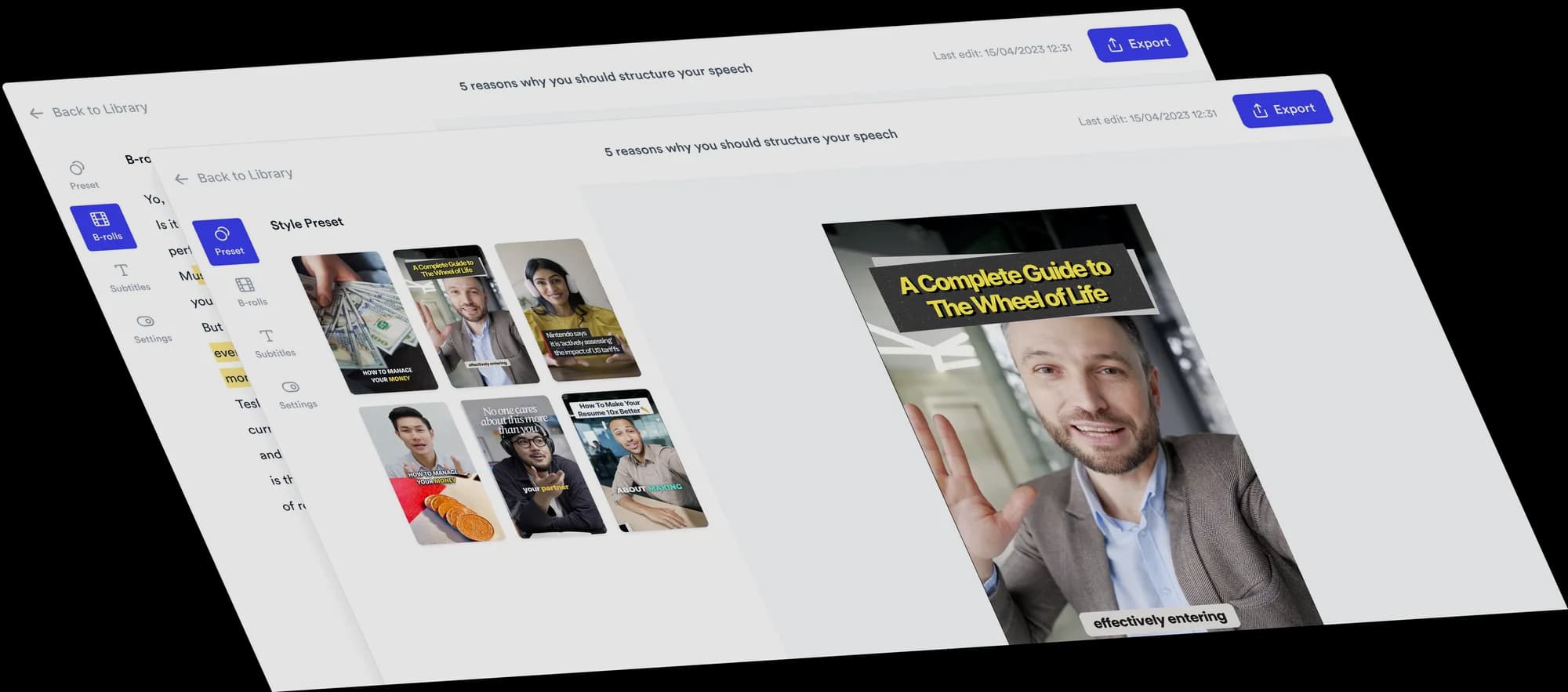
AI video editor for consultants
Turn your expertise and opinions into clear videos for LinkedIn and other social channels. Record yourself talking, upload it, and Jupitrr edits it with B-roll, subtitles and a hook, ready for you to change.
 Trusted by 200K+ coaches and consultants






What they say about us
Nowadays content is everything. You can't meet everyone in person; you have to be present digitally to reach your customers.

Sanjeet Mahajan
Co-founder, Kizzy Consulting
The CEO of a half-billion-dollar business told me he loves my videos. People think I hired a marketing agency.

Buck Foley
Partner, Crescent Edge Consulting
Be able to shoot this and then getting a deliverable so quickly is amazing. It literally took me 90 seconds to record so I see the value.

Sean Huynh
Founder, Solara Talent
Your expertise. Automatically edited.
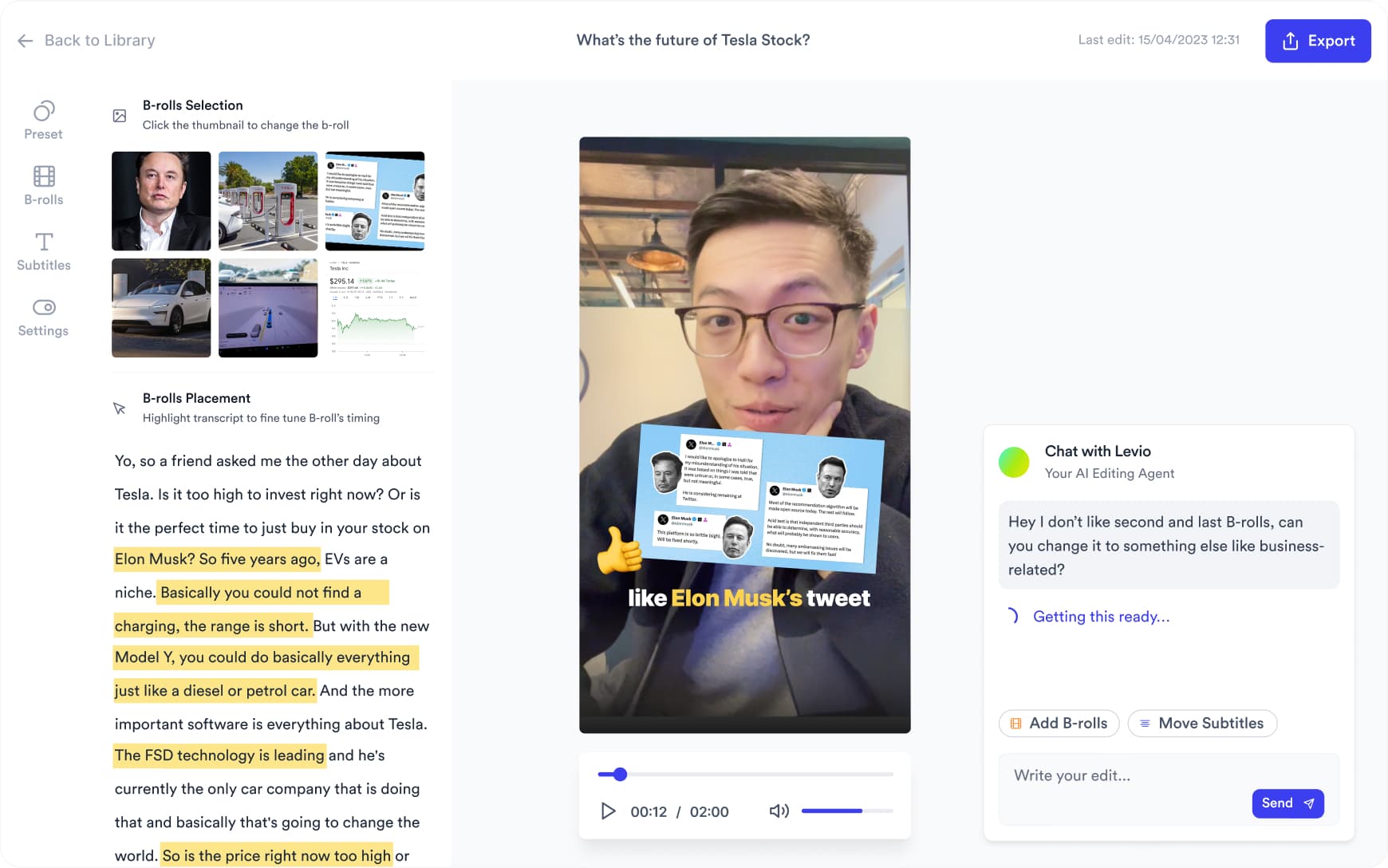
Upload a talking-head video and Jupitrr adds stock B-roll and web images matched to what you say, plus subtitles, a hook, music and sound effects, laid out in a Format if you pick one. Upload your own slides or charts where the exact visual matters. Change anything on the timeline, or ask Levio.
Three Formats to try
Pick a Format when you upload, and Jupitrr lays out your video around what you say. Each card has one idea to start from.

Logo List
Try this: walk through the tools you recommend to clients, one category at a time. You choose the logos.
See the Logo List Format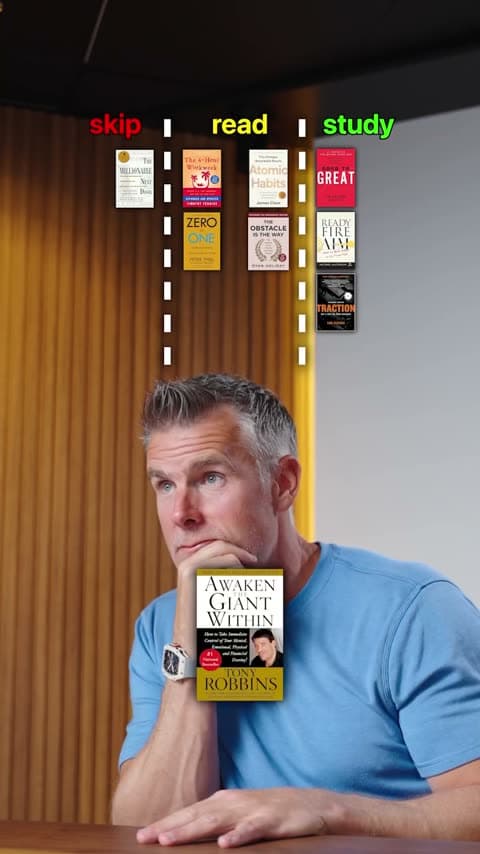
3 Column
Try this: sort common growth tactics into fix now, fix later and ignore.
See the 3 Column Format
Split screen
Try this: explain your framework step by step, with slides of it you upload shown above you.
See the Split screen Format
Want something changed? Ask Levio.
“Replace the B-roll at 0:20 with a stock video of a team meeting.”
Levio, the editing agent in Jupitrr, shows the change as a draft on the preview, and you keep it or undo it. It handles B-roll, subtitles, the hook, music volume and other visual changes; the other editor tabs cover the rest. How Levio works
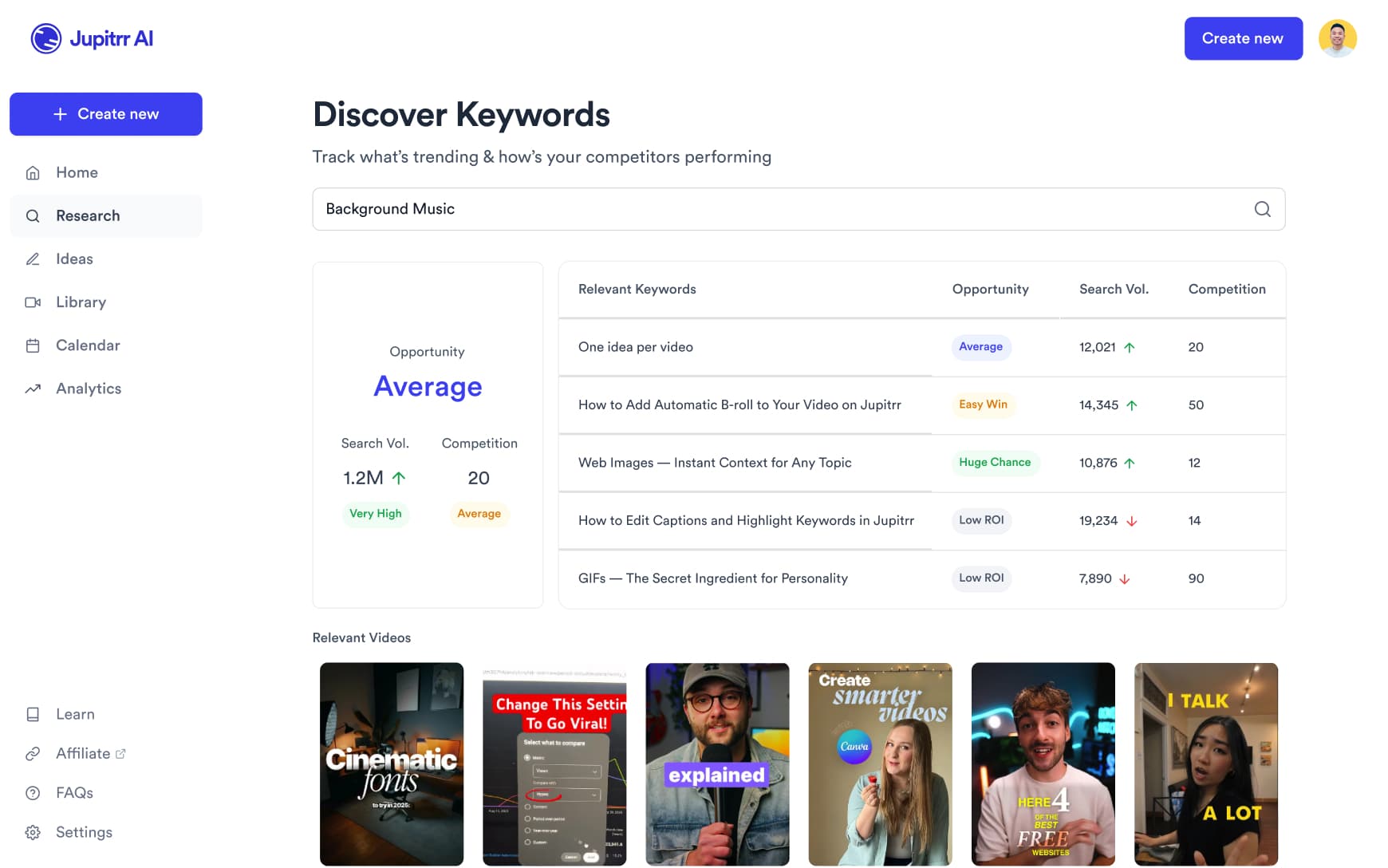
Find the angles your clients engage with
Search what is working in business and leadership content on YouTube, TikTok and Instagram, and see which hooks and topics land.
Scripts for frameworks, case studies and takes
Get a full script with a hook, talking points and a caption in your voice, built around your own frameworks and results.
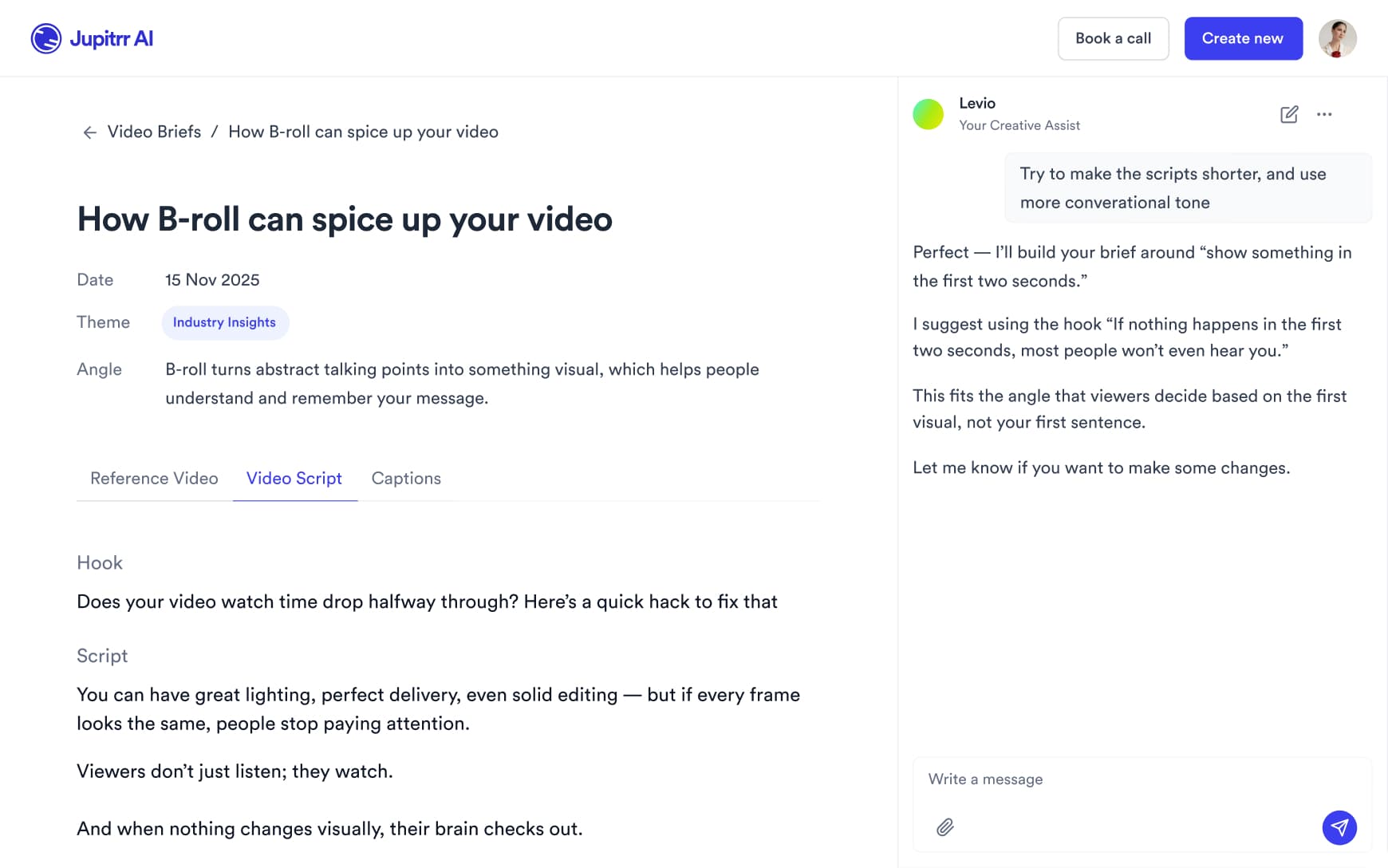
Record between client calls
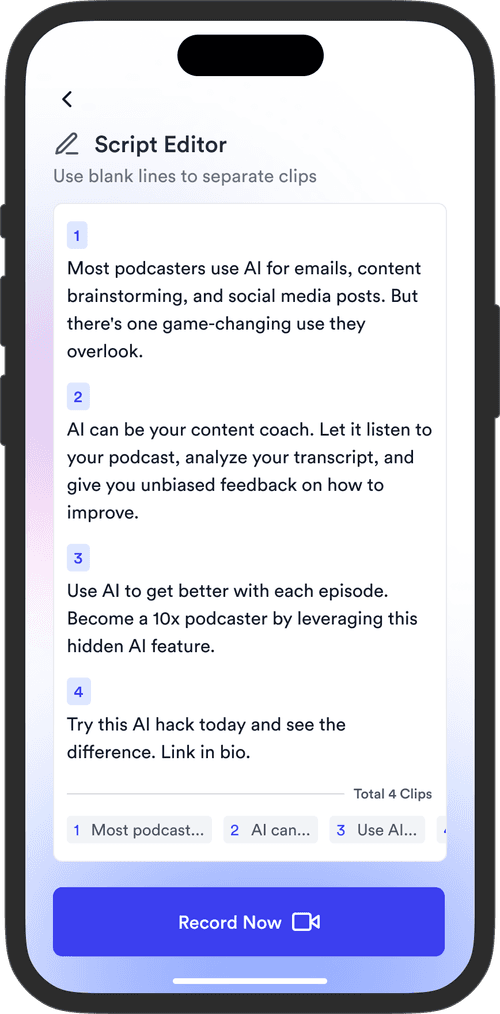
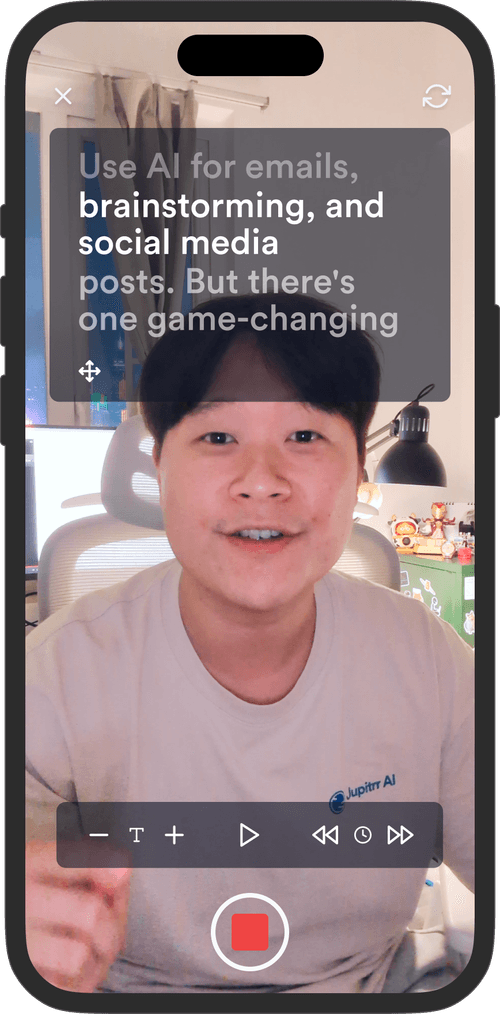
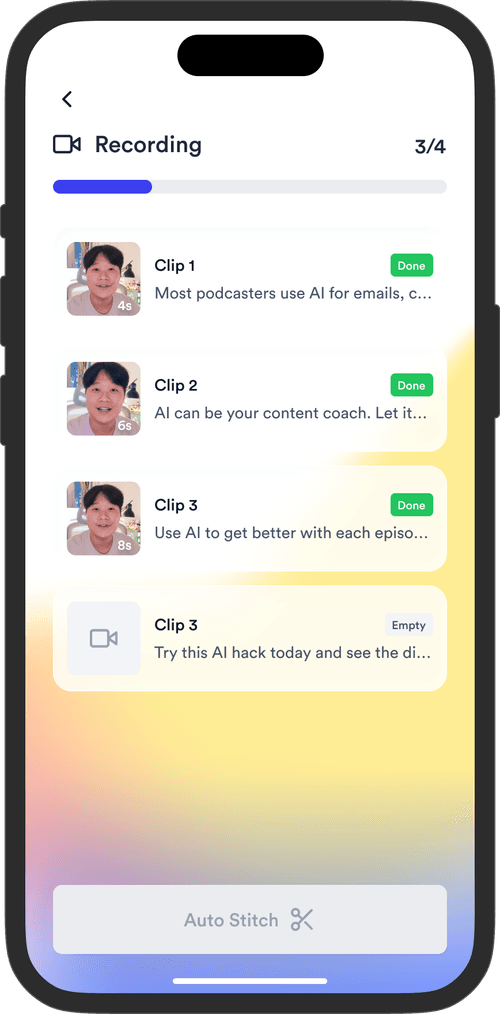
Read your script on the Jupitrr Cut teleprompter app in the office or a hotel room. Retake any scene, and it trims the silence around each take and stitches them together.
Schedule to LinkedIn, YouTube and beyond
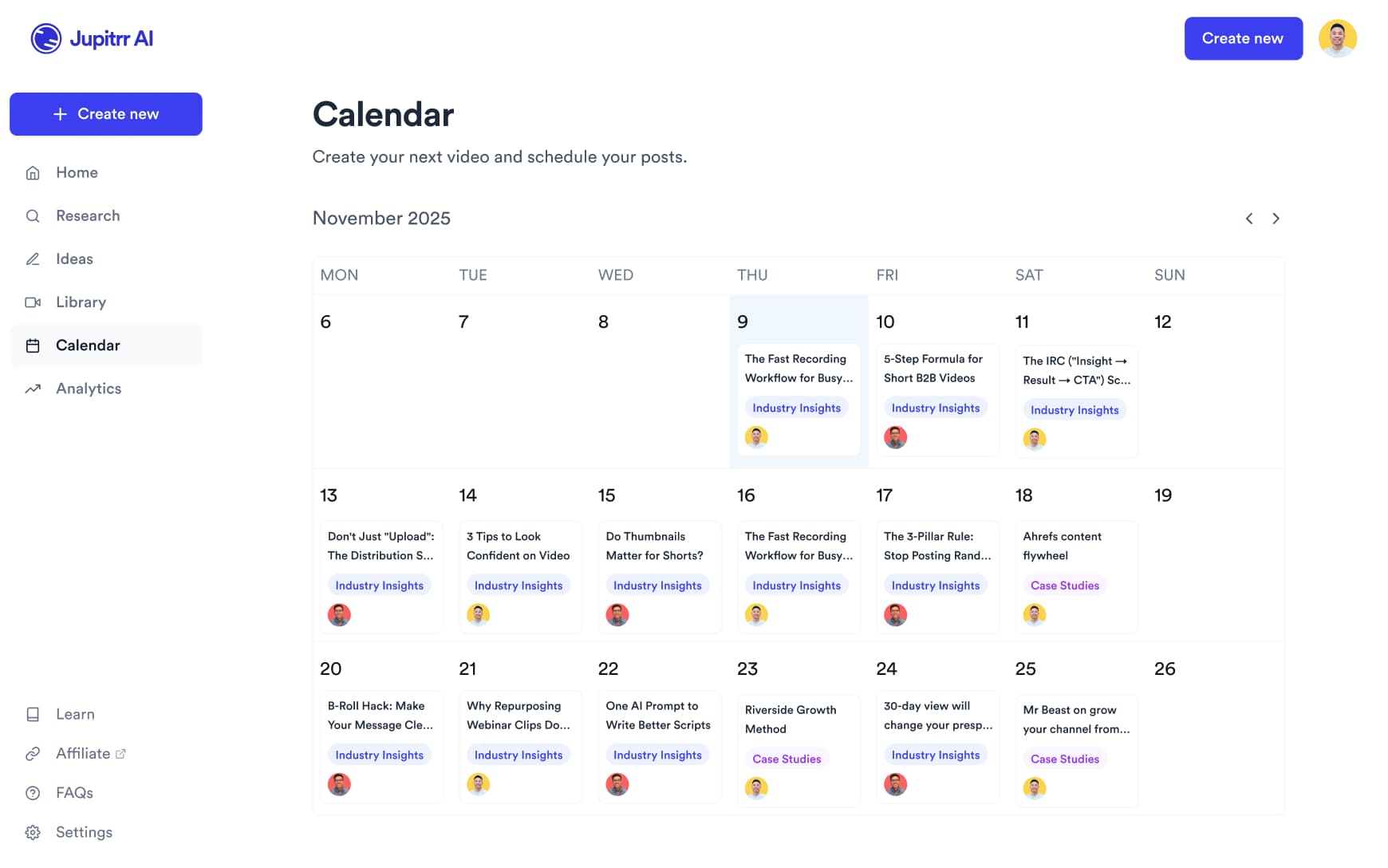
Schedule and publish to LinkedIn, YouTube, Instagram and TikTok from the content calendar, and see how each video performed.
Every video that grows your consultant business
From grabbing your audience's attention to getting them to trust you. Every format, one platform.
Industry Knowledge
Share your take on what is happening in your industry right now. Consistent, informed commentary is what makes decision-makers follow and trust you.
Personal Story
Tell the story behind how you got here. People hire consultants they feel they know, and hearing the journey in your own words builds that.
Public Speaking Clip
Clip a moment from a keynote, panel or conference into a short. Stage presence signals credibility.
Team Showcase
Show the people behind the work. Clients want to know who they will actually work with, and a team video answers that before they ask.
Team Showcase
Show the people behind the work. Clients want to know who they will actually work with, and a team video answers that before they ask.
Industry Knowledge
Share your take on what is happening in your industry right now. Consistent, informed commentary is what makes decision-makers follow and trust you.
Personal Story
Tell the story behind how you got here. People hire consultants they feel they know, and hearing the journey in your own words builds that.
Public Speaking Clip
Clip a moment from a keynote, panel or conference into a short. Stage presence signals credibility.
Team Showcase
Show the people behind the work. Clients want to know who they will actually work with, and a team video answers that before they ask.
Industry Knowledge
Share your take on what is happening in your industry right now. Consistent, informed commentary is what makes decision-makers follow and trust you.
Spend time closing deals,
not making videos.
Get back the time you could have spent with your clients.
0 app
from script to scheduled post
54+
subtitle languages
Up to 10 min
per upload on Pro
Frequently asked questions
Clients hire consultants for their judgment, and they research before they book a call, often on LinkedIn and YouTube. Regular videos let prospects see how you think and explain problems before any sales conversation, so the people who reach out already know your approach.
It edits your talking-head videos. Upload a recording and Jupitrr adds B-roll at the moments that benefit from a visual, subtitles, a hook, music and sound effects, and lays the video out in a Format such as 3 Column or Split screen if you pick one. You adjust the edit on the timeline or the transcript, or ask Levio. Around the edit, it can also write a script in your voice, show it on a teleprompter so you can record between client calls, and on Pro schedule posts to LinkedIn, YouTube, Instagram and TikTok. It is not built for multicam production or motion graphics.
Talking-head formats that show how you think tend to suit consultants: framework explainers, clear takes on industry news, and client result stories told without breaching confidentiality. Lead with a specific claim rather than general advice, and keep vertical or square video short enough to watch in the feed. Jupitrr exports in portrait, landscape and square.
No. Jupitrr makes the first cut before you open the editor. Review it, then click, drag and trim B-roll, text and the hook on the timeline, or edit through the transcript. You can also ask Levio, the editing agent, for a change in plain language, such as replacing a B-roll clip or rewriting the hook, and keep or undo the draft it shows.
Yes, any part of it. Every B-roll clip can be swapped for a different stock clip, a web image, a GIF or your own upload, and you can change how it appears and animates in. Subtitles are editable line by line, which matters when your script uses industry terms the transcriber has not seen. Music, sound effects and the hook can each be changed or removed. Swapping one clip leaves the rest of the video as it was.
Stock from iStock by Getty Images on paid plans and Pexels, web images with licence labels shown where available, GIFs, and anything you upload. Web images are matched to what you say, so they can help with well-known logos or products, but they will not always be the exact chart or slide you mean; upload your own for those. Jupitrr places B-roll at the moments that benefit from a visual, not on every sentence. Check the licence of a clip before using an export in paid ads, and confirm the rights on any web image.
Yes, within your plan’s upload limit. Uploads can be up to 5 minutes on Starter, 20 minutes on Pro and 60 minutes on Team. Longer videos take several minutes to process. Jupitrr also has a long-to-short tool for cutting clips from longer recordings.
The teleprompter app helps: you read your script as you record, retake any scene, and it trims the silence around each take. Trim & Stitch can also remove silences before the edit. Jupitrr does not remove filler words automatically, so a script helps keep delivery clean.
There is no free plan; you can try a sample video free. Starter is $11/month billed annually ($22 monthly) with 5 exports a month, 3 video briefs and 5-minute uploads. Pro is $24.50/month billed annually ($49 monthly) and adds the AI scriptwriter, viral video search, the content calendar, LinkedIn and YouTube publishing and analytics, with 30 exports and 20-minute uploads. Team is $89/month billed annually ($149 monthly) for firms with associates or a marketing lead.
Yes. Every new account can try a sample video free before paying. Paid plans can be cancelled at any time from your account settings under Manage Plan. Your plan stays active until the end of the period you have paid for.
Independent consultants and small firms use Jupitrr for expert-led videos. IT and cybersecurity consultants can explain a common business risk, management consultants can unpack a decision, and marketing consultants can walk through a campaign lesson. Record your explanation and Jupitrr adds an editable first cut with B-roll, subtitles and a hook.
Go deeper
Best Video Editors for Consultants
Editors compared for expertise-led video, with what each one is best at.
Best Video Editors for Talking-Head Videos
Talking-head editors compared by how the edit gets made.
Jupitrr Cut Teleprompter
Record scripted video scene by scene, with the silence around each take trimmed.
AI Script Writer
Turn a topic into a full script with hook, talking points and caption.
Start building authority with video
Record your expertise, and let Jupitrr turn it into edited LinkedIn and YouTube videos.