jupitrr logo

Bilingual Subtitles for every audience

Keep your original captions and add a translated line right underneath, in 30+ languages. One video reaches both audiences, no re-recording or second edit.

Book a Demo
Loved byTrusted by 200K+ coaches and consultants
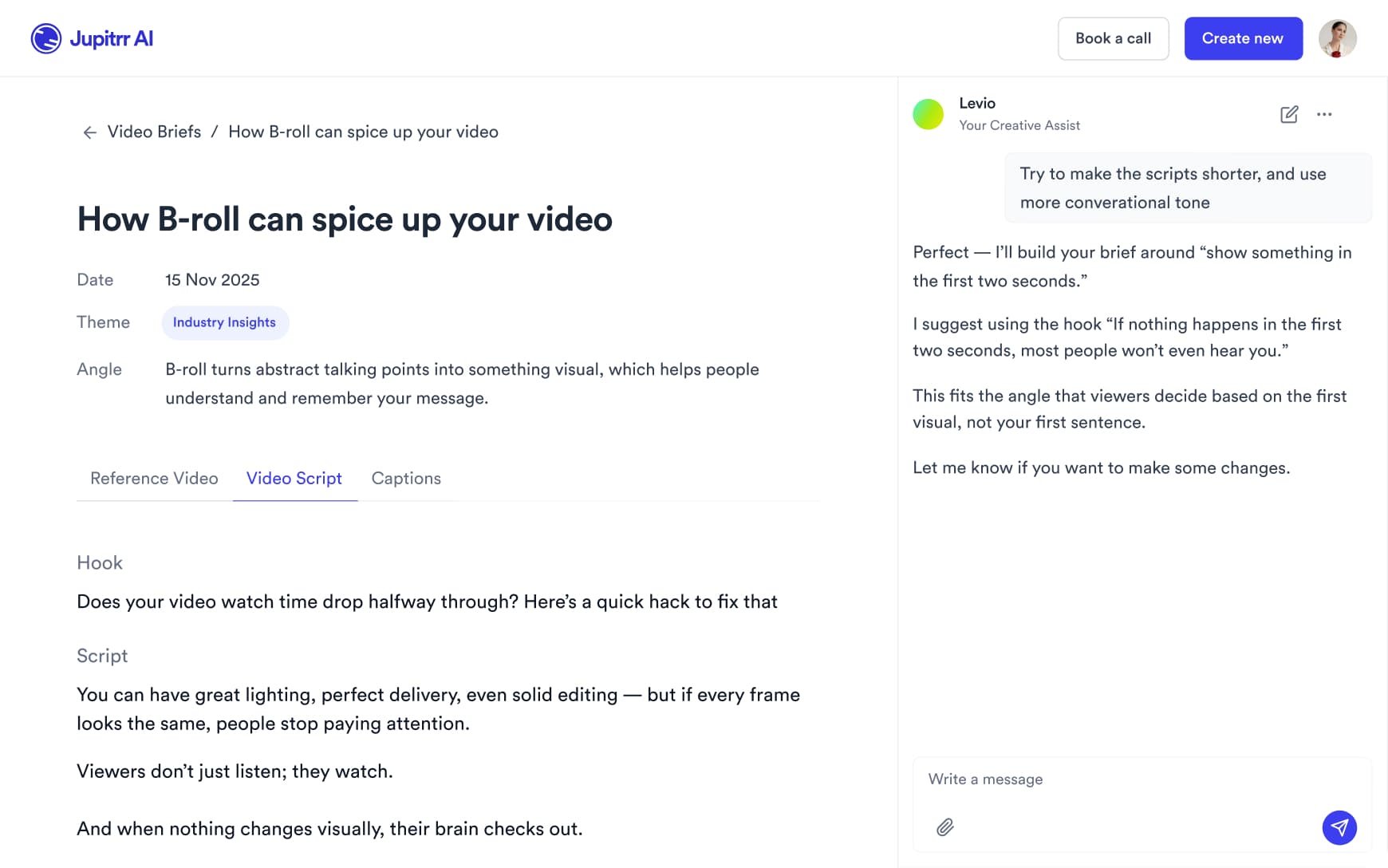
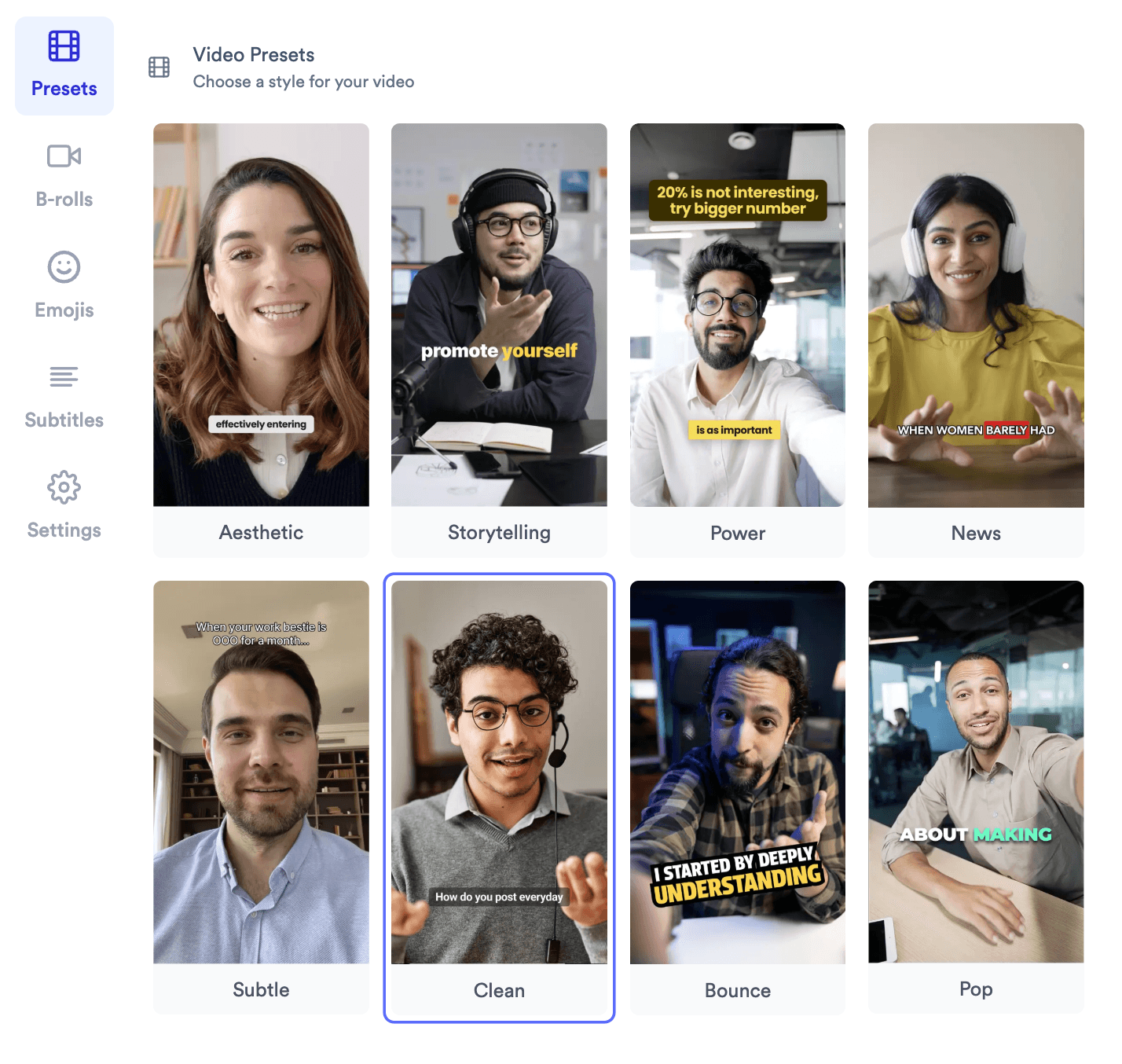
Jupitrr bilingual subtitles - original caption with a translated line underneath on a creator video.
BuildMapper
GatherVoices
myHealthspan
YourPolicy
Goflow
ZipSea

Translate subtitles in one click

Upload a video, pick a second language, export burned-in or as a bilingual .srt.

Upload your video

Drop in an MP4 or MOV. Jupitrr transcribes it word by word in the original language, including Cantonese and Mandarin.

Jupitrr upload step - drop in an MP4 or MOV to transcribe.

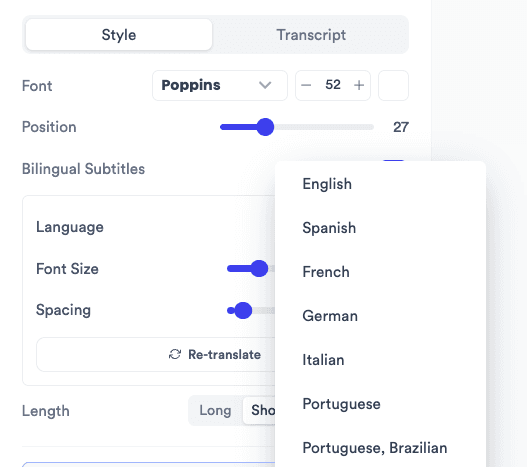
Pick a language to translate into

Open the Subtitles tab and choose from 30+ languages. Jupitrr translates sentence by sentence, so grammar and word order read naturally, then times the new line to your speech.

Jupitrr Subtitles tab with the bilingual subtitles language picker.

Review, style, and export

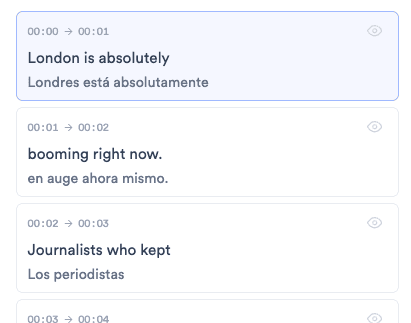
Switch between the original and translated line to fix any word. Set the translated line size and spacing, then burn both in or download a bilingual .srt.

Jupitrr subtitle cards showing each original line with its Spanish translation underneath.

Two languages, one edit

Original caption with a translated line underneath.

Translated line underneath

The original caption stays on top, the translation sits right below it.

Sentence-level subtitle translation in the Jupitrr editor.

Natural translation

Translated a full sentence at a time, not word by word, so it reads like a native wrote it.

Animated word highlight on original and translated subtitles.

Word-by-word highlight on both lines

Animated captions keep working on the translated line, timed to your speech.

Subtitle cards showing original and translated text.

Edit either line

Flip between original and translation in the subtitle cards and fix any word.

Brand kit locking subtitle font, color, and position.

Brand kit lock

Your caption font, color, and position carry over. Tune the translated line size and gap.

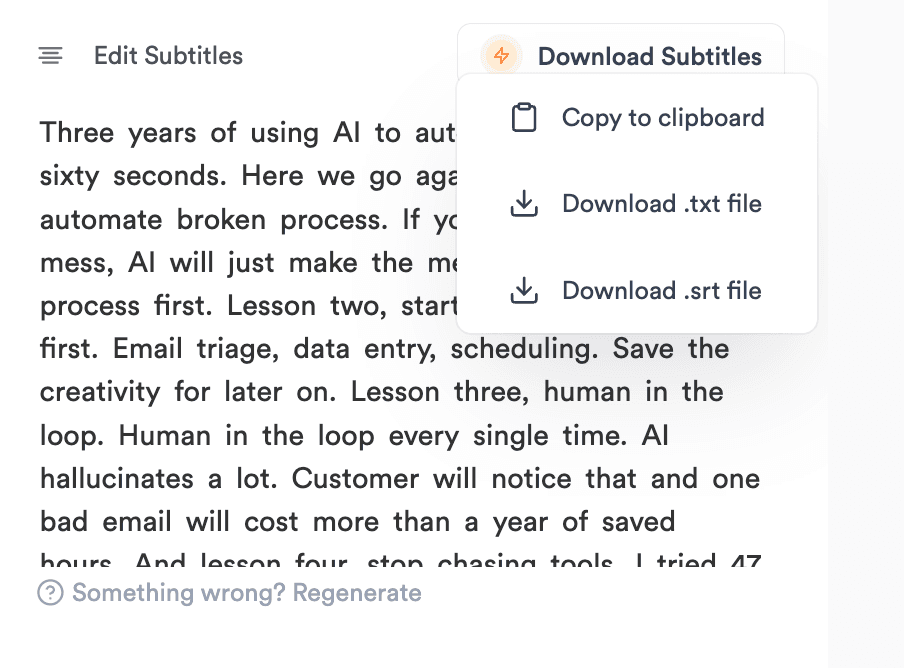
Download menu with bilingual .srt and copy transcript options.

Bilingual .srt export

Burned-in MP4, a stacked two-line .srt, or copy both transcripts at once.

Original on top, translation underneath

Your viewers read the caption in the language they think in, while you keep speaking in yours.

Here is the one thing we changed

Esto es lo único que cambiamos

English to Spanish

其實我哋只改咗一樣嘢

We actually only changed one thing

Cantonese to English

Three tips before you post

發佈前的三個小技巧

English to Chinese (Traditional)

Voici comment on a doublé nos ventes

Here is how we doubled our sales

French to English

Save this for your next launch

次のローンチのために保存しよう

English to Japanese

Most teams skip this step

معظم الفرق تتخطى هذه الخطوة

English to Arabic

Translate into any of these languages

EnglishSpanishFrenchGermanItalianPortuguesePortuguese (Brazilian)DutchRussianJapaneseKoreanChinese (Simplified)Chinese (Traditional)HindiArabicHebrewTurkishPolishSwedishDanishNorwegianFinnishIndonesianThaiVietnameseUkrainianCzechGreekRomanianHungarianTagalog

Trusted by 200K+ coaches and consultants


“Video became so easy that we can produce so much more, promote our services better, and reach a bigger audience.”

Sanjeet Mahajan
Sanjeet Mahajan
Founder of Kizzy Consulting
“Jupitrr turns video creation into an effortless workflow, the edit is actually quality. Now I can focus on strategy.”
Sanket Mittal
Sanket Mittal
Founder of Althra
“Be able to shoot this and then getting a deliverable so quickly is amazing, It literally took me 90 seconds to record so I see the value.”
Sean Huynh
Sean Huynh
Founder of Solara Talent
“The CEO of a half-billion-dollar business told me he loves my videos. People think I hired a marketing agency.”
Buck Foley
Buck Foley
Partner at Crescent Edge

Frequently asked questions

What are bilingual subtitles?
Bilingual subtitles show two languages on screen at once: the original spoken language on the first line and a translation on the line directly underneath. They let one video serve two audiences, and they are common in markets like Hong Kong, Singapore, Taiwan, Canada, and across Europe where viewers switch between languages.
How do I add bilingual subtitles to a video?
In Jupitrr AI, upload your video and let it transcribe, then open the Subtitles tab and pick a language under bilingual subtitles. The translated line appears under your original captions in a few seconds. Review both lines, adjust the translated line size and spacing, then export a burned-in MP4 or a bilingual .srt.
How do I translate the subtitles on a video without re-recording it?
Transcribe the video in its original language, translate the subtitles sentence by sentence, then time the translation to the speech. Jupitrr AI does all three in one step: pick a language in the Subtitles tab and a translated line appears under each caption, ready to export burned in or as a .srt. Your original audio stays untouched, so there is nothing to re-record.
Which languages can I translate subtitles into?
Jupitrr translates subtitles into 30+ languages, including English, Spanish, French, German, Italian, Portuguese (European and Brazilian), Dutch, Japanese, Korean, Chinese (Simplified and Traditional), Hindi, Arabic, Hebrew, Turkish, Thai, Vietnamese, Indonesian, and Tagalog. The original audio can be in any of the 54+ languages Jupitrr transcribes.
Is the translation word for word?
No. Word-for-word translation breaks grammar and word order, so Jupitrr groups your transcript into sentences, translates each sentence as a whole, then spreads the translated words across the time that sentence was spoken. The result reads naturally and still highlights word by word in animated caption styles.
Can I edit the translated subtitles?
Yes. The subtitle cards let you switch between the original and the translated line, so you can fix a brand name, a product term, or a phrase that needs a local touch. Your edits carry through to the burned-in video and the exported .srt.
Can I export bilingual subtitles as an SRT file?
Yes. Download a bilingual .srt where each cue holds the original line with the translation underneath, ready for YouTube, LinkedIn, or any player that reads .srt. You can also export just one language, burn both lines into an MP4 for TikTok, Reels, and Shorts, or copy both transcripts as plain text.
Does it work with Chinese, Japanese, and Korean?
Yes. Chinese, Japanese, and Korean translations are split per character rather than by spaces, so word-by-word highlighting stays smooth. Jupitrr also has a dedicated transcription tier for Cantonese and Mandarin, so Chinese-language videos start from an accurate original line.
Should I use bilingual subtitles or a fully dubbed video?
Bilingual subtitles keep your real voice and work for both audiences in a single post, which is ideal for talking-head, founder, and educational content. Dubbing replaces the audio and usually means publishing a separate video per language. Most teams start with bilingual subtitles because there is only one video to edit, approve, and publish.
Do bilingual subtitles cover too much of the video?
Two lines take more space than one, so keep the translated line smaller than the original and leave a small gap between them. Jupitrr lets you tune the translated line size and spacing, and its safe-zone positioning keeps captions clear of faces and the TikTok, Reels, and Shorts interface.

Reach a second audience with the same video.

Upload a video, pick a language, export bilingual subtitles burned-in or as .srt. Try the sample free.

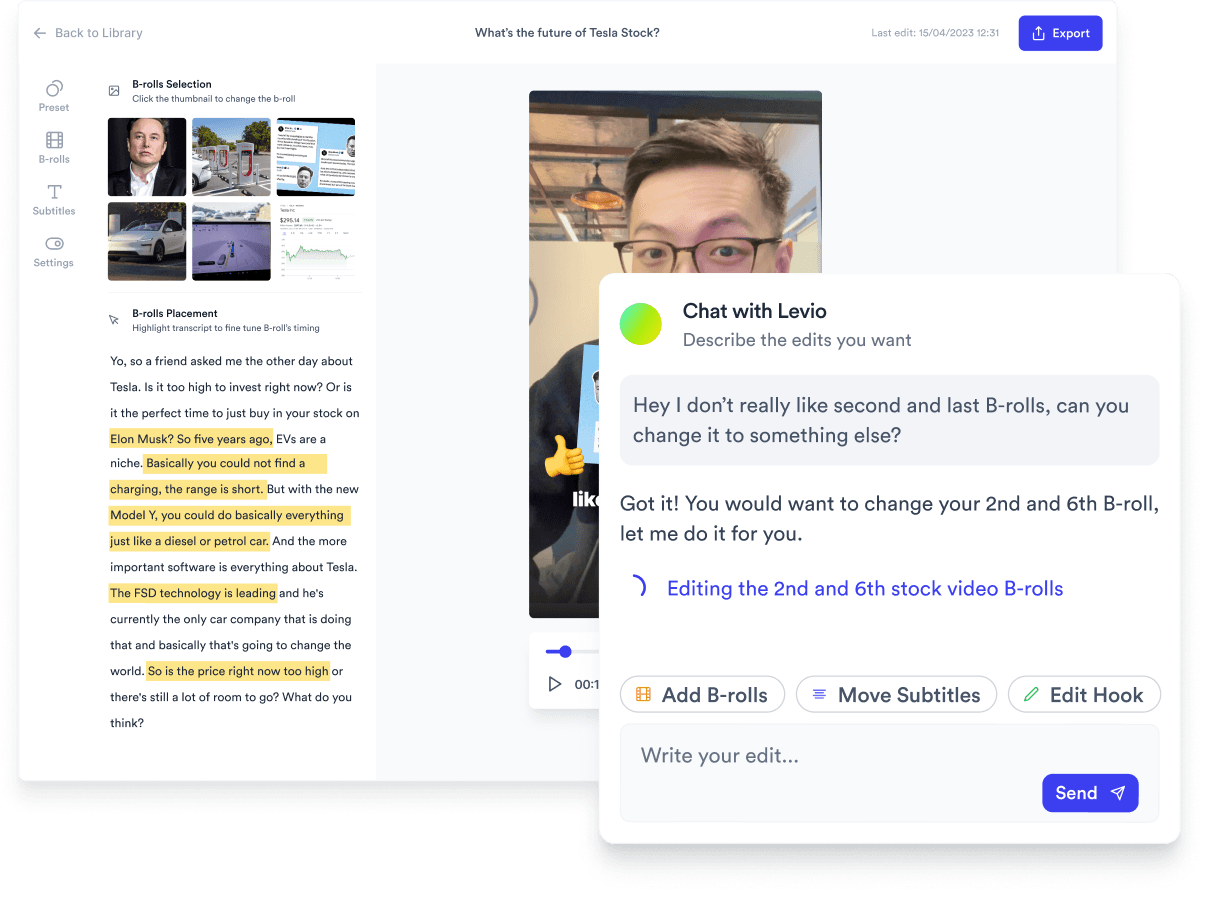
Jupitrr AI dashboard