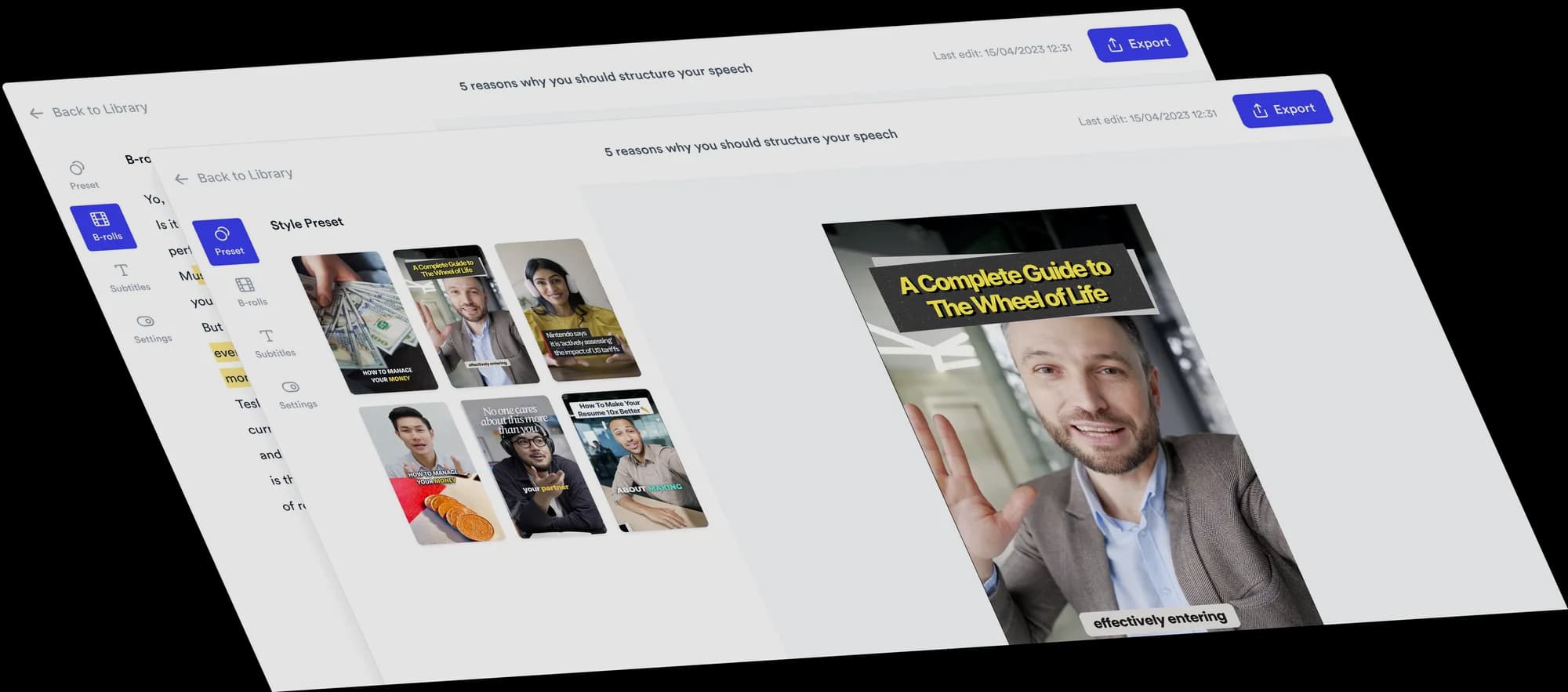
AI video editor for startup founders
Turn your founder explanations, opinions and announcements into social videos. Record yourself talking, upload it, and Jupitrr edits it with B-roll, subtitles, a hook and music, ready for you to change.
 Trusted by 200K+ coaches and consultants






What they say about us
Jupitrr turns video creation into an effortless workflow, the edit is actually quality. Now I can focus on strategy.

Sanket Mittal
Co-founder, Althra
With this workflow, I'm able to shoot videos myself within 5 minutes, even at a job site.

Jithan Virk
Co-founder, Buildmapper
Got 5 videos done in 30 minutes. I never imagined it could be this easy.

Dr. Zia Poonja
Co-founder, myHealthspan
Your expertise. Automatically edited.
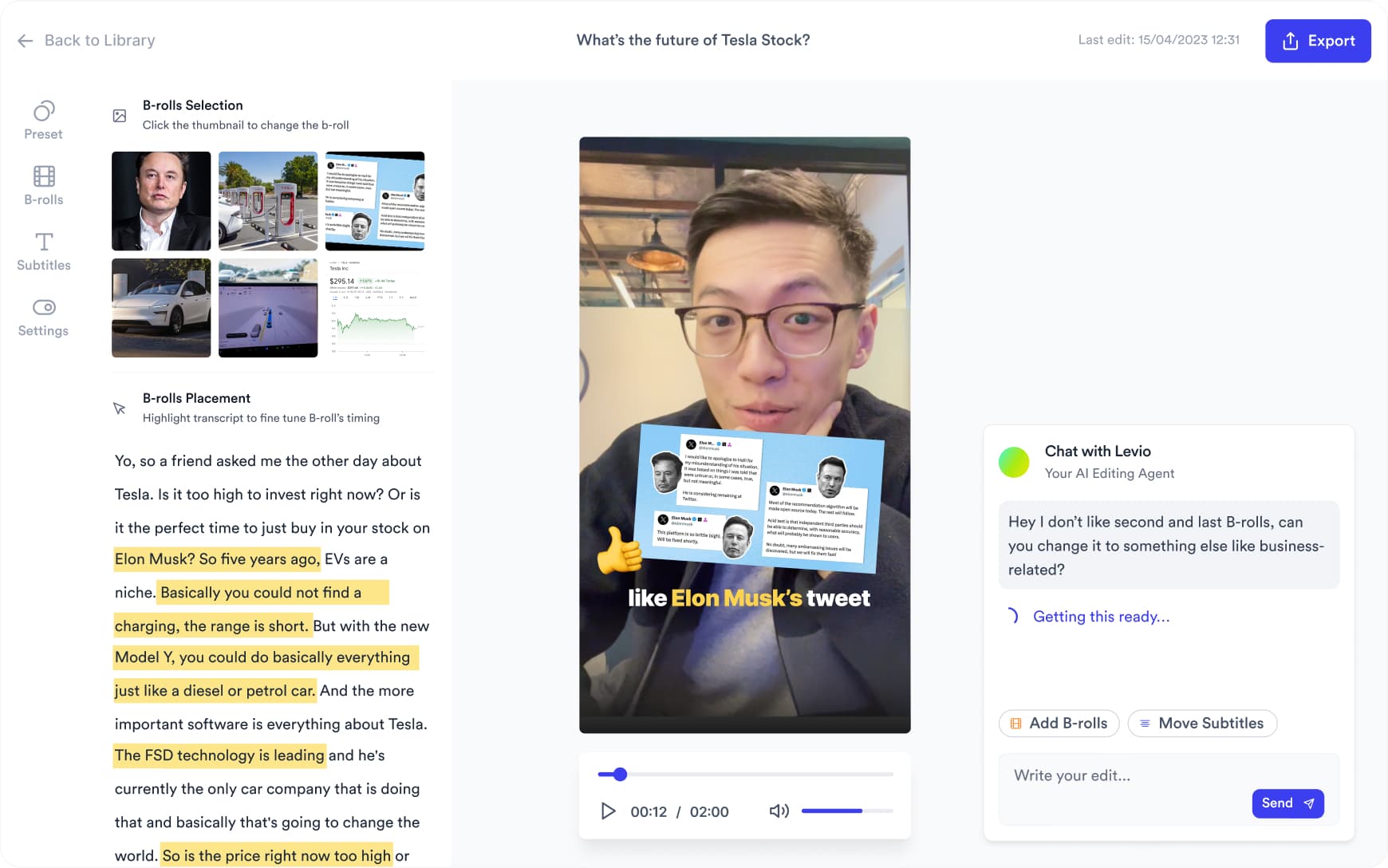
Upload a video of you talking to camera and Jupitrr adds stock B-roll and web images matched to what you say, plus subtitles, a hook, music and sound effects, laid out in a Format if you pick one. Upload your own screen recordings or product shots where your product needs to be on screen. Change anything on the timeline, or ask Levio.
Three Formats to try
Pick a Format when you upload, and Jupitrr lays out your video around what you say. Each card has one idea to start from.

Logo List
Try this: the tools your startup runs on, one category at a time. You choose the logos.
See the Logo List Format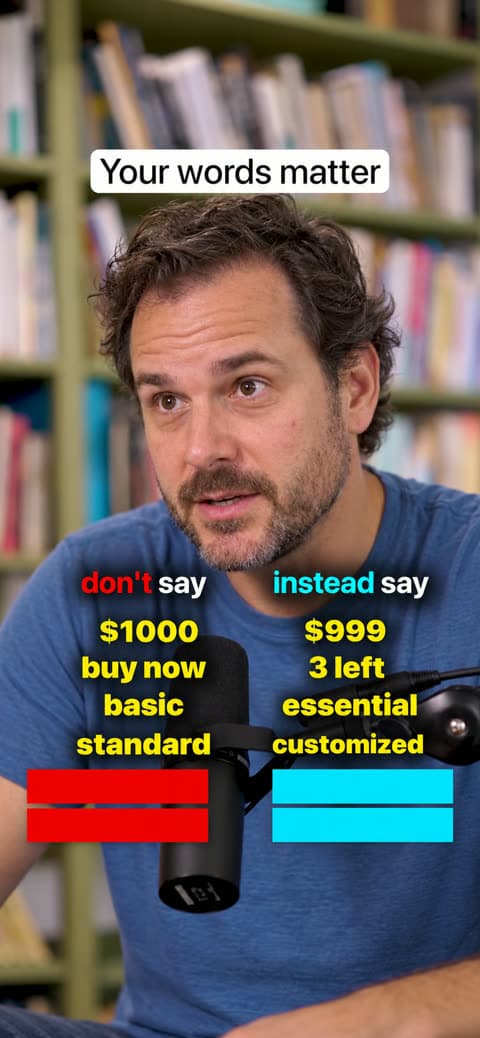
Do & Don't
Try this: mistakes first-time founders make when pitching, each paired with what to do instead.
See the Do & Don't Format
Green screen
Try this: put a screenshot of your launch post or a press article behind you and explain what changed.
See the Green screen Format
Want something changed? Ask Levio.
“Replace the B-roll at 0:15 with a stock video of a team working on laptops.”
Levio, the editing agent in Jupitrr, shows the change as a draft on the preview, and you keep it or undo it. It handles B-roll, subtitles, the hook, music volume and other visual changes; the other editor tabs cover the rest. How Levio works
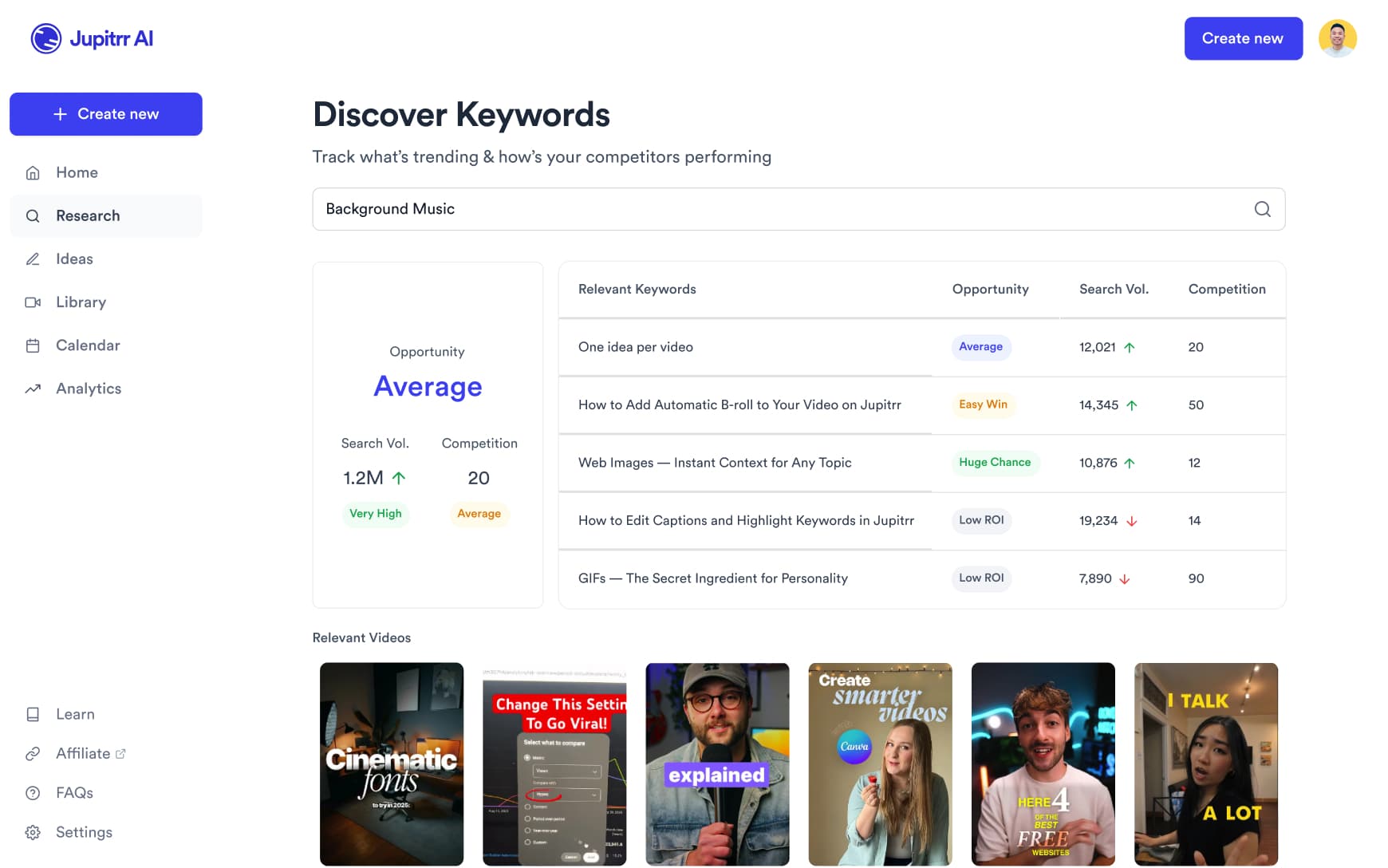
Find what's trending in tech and startups
Search trending tech and SaaS content across YouTube, TikTok, and Instagram. Find topics and hooks that resonate with your audience.
Scripts for founder takes and announcements
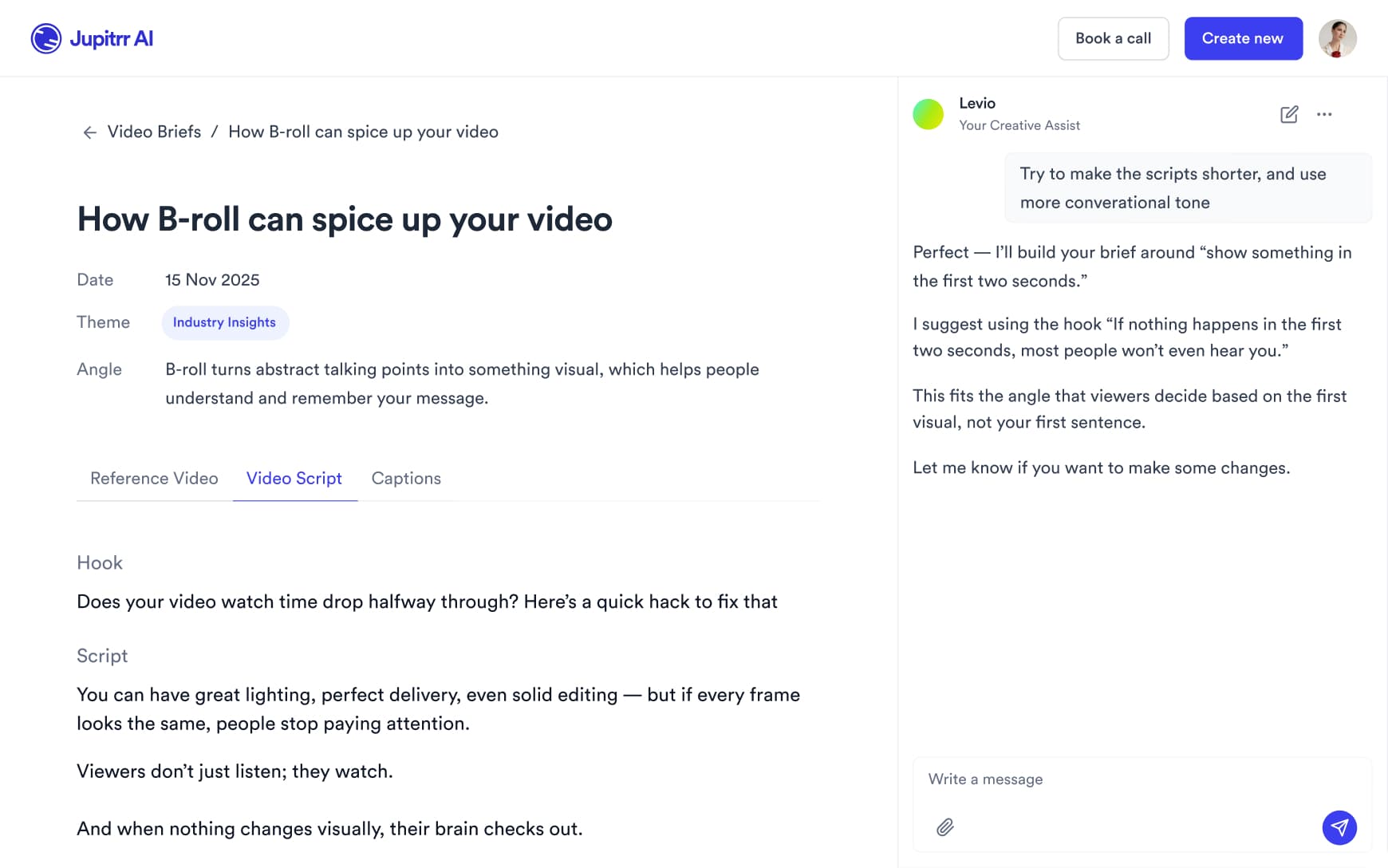
Get a script with a hook, talking points and a caption in your voice, then adjust it before you record.
Record in the office or at home
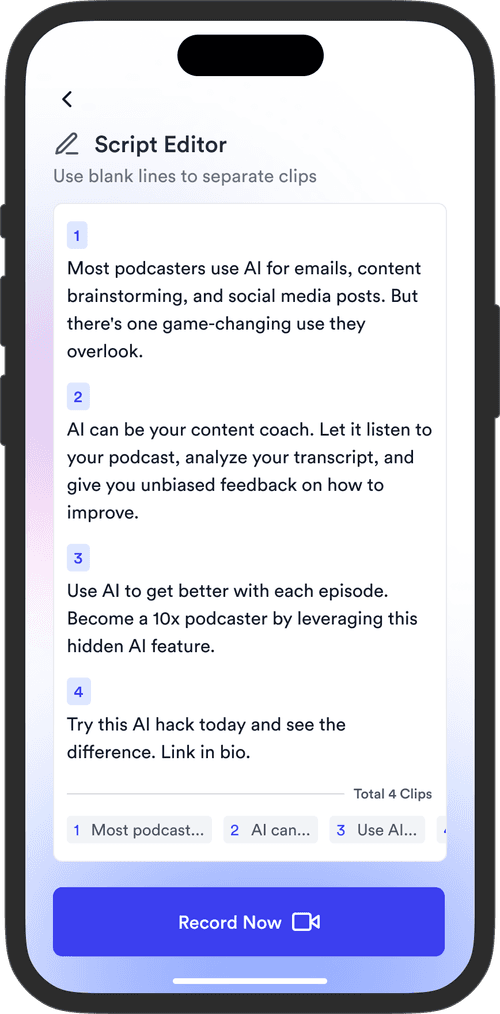
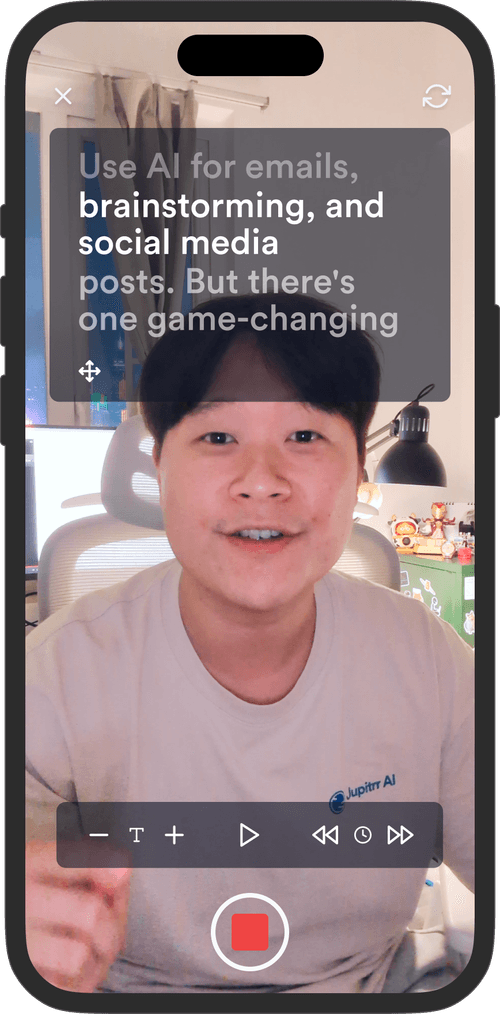
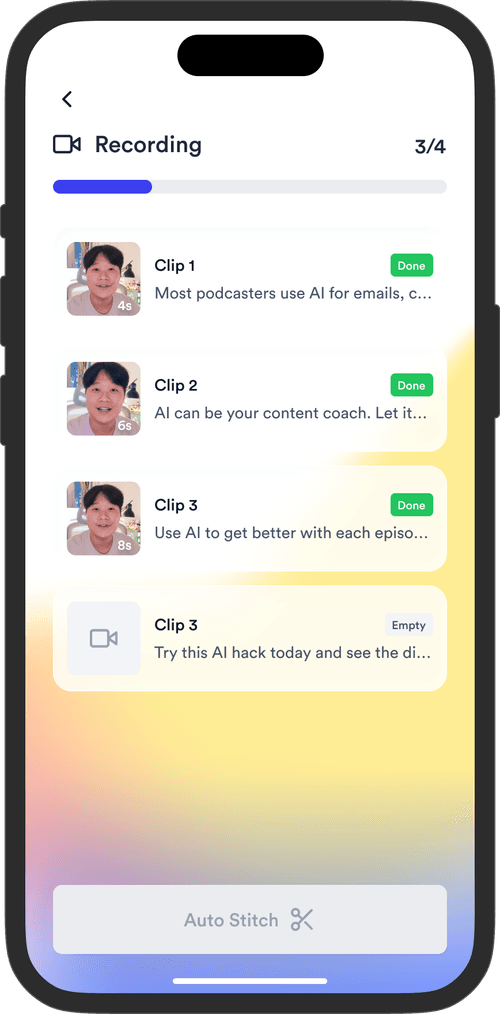
Read your script on the Jupitrr Cut teleprompter app. Retake any scene, and it trims the silence around each take and stitches them into one video.
Publish to every platform
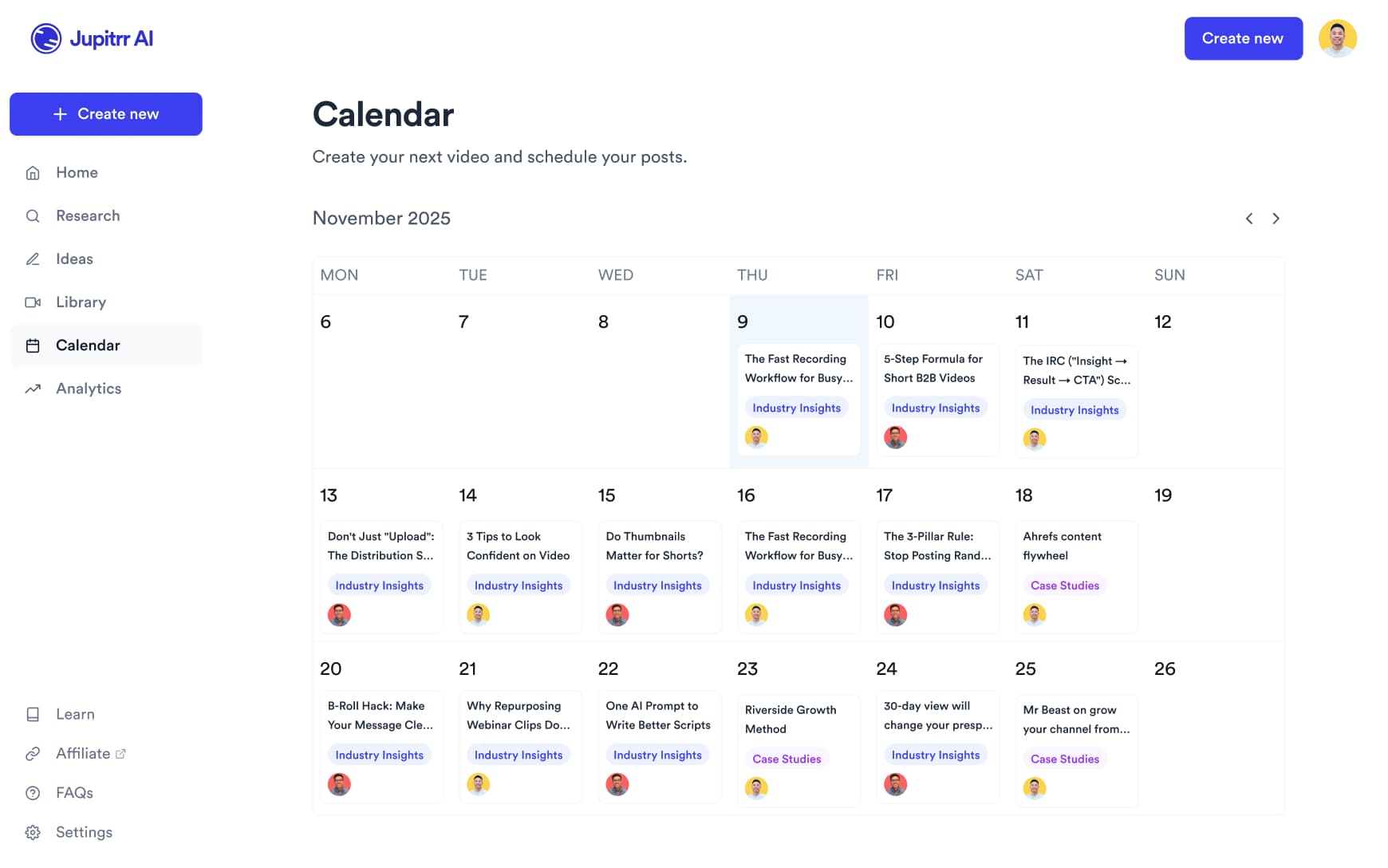
Schedule and publish to YouTube, Instagram, TikTok and LinkedIn from the content calendar, and see how each video performed.
Every video that grows your startup business
From grabbing your audience's attention to getting them to trust you. Every format, one platform.
Tips & Tricks
Share one useful thing your audience can take away and apply right now. Great knowledge content is timeless.
Storytelling Launch Video
Get on camera and tell the story behind your product: the problem, your journey and what you are launching. Add your own product shots or clips as B-roll where people need to see it.
Founder Podcast
Sit down for a long-form interview and clip it into shorts. Share your opinions and your takes.
Customer Stories
Get a real customer on camera talking about what changed for them. No script, just their experience in their own words.
UGC Product Showcase
Pull out your phone, open the app, and record. A strong visual hook with your UI front and centre. Straight up UGC style.
Product Demo
The classic show and tell. Record yourself explaining what your product does, then upload your own screen recording as B-roll so viewers see the real experience.
Culture & Office
Show a day in the office, your team shipping together, the small moments in between. Let people see who you are before they ever think to ask.
Culture & Office
Show a day in the office, your team shipping together, the small moments in between. Let people see who you are before they ever think to ask.
Tips & Tricks
Share one useful thing your audience can take away and apply right now. Great knowledge content is timeless.
Storytelling Launch Video
Get on camera and tell the story behind your product: the problem, your journey and what you are launching. Add your own product shots or clips as B-roll where people need to see it.
Founder Podcast
Sit down for a long-form interview and clip it into shorts. Share your opinions and your takes.
Customer Stories
Get a real customer on camera talking about what changed for them. No script, just their experience in their own words.
UGC Product Showcase
Pull out your phone, open the app, and record. A strong visual hook with your UI front and centre. Straight up UGC style.
Product Demo
The classic show and tell. Record yourself explaining what your product does, then upload your own screen recording as B-roll so viewers see the real experience.
Culture & Office
Show a day in the office, your team shipping together, the small moments in between. Let people see who you are before they ever think to ask.
Tips & Tricks
Share one useful thing your audience can take away and apply right now. Great knowledge content is timeless.
Spend time closing deals,
not making videos.
Get back the time you could have spent with your clients.
2 Formats
for talking-head videos
54+
subtitle languages
Up to 10 min
per upload on Pro
Frequently asked questions
Whether you're building a B2C consumer app or enterprise-grade B2B software, video works for both. For B2C startups, organic social video is one of the few ways to get exposure without paying for ads. For B2B startups, most tools have very little visibility by default. Video lets you show and tell. Founders who show up consistently on LinkedIn and YouTube build the trust that makes people feel like they already know you before they ever book a demo.
Yes. Upload a talking-head recording where you walk through your product, and Jupitrr will automatically add B-roll, captions, music, and transitions. You can also upload screen recordings as custom B-roll.
Yes. The Team plan ($89/month billed annually) includes 5 seats, and each member gets the same features, including the content calendar and analytics. Need more seats? Email [email protected] for an Enterprise plan.
No. Jupitrr is designed for non-editors. Upload your video and the AI handles everything. You can also chat with Levio, our AI agent, to make changes in plain English, or adjust B-roll, text, and the hook on the timeline yourself.
CapCut and Descript give you an editor to build the edit yourself. Jupitrr makes the first edit of a talking-head video for you: upload a recording and it adds B-roll, subtitles, a hook and music, and lays it out in a Format if you pick one. You then change what you want on the timeline or with Levio. It also has a script writer, a teleprompter app and, on Pro, scheduling, if you want them.
There is no free plan, but you can try a sample video free to see the workflow. Paid plans start at $11/month (Starter, billed annually), with Pro at $24.50/month for solo founders. Team is $89/month billed annually with 5 seats, for early-stage startups with a small marketing team.
Yes. Jupitrr has a built-in content calendar that lets you schedule and publish to YouTube, Instagram, TikTok, and LinkedIn simultaneously.
Jupitrr suits founders building visibility through video, including B2B SaaS, developer tools, AI products, marketplaces and edtech. A SaaS founder can explain a customer problem, a developer-tool founder can introduce a workflow, and an edtech founder can share a teaching insight. Record the explanation and Jupitrr creates an editable first cut for your social channels.
Start posting founder videos
Record your takes and announcements, and let Jupitrr turn them into edited social videos.