jupitrr logo

Track your video Improve the next one

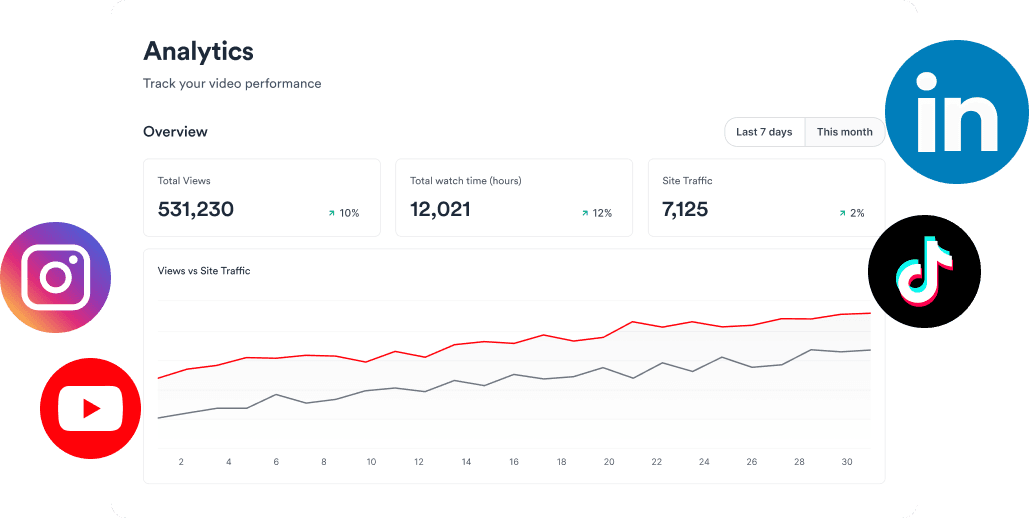
Jupitrr Video Analytics is a dashboard for your YouTube and Instagram videos. See views, watch time, audience retention, and engagement for every post, plus how many scripts and videos your workspace produced.

Book a Demo
Loved byTrusted by 200K+ coaches and consultants
Jupitrr Video Analytics - YouTube and Instagram performance in one dashboard.
BuildMapper
GatherVoices
myHealthspan
YourPolicy
Goflow
ZipSea

How video analytics works: connect, compare, repeat

Connect your channels, see what each post did, and plan the next video from what worked.

Connect YouTube and Instagram

Link your channels once and Jupitrr pulls in your recent posts and account stats, such as followers, reach, and views per day. No spreadsheet, no CSV import.

Jupitrr Analytics - connected YouTube and Instagram accounts in one dashboard.

See what each video did

Open any post for views, likes, comments, shares, saves, watch time, average view duration, and audience retention, plus where viewers found it. Sort by most recent or most viewed.

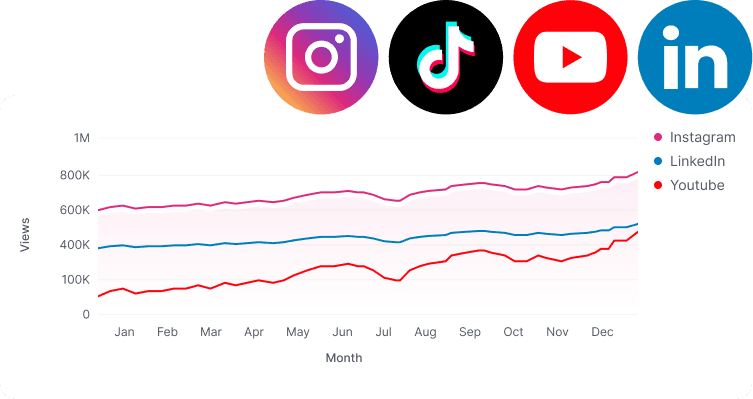
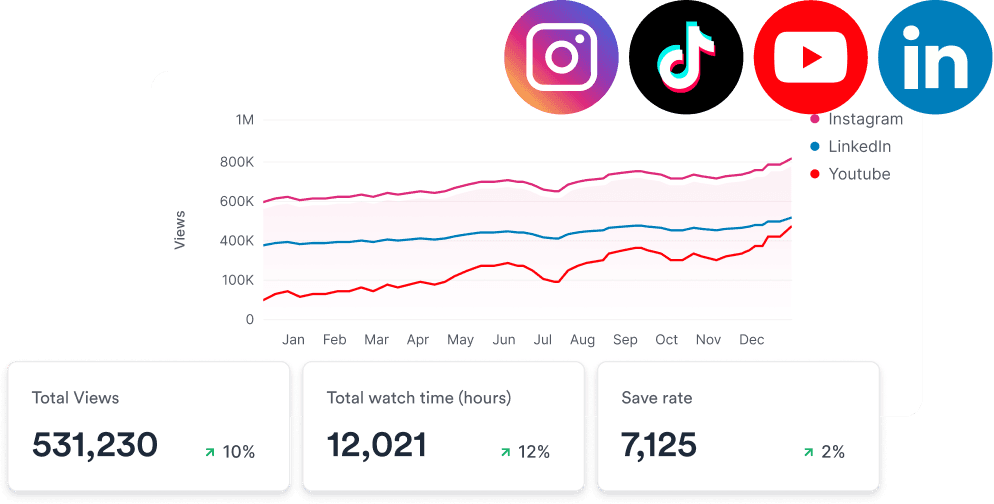
Jupitrr Analytics - views over time for connected channels.

Turn what worked into the next script

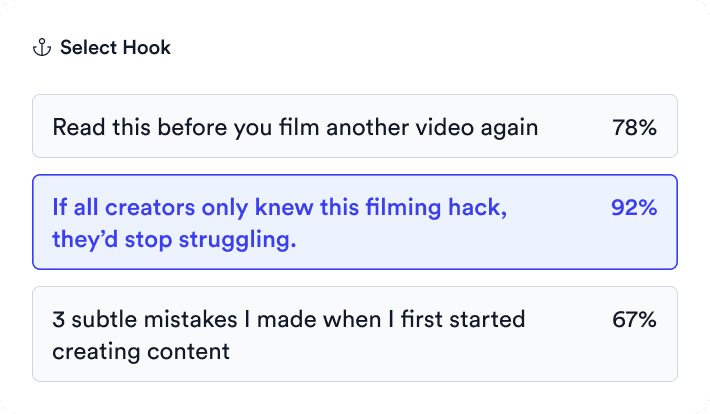
Spot the topics and hooks that held attention, then plan the follow-up on your content calendar or paste the video link into Scripts to remix it. Your Jupitrr activity sits on the same page, so output and results are side by side.

Jupitrr - a well-performing video turned into a new script on the content calendar.

Analytics built for decisions not vanity

One analytics dashboard with YouTube and Instagram account metrics.

All your channels in one place

YouTube and Instagram side by side, with followers, reach, and views per day.

Per-post performance metrics in Jupitrr Analytics.

Per-post performance

Views, likes, comments, shares, and saves for every video you posted.

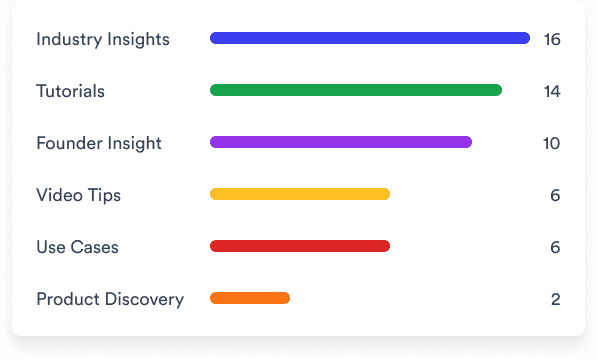
Scripts counted by content theme in Jupitrr Analytics.

Content themes

See how many scripts you made for each content pillar.

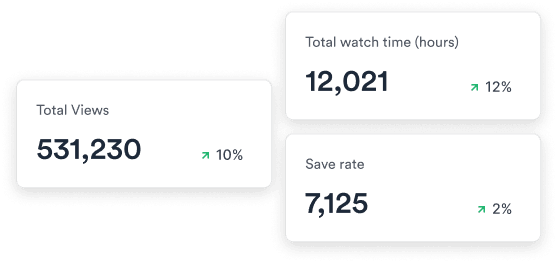
Total views, watch time, and saves for a video inside Jupitrr Analytics.

Watch time and retention

Average view duration and the retention curve show where viewers drop off.

A top-performing video highlighted in Jupitrr Analytics.

Find your best videos

Sort by most viewed to see which posts are worth a follow-up.

Jupitrr activity counter showing scripts created and videos published.

Jupitrr Analytics

Track how many scripts your workspace created and videos it published.

Trusted by 200K+ coaches and consultants
“Video became so easy that we can produce so much more, promote our services better, and reach a bigger audience.”
Sanjeet Mahajan
Sanjeet Mahajan
Founder of Kizzy Consulting
“Jupitrr turns video creation into an effortless workflow, the edit is actually quality. Now I can focus on strategy.”
Sanket Mittal
Sanket Mittal
Founder of Althra
“Be able to shoot this and then getting a deliverable so quickly is amazing, It literally took me 90 seconds to record so I see the value.”
Sean Huynh
Sean Huynh
Founder of Solara Talent
“The CEO of a half-billion-dollar business told me he loves my videos. People think I hired a marketing agency.”
Buck Foley
Buck Foley
Partner at Crescent Edge

Frequently asked questions

What does Jupitrr Video Analytics track?
For each connected YouTube channel and Instagram account, Jupitrr shows account totals such as followers, reach, and views per day, and per-post metrics: views, likes, comments, shares, saves, watch time, average view duration, and audience retention. It also shows your activity in Jupitrr, such as scripts created and videos published.
Which platforms does the analytics dashboard cover?
YouTube and Instagram. Jupitrr can publish to TikTok and LinkedIn as well, but their analytics are not in the dashboard yet, so check those posts in the native apps for now.
How do I know which of my videos are actually working?
Look past total views to watch time, audience retention, shares, and saves. Retention shows whether the hook and pacing held people, while shares and saves show whether the video was worth passing on or coming back to. Jupitrr AI puts these metrics for every YouTube and Instagram post on one page, so you can compare videos on more than view count.
How is this different from YouTube Studio or Instagram Insights?
The native dashboards show one platform at a time. Jupitrr puts your YouTube and Instagram results on one page, next to the scripts and videos your workspace produced, so you can connect what you made with how it performed and plan the next video in the same app.
Can I see how many videos my team is producing?
Yes. The Your Activity in Jupitrr section counts scripts created and videos published, shows how many scripts are in progress, and breaks them down by content theme, so you can see whether the team is keeping its posting cadence.
Is there a free video analytics tool?
YouTube Studio and Instagram Insights are free, but each covers only its own platform. Jupitrr has no free plan; you can try a sample video free before subscribing. Video analytics is included on Pro ($24.50 a month billed annually) and Team ($89 a month billed annually).

Stop exporting CSVs. Start repeating wins.

YouTube and Instagram results in one dashboard, next to what your team made. Try the sample free.


Jupitrr AI dashboard