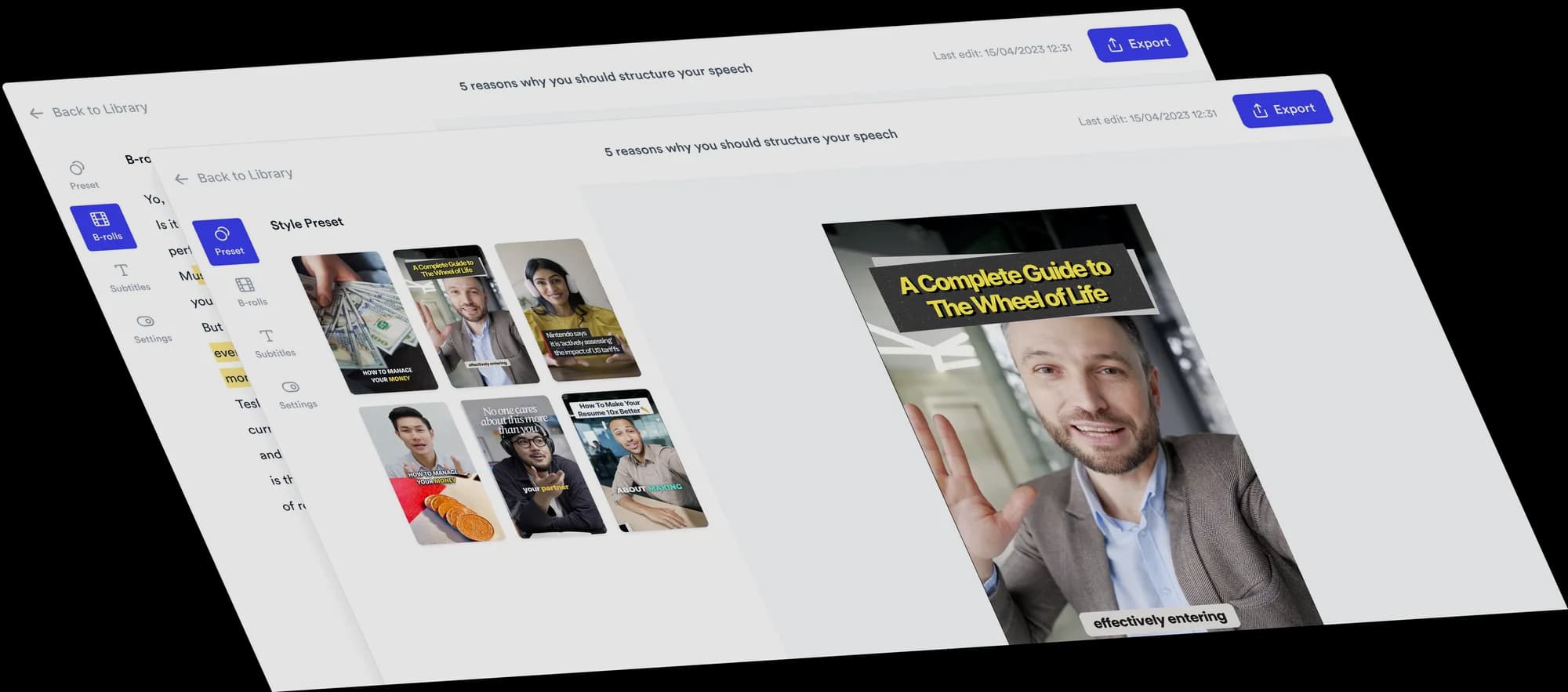
Sort your recommendations into three columns
Sort books, tools or ideas into three categories, such as Skip, Read and Study. Jupitrr finds the items in your recording, adds pictures and places them in the columns you choose.
 Trusted by 200K+ coaches and consultants
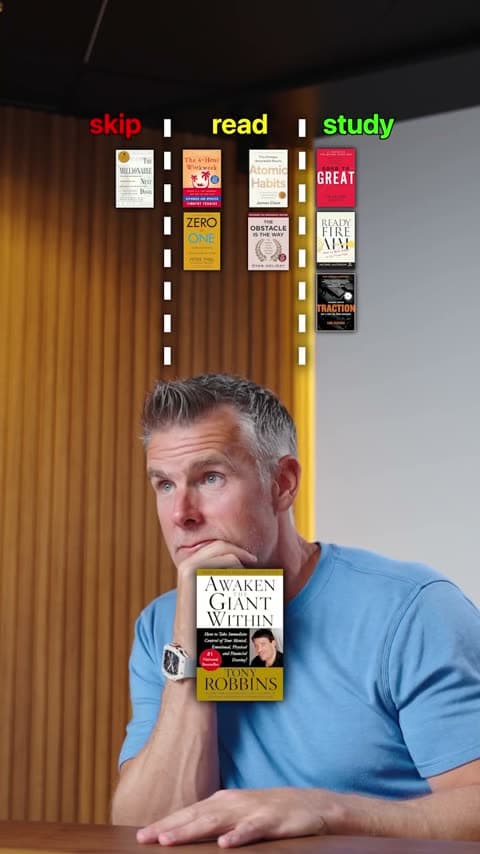






How a 3 Column video comes together
You sort the items out loud. Jupitrr builds the board and places each one.
- Step 1
Record your sorting and choose 3 Column
Name each item and say which level it belongs to. Choose 3 Column as the Format in "Set up your video". Automatic B-roll, emojis and transitions start off so the board has the screen.
- Step 2
Jupitrr names the columns and places items
Columns start as skip, read and study. If you sort by other words, such as beginner, intermediate and advanced, Jupitrr uses yours and colours each one by its tone. Each item gets a web picture and drops in on your verdict.
- Step 3
Check the board, then export
Move items between columns, change pictures and names, rename or recolour each column, and set the board size, position and reveal.
Why three levels work well
Three columns give more nuance than yes or no, and explaining each call is where the insight comes from.
Room for "it depends"
A middle column holds the items that are useful but not essential, which is often the honest answer.
A path to follow
Levels such as start here, then this, then this turn a list into a plan viewers can act on.
A screen worth saving
The finished board is a summary of your whole recommendation in one frame.
Topics that suit 3 Column
Reading and learning lists
Books, courses or resources sorted by how deeply to go.
Skill levels
Beginner, intermediate and advanced versions of a topic.
Priorities
What to do now, later and never.
Effort or impact
Options sorted by how much they take or how much they change.
Who 3 Column suits
Educators and course creators
Sort resources and topics by how deeply learners should go.
Coaches
Sort habits or exercises by level so viewers know where to start.
Consultants
Prioritise options into now, later and never for a specific client type.
Tool and software experts
Sort features or apps by how essential they are.
3 Column video ideas
Use three levels when the advice is about priority, difficulty or timing.
- Educator
Books: skip, read, study
“Every popular business book, sorted into skip, read or study.”
- Fitness coach
Exercises by level
“Beginner, intermediate or advanced? Where these moves really belong.”
- Consultant
Priorities: now, later, never
“If you are a new founder, here is what to do now, later and never.”
- Marketing consultant
Channels by effort
“Marketing channels sorted by how much effort they really take.”
- Financial educator
Money habits by impact
“Money habits, sorted by how much they actually change your life.”
- Software trainer
Features: ignore, try, master
“Excel features to ignore, try or master.”
A short 3 Column script
Name the item, then the level, using the same three words throughout.
- Hook“Five business books: skip, read or study?”On screen: A short title for the board, used as your hook.
- Item 1“Book one is mostly anecdotes. Skip.”On screen: Its cover shows large, then drops into skip.
- Item 2“Book two has one great chapter. Read.”On screen: The cover drops into read.
- Item 3“Book three I have read four times. Study.”On screen: The cover drops into study.
- Close“Start with the study pile and ignore the rest.”On screen: The full board with every item in its column.
Replace the example items with real titles you recommend. Jupitrr searches the web for a picture of each one, and you can change any of them.
What Jupitrr does and what you adjust
The same controls as 2 Column, with a third column for the middle ground.
Items from your words
Up to 30 items, each placed when you name it. Items you do not sort are left out.
Three named columns
skip, read and study by default, or your own three words. Rename or recolour any column.
A picture per item
Filled from web search. Search again, upload your own or remove the picture to show the name.
Move items
Pick a different "Column" for any item, remove it, or add one at the playhead.
Reveal Items Animation
Items show large as you name them, then drop into place. Set the size (S to XL) and position, or switch it off.
Board size and position
Choose S, M or L and move the board up or down. It shrinks to fit when a column fills up.
Tips for a clear 3 Column video
Do
- Pick three level words before you record and use them for every item.
- Say the item's name, then its level, in one sentence.
- Give a one-line reason for each placement.
- Use items that have a recognisable picture, such as book covers or logos.
Avoid
- Overlapping levels, such as "good" and "great", that are hard to tell apart.
- Putting almost everything in one column.
- Too many items for a short video. Each column shrinks as it fills.
- Leaving web pictures unchecked before you export.
Good to know
- Portrait videos only.
- Exactly three columns. You cannot add or remove columns; use Tier List for up to six tiers.
- Up to 30 items per video.
- Turning on 3 Column in the editor removes automatic B-roll and automatic text overlays. Items you added yourself stay.
- Re-detect replaces your edits to items, columns, colours and pictures.
- Levio cannot edit the board. Use the Formats tab.
Trusted by 200K+ coaches and consultants



Frequently asked questions
What is a 3 Column video?
Can I rename the three columns?
When should I use 3 Column instead of Tier List?
Can I add a fourth column?
Where do the pictures come from?
Will a 3 Column video perform better?
Sort it out loud. Get the board.
Upload your recording, choose 3 Column, and edit the board Jupitrr builds from your words. From $11/mo billed annually.