Best video formats · Personal trainers · Last updated November 2026
Best Video Formats for Personal Trainers
Formats help turn your expertise into clear, watchable videos. A video format is a recognizable on-screen structure, such as a Tier List or Green Screen, not a dimension like 9:16 or a file type like MP4. Here are the formats that suit personal trainers, with examples and how to make each one.
Three formats to try
The short answer
For personal trainers, the strongest formats are a Tier List for ranking exercises, habits or programmes; Green Screen for investigating a fitness claim or news story; Do & Don’t for common mistakes; and 2 or 3 columns for sorting options. Use a plain talking head with B-roll for single answers. No format guarantees views; it only makes the idea easier to follow.
- Pick the format that matches the idea, not the other way round.
- Rankings and reactions need no gym footage.
- Movement demos need footage that actually shows the movement.
Quick pick: which format for which video
| Format | Best for | Skip it when |
|---|---|---|
| Tier List | You want to rank several options and explain why. | You have no meaningful criteria, or the honest answer is “it depends on the person”. |
| 3 Column | You are sorting options into three meaningful categories. | You have no real reason behind each call. The reasons are what make the video interesting. |
| Green screen | You are investigating a fitness trend or claim, or covering a study your clients have seen. | You would be criticising a person rather than an idea, or you need to show the full original clip. |
| Do & Don't | You are replacing a habit with a clear better alternative. | The viewer needs to see the movement to understand it and you have not filmed it. |
| 2 Column | You want to make a clear distinction between two sides. | The honest answer for most items is “it depends”. |
| Talking head with B-roll | The video is one answer to one question. | You are comparing several items, where a column or ranking format is easier to follow. |
1. Tier List
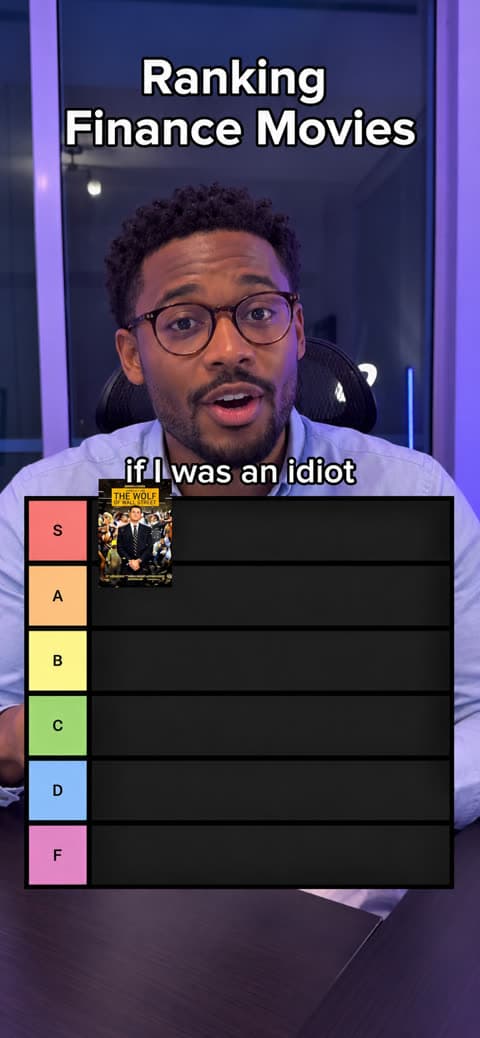
One of the most popular video formats right now. Use it to rank options and defend your judgment, placing each item in a tier while you explain why. Ranking exercises from best to worst is already an established series on evidence-based fitness YouTube.
- What the viewer sees
- A tier board below you. Each item is placed into its tier as you explain why it belongs there.
- Example for personal trainers
- “Fat-loss habits ranked for people with desk jobs”, with step count in the top tier and detox teas at the bottom.
- Use it when
- You want to rank several options and explain why.
- Skip it when
- You have no meaningful criteria, or the honest answer is “it depends on the person”.
2. 3 Column
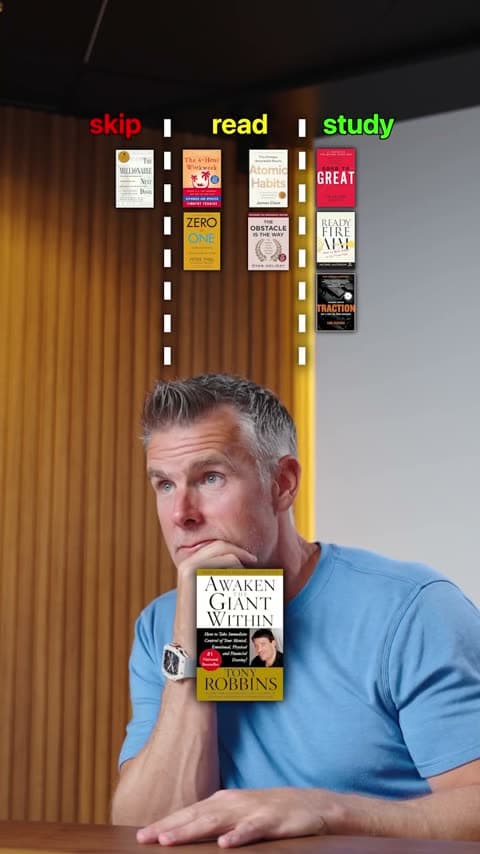
Use it to sort options into three meaningful categories, such as use, swap and skip. The insight comes from explaining why each one belongs where it does, which is how clients see your coaching.
- What the viewer sees
- Three columns with meaningful labels, such as use, swap and skip. Each item drops into its column as you explain your call.
- Example for personal trainers
- Common gym machines sorted into use, swap and skip, with the reason for each call.
- Use it when
- You are sorting options into three meaningful categories.
- Skip it when
- You have no real reason behind each call. The reasons are what make the video interesting.
Try a Tier List on your next ranking
Record yourself ranking, upload it, and Jupitrr builds the board from what you say.
3. Green screen
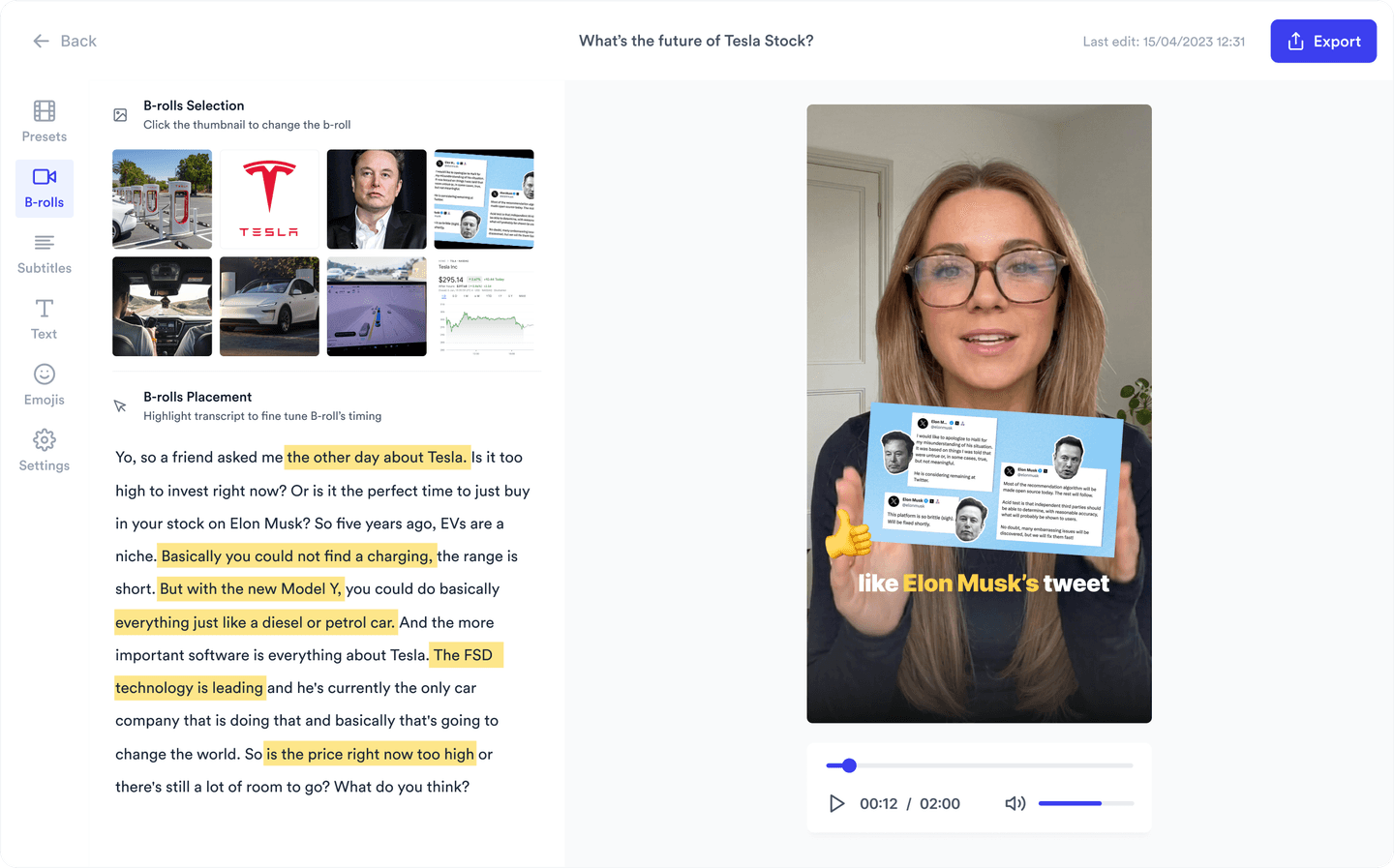
Suits investigations and case studies of a company or topic, where screenshots and B-roll carry the story, and it works well for news. The changing background adds variety to longer videos, and the cutout works on videos up to 10 minutes. Jupitrr places matched B-roll behind you automatically; you add any specific screenshots yourself. You can respond to a claim without reusing the original video.

- What the viewer sees
- You cut out of your background, in front of the screenshots, headlines or B-roll you are talking about.
- Example for personal trainers
- A trainer stands in front of a viral “never eat carbs after 6pm” post and explains what is true, what is missing and what they tell clients.
- Use it when
- You are investigating a fitness trend or claim, or covering a study your clients have seen.
- Skip it when
- You would be criticising a person rather than an idea, or you need to show the full original clip.
4. Do & Don't
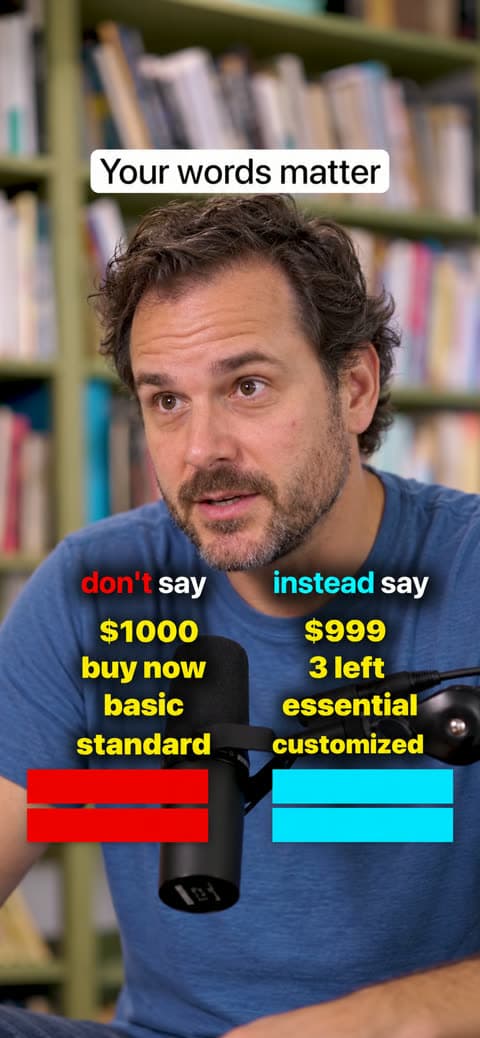
Swapping a habit for a better one is easy to explain to camera, and Do & Don’t puts each cue in text so it still works with the sound off.
- What the viewer sees
- Two columns. Each “don’t” appears with its matching “do” as you say them.
- Example for personal trainers
- “Don’t: restart your whole plan after one missed workout. Do: return at your next planned session.” Movement cues can work too, with footage that actually shows the movement.
- Use it when
- You are replacing a habit with a clear better alternative.
- Skip it when
- The viewer needs to see the movement to understand it and you have not filmed it.
5. 2 Column
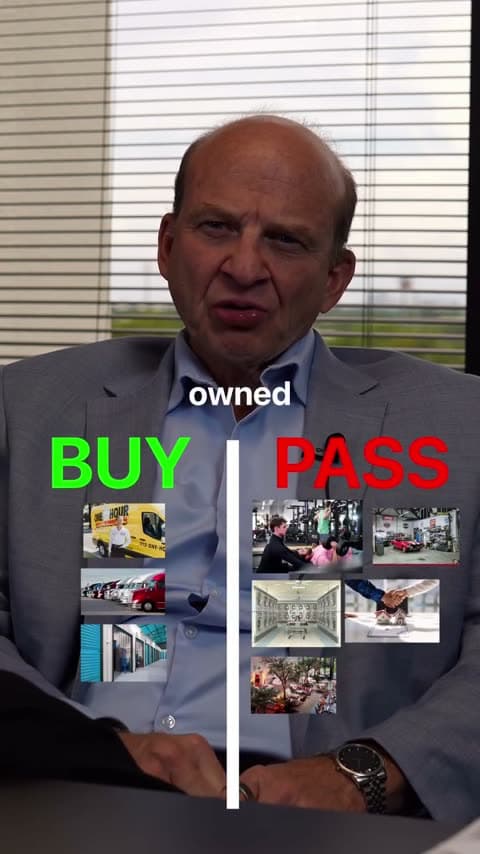
Use it to make a clear distinction, such as myth or fact or keep or cut. Each item goes on one side, and you explain why. Myth or fact and worth it or not make quick videos that are easy to follow.
- What the viewer sees
- Two columns, such as Myth and Fact. Each item drops into its side as you give your verdict.
- Example for personal trainers
- Common fitness claims, such as “a workout only counts if you feel sore”, sorted into Myth and Fact.
- Use it when
- You want to make a clear distinction between two sides.
- Skip it when
- The honest answer for most items is “it depends”.
6. Talking head with B-roll
For a single question, a plain talking head with subtitles and B-roll is often the clearest format.
- What the viewer sees
- You talking to camera, with subtitles and short B-roll clips that illustrate what you say.
- Example for personal trainers
- “Is sleep that important for building strength?” One question, one answer, one next step.
- Use it when
- The video is one answer to one question.
- Skip it when
- You are comparing several items, where a column or ranking format is easier to follow.
Fitness videos that need a different tool
Follow-along workouts with timers, rep counters and exercise labels, multi-camera form breakdowns and app-delivered programmes are better made in a workout video app or a full editor. Jupitrr is built for talking-head videos: it edits the recording you upload and does not insert your own exercise clips as B-roll.
A practical split: film demos where the movement is the point, and record talking-head videos for everything you explain.
How to choose a format
- Ranking several things? Tier List.
- Investigating a claim or covering news? Green Screen.
- Correcting a habit with a better alternative? Do & Don’t.
- Sorting into two or three verdicts? 2 Column or 3 Column.
- One question, one answer? Talking head with B-roll.
Frequently asked questions
A video format is a recognizable structure for your video, such as a Tier List or Green Screen. It helps because you start from a shape viewers already understand, so you only need to bring your knowledge. For your first post, pick a question clients always ask, choose the format that fits it and record your answer.
A personal trainer should start with Tier List: ranking fat-loss habits gives you a clear opinion clients can react to. If it does not feel like you, try another one. The right first format is the one you will actually record.
These Jupitrr formats start with you talking to camera. A phone and one clear idea are enough. You can use them alongside other content such as workout demos and form clips.
You do not have to edit your video before you use a format. Upload your raw footage and choose a format. Jupitrr builds the edit automatically, ready for you to review and adjust. You can trim mistakes or remove silence first if you want to, but you do not have to.
Choose a format and topic, outline or script your points, record yourself talking, then upload your footage and select the format in Jupitrr. Review the automatic edit, adjust it and export.
Trying one or two video formats a week is a good starting point, not a rule. You do not need every format to gain traction. Repeat what works for your audience, and keep more than one format in rotation if it suits you.
A platform is where the video goes: Instagram, TikTok or YouTube. A format is the on-screen structure: a tier list, a split screen or two columns. The same format works on every short-form platform.
No format guarantees views. A Tier List makes a ranking easy to follow and invites people to disagree in the comments, but the topic and your reasons still decide whether it works.
In Jupitrr, Formats are built for vertical short-form videos under 3 minutes, or up to 10 minutes for Green screen. Longer landscape videos get the standard edit with subtitles, B-roll and music.
Pick the format, keep the coaching
Choose a Format like Tier List or Green Screen, and Jupitrr builds the edit automatically, ready for you to review and adjust.