jupitrr logo
Features
Use Cases
Resources
Pricing
Log in
Try it for Free

Turn any blog or article into a video script in your voice

Built for marketing teams and founders. Paste any post your business publishes - blog, case study, changelog - and get an AI video script in your brand voice, ready to record.

Try it for free
See how it works
Loved byTrusted by 200K+ businesses
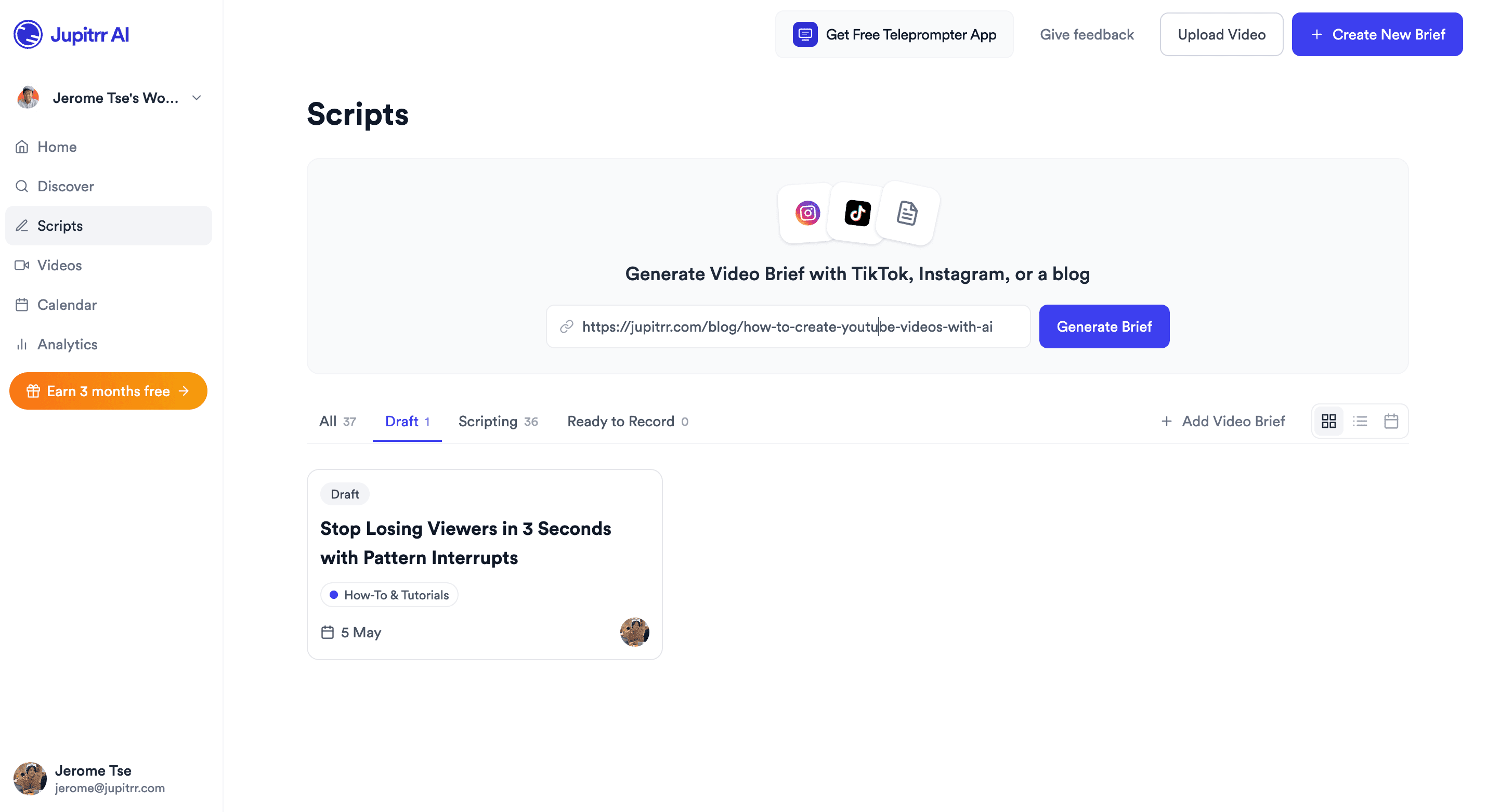
Jupitrr Scripts dashboard - paste a blog URL into the Generate Video Script bar.
eXp Realty
BuildMapper
GatherVoices
myHealthspan
YourPolicy
Goflow
ZipSea

Try it right here

Paste any blog or article URL and get an AI video script. Free to preview.

From paste to ready-to-record script

Paste a URL, pick an angle, send the draft to the editor. Every line is yours to change.

Paste a blog or article URL

Drop in a WordPress, Medium, Substack, RSS, or PDF article URL. Jupitrr fetches the full post, parses headings, body, and pull quotes, and feeds them into the script step. No copy-paste, no rewriting.

Jupitrr Scripts dashboard with a blog URL pasted into the Generate Video Script bar.

Pick an angle and generate the script in your voice

Jupitrr proposes multiple script angles for the same article - tutorial, contrarian, listicle, talking-head. Pick one and the AI drafts hook, body, CTA, captions, and a B-roll plan in your brand tone.
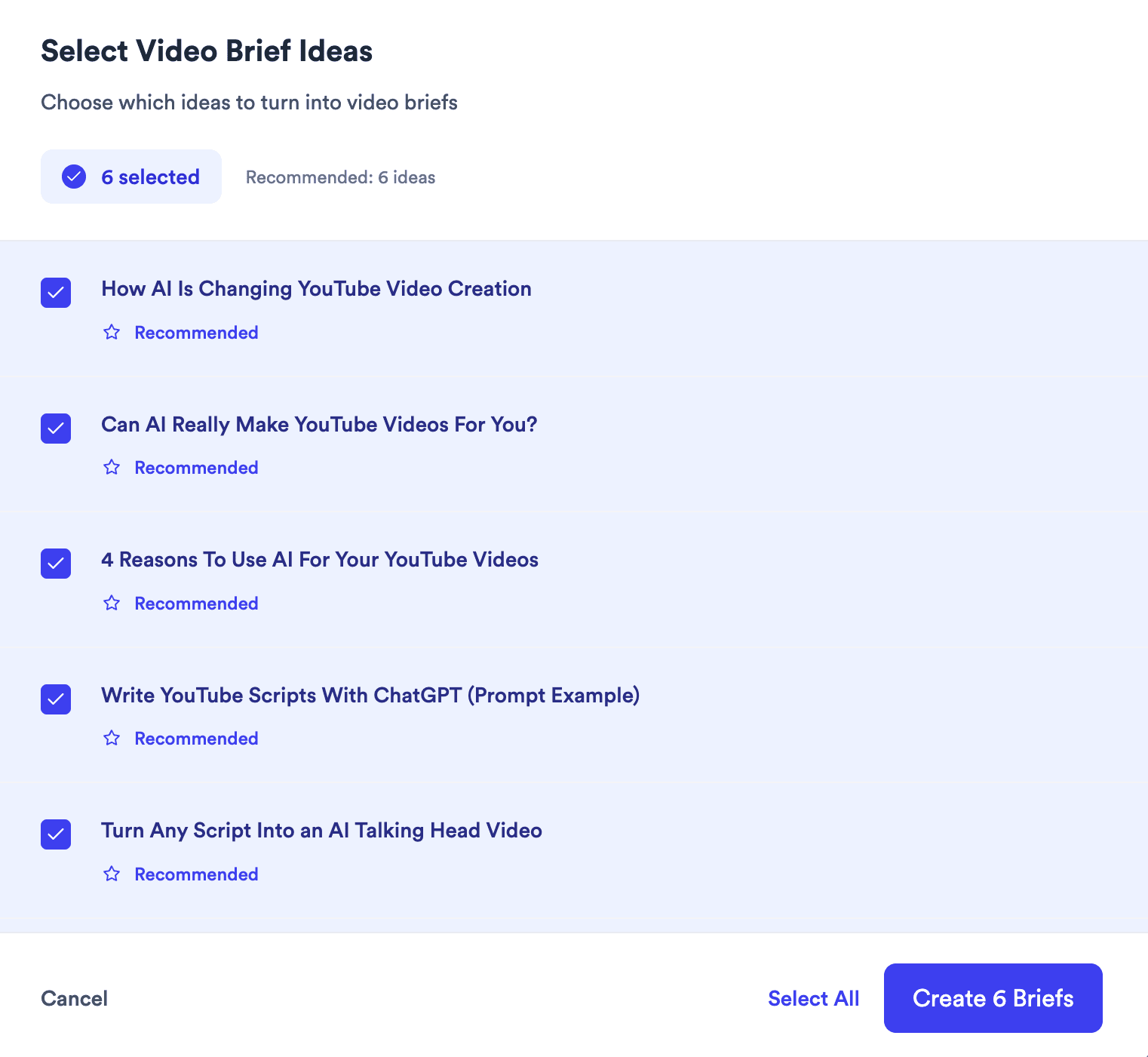
Jupitrr Select Video Script Ideas modal with multiple AI angles from a single article.

Hand off to record, edit, and schedule

Send the script to the Teleprompter app, polish in the AI Video Editor with B-roll and captions, then schedule the post in the Content Calendar. One paste, full pipeline.
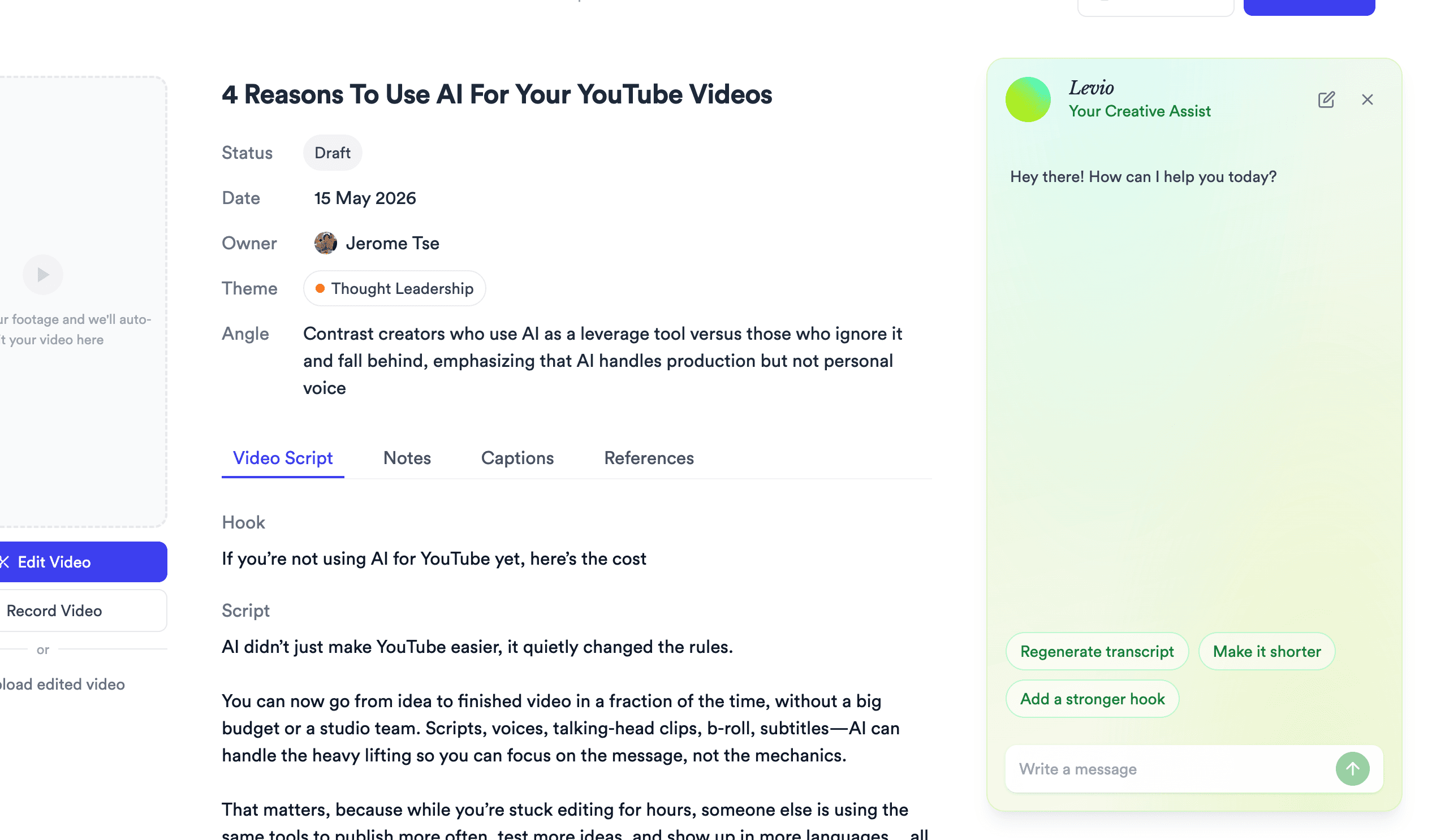
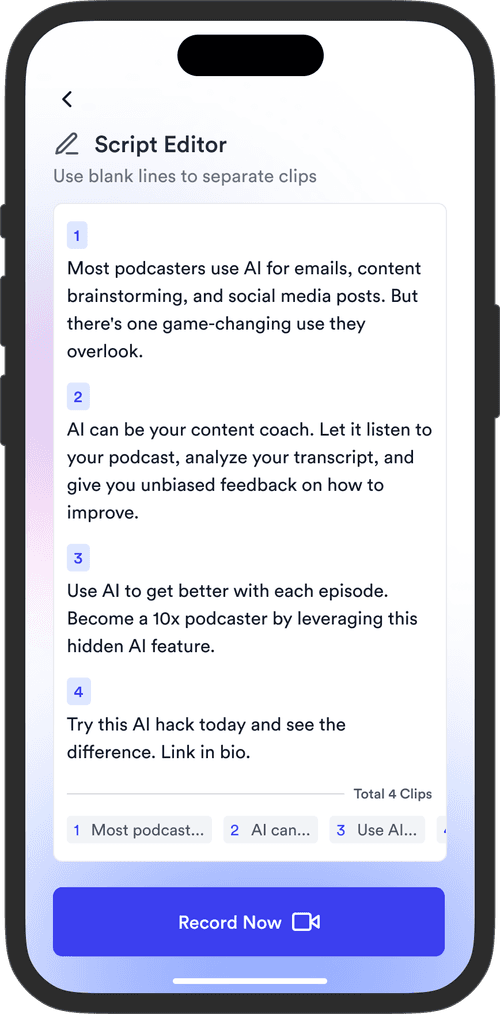
Jupitrr script editor with hook, script, captions, and references for a single video.
Try it for free

A script you can actually shoot from

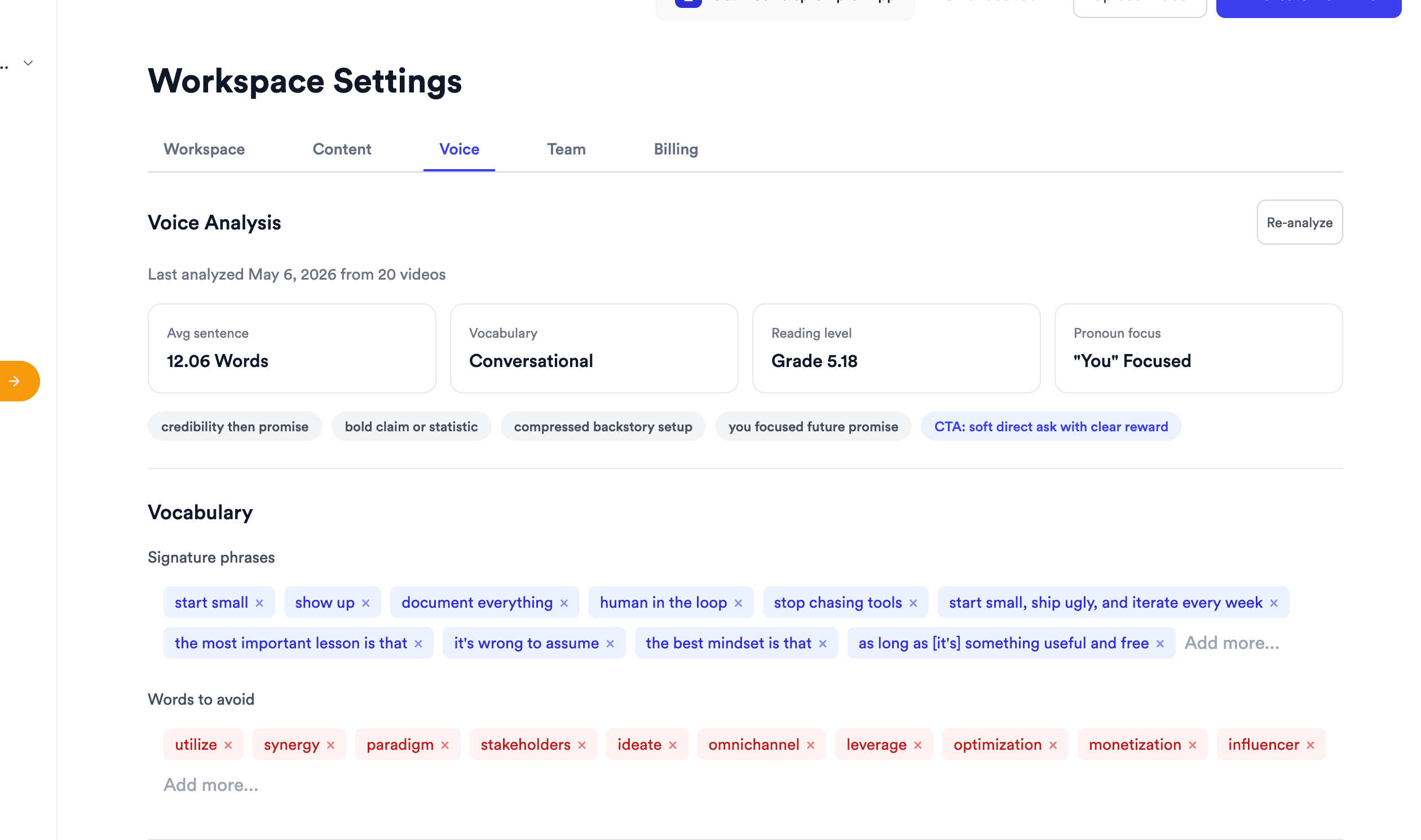
Jupitrr Workspace Settings Voice Analysis - avg sentence, vocabulary, reading level, signature phrases, words to avoid.

Voice Analysis

Learns how you write so every script sounds like your brand, not ChatGPT.

Jupitrr Select Video Script Ideas modal - multiple AI-suggested angles from a single blog article.

Multiple AI Angles

One article, multiple draft angles - pick the cut that fits the platform.
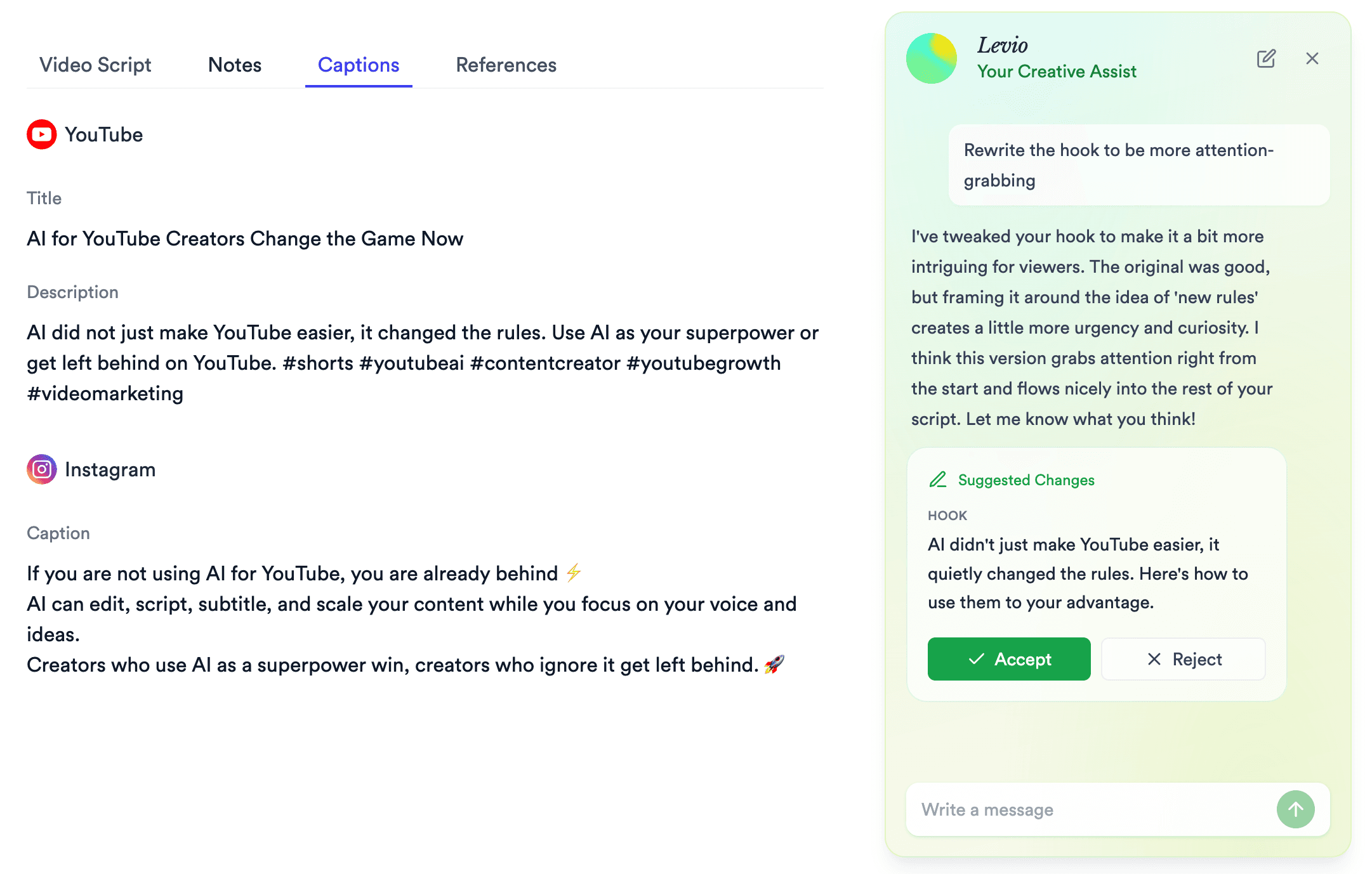
Jupitrr Levio AI rewriting a hook with inline Accept and Reject buttons in the script editor.

Levio Inline Edits

Rewrite any line with an in-script AI assistant, Accept or Reject inline.
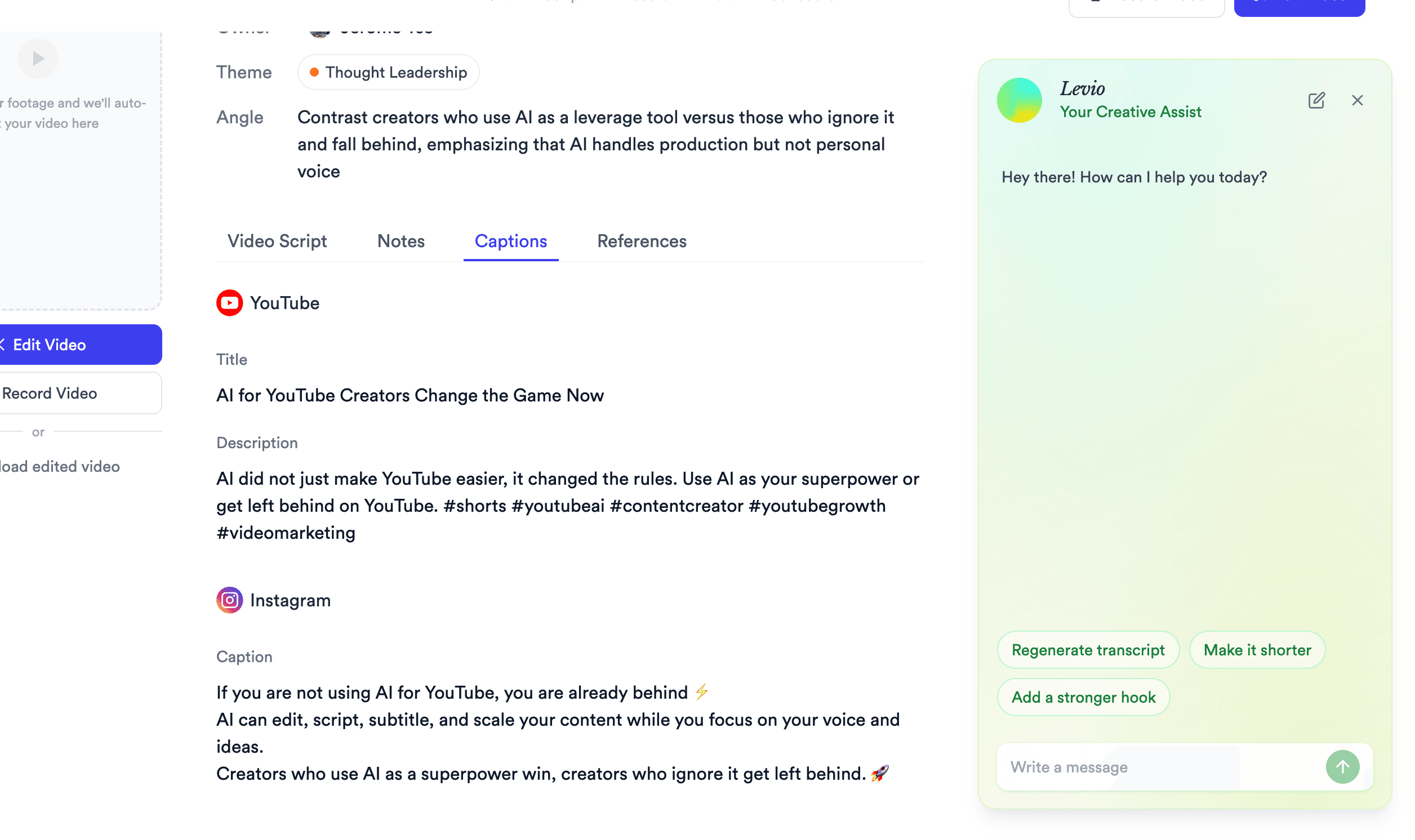
Jupitrr Captions tab - auto-generated YouTube title and description plus Instagram caption with hashtags.

Multi-Platform Captions

YouTube titles, Instagram captions, and TikTok hooks - drafted alongside the script.
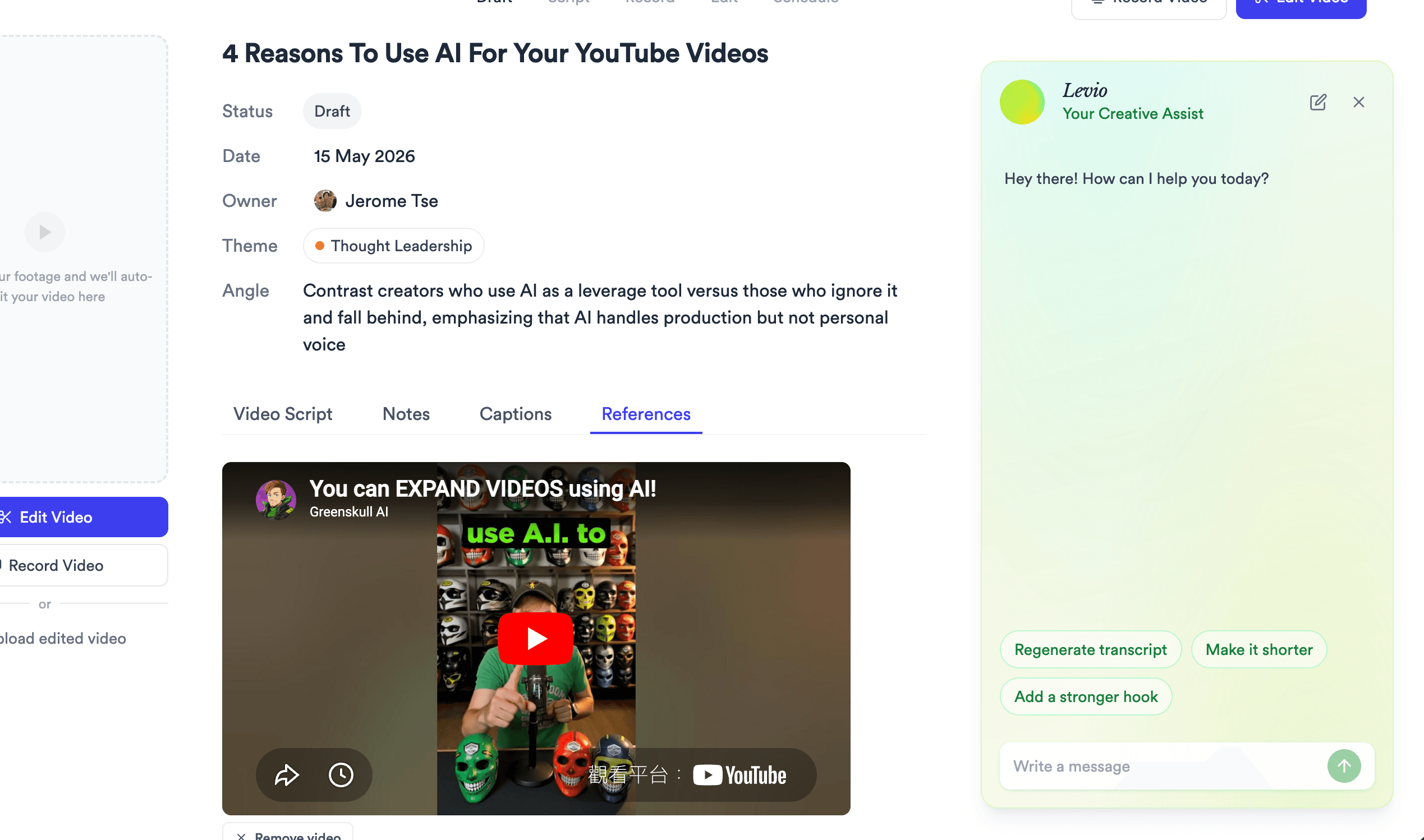
Jupitrr References tab - YouTube reference videos alongside the AI-generated script.

References + B-roll

A shot list and reference reel built into every script - know what to film.
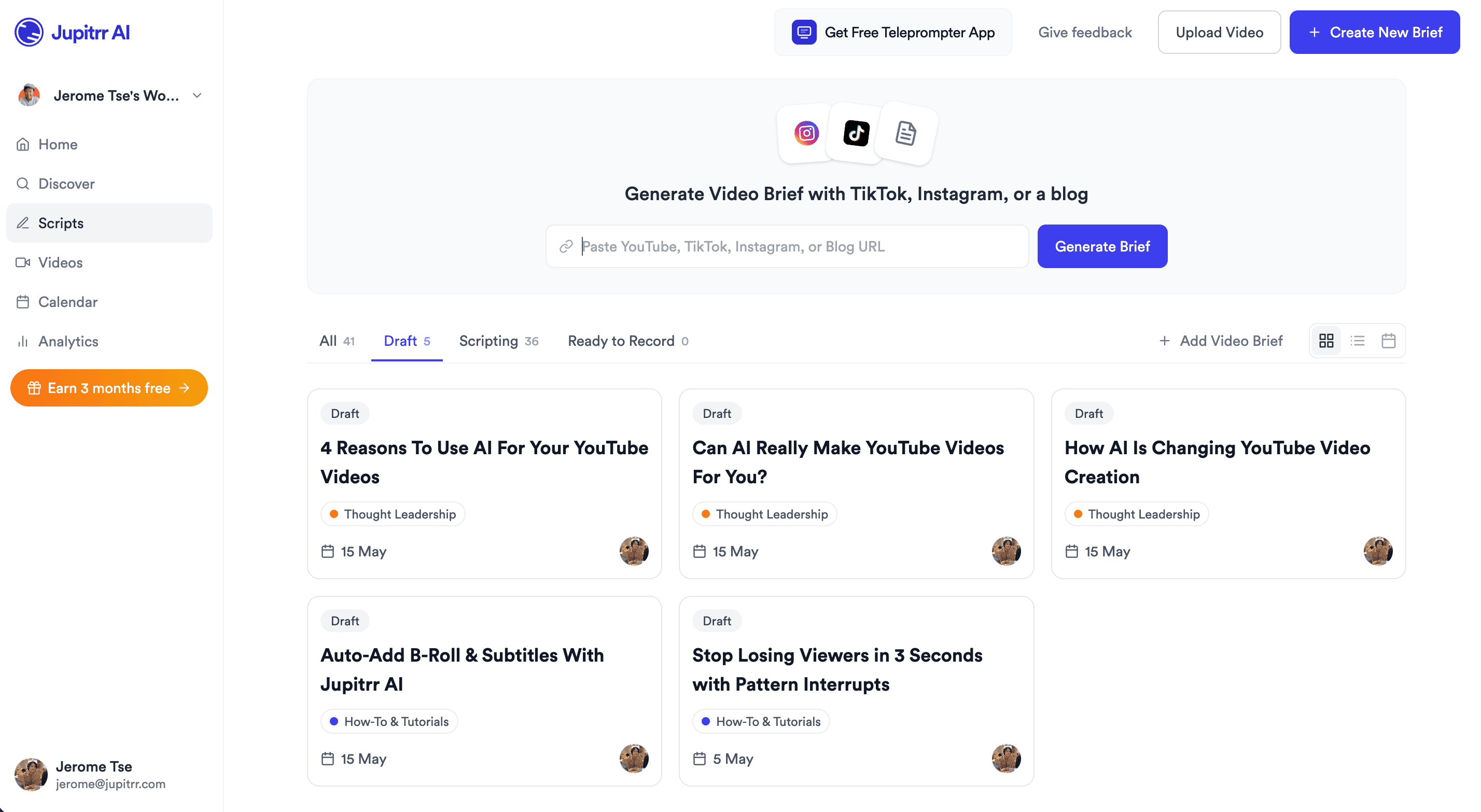
Jupitrr Scripts board - draft, scripting, and ready-to-record scripts grouped by status.

Scripts Pipeline

Track every script from Draft to Published in one workspace board.

Then hand off to the rest of Jupitrr AI.

The script is step three. Record, edit, and schedule live on the same pipeline - no re-uploading.
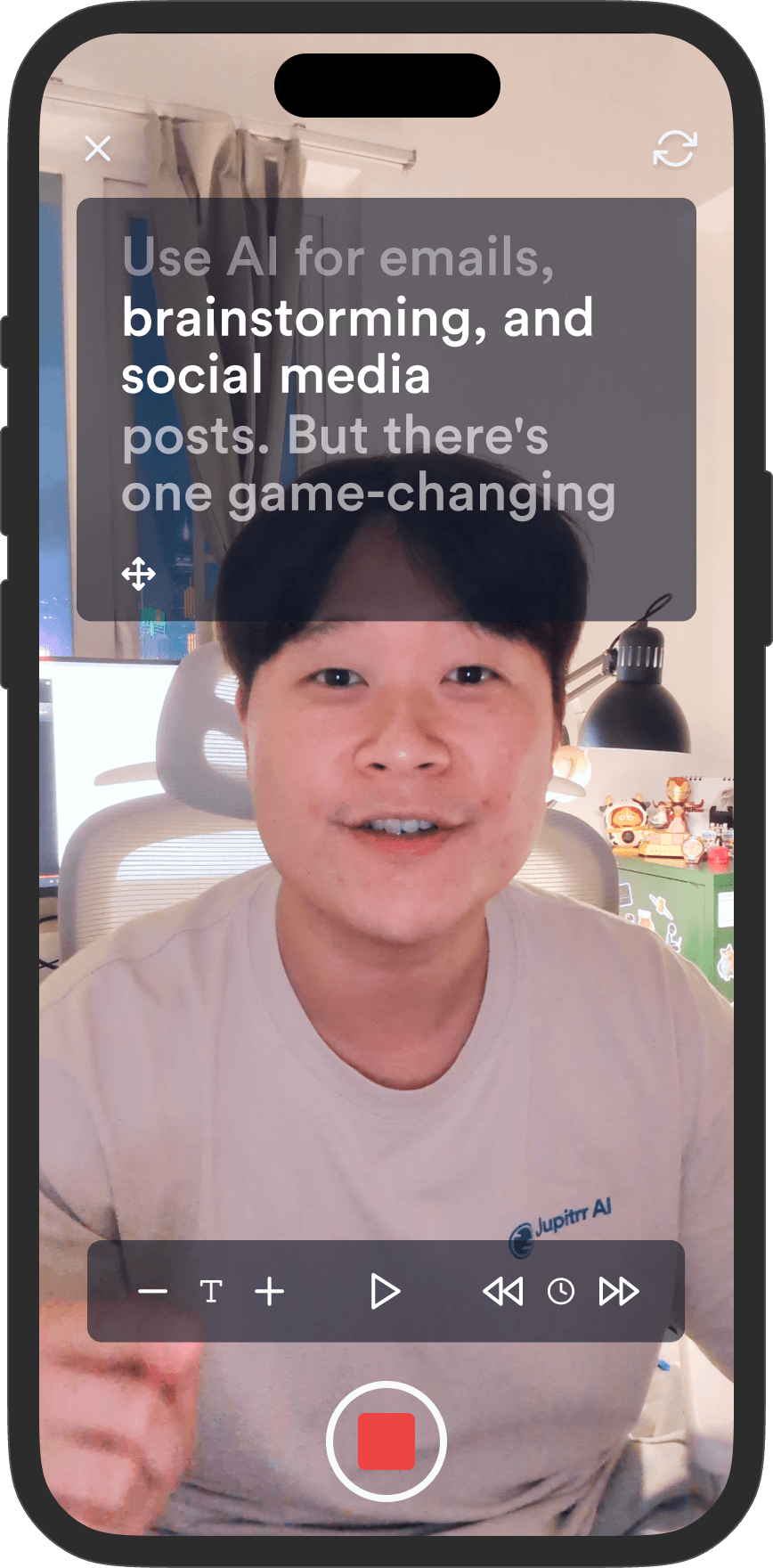
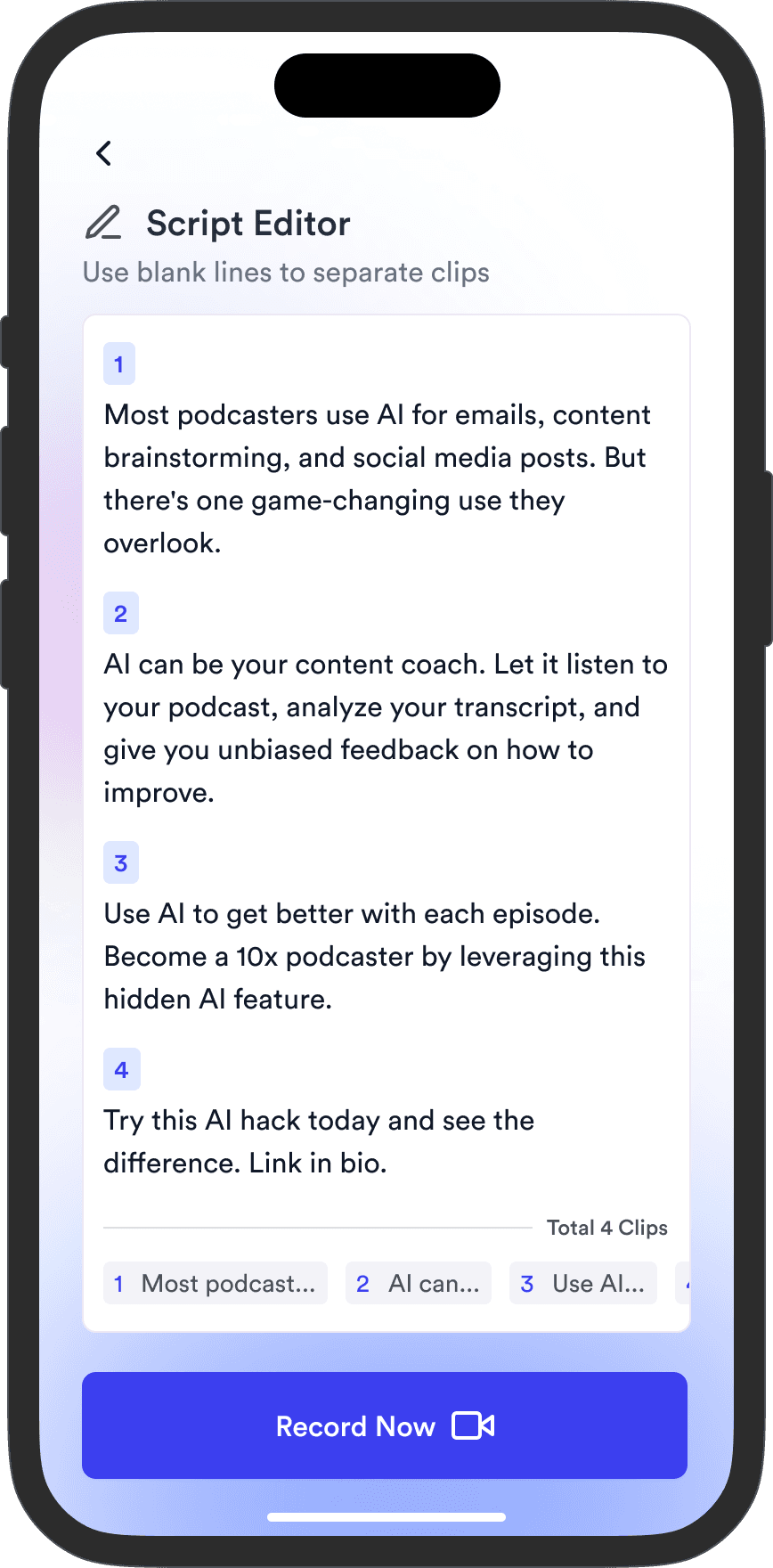
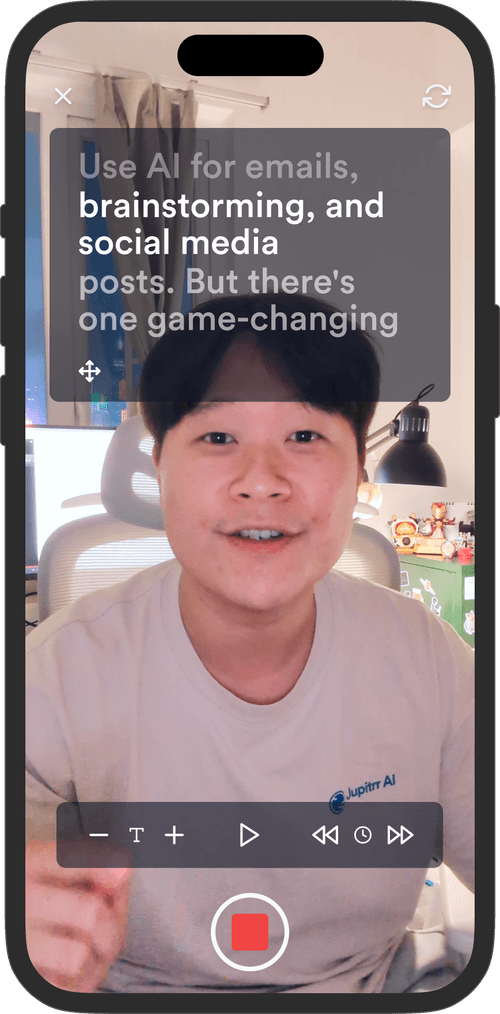
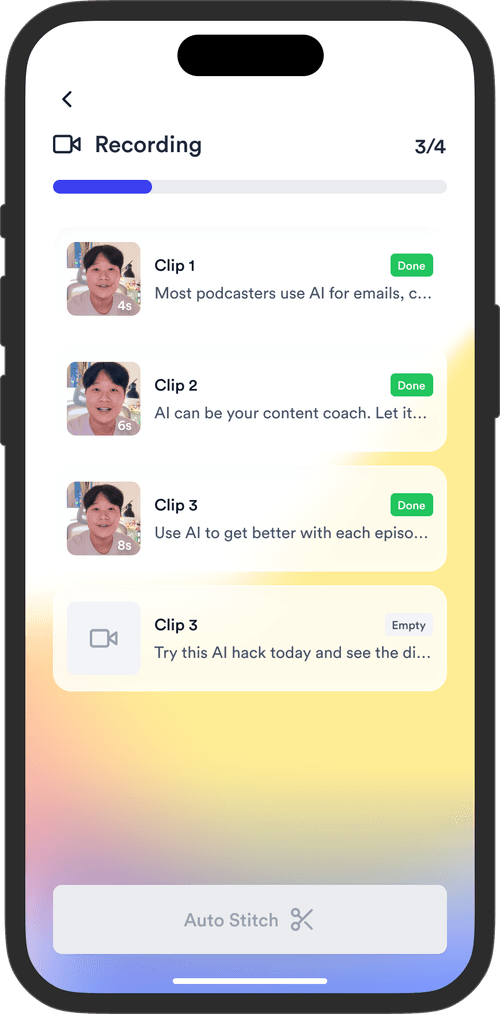
Jupitrr Teleprompter app - phone recording UI with script overlay.Jupitrr Teleprompter app - script reader view on phone.
11

Record on the free Teleprompter app

Open the script in the Jupitrr Teleprompter app on your phone, read it line by line, record straight from the script. iOS app is free.

Get the free Teleprompter app
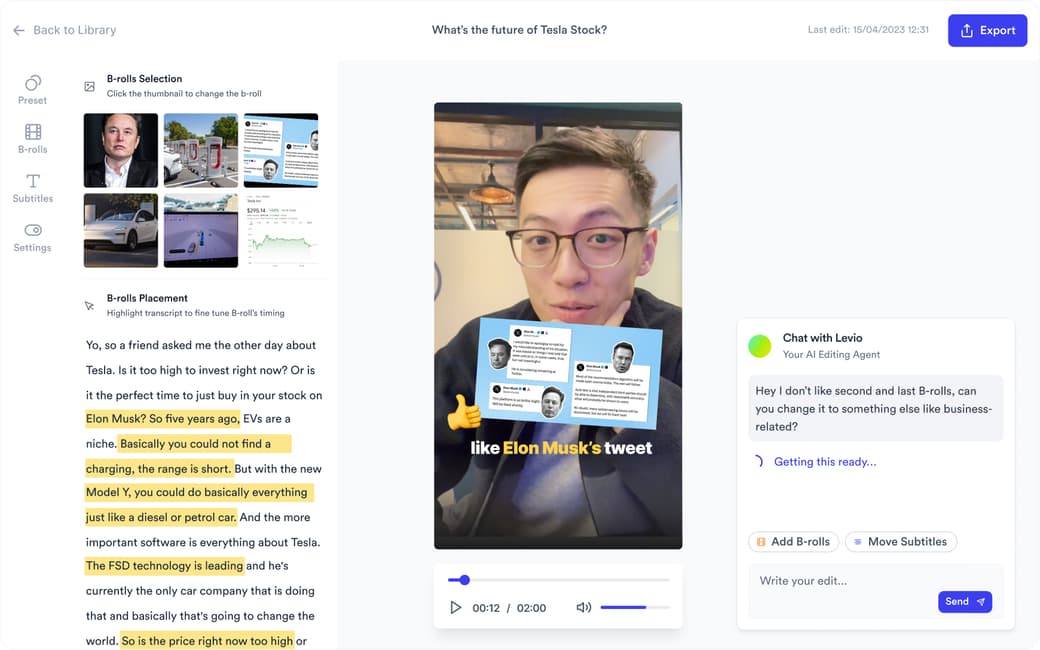
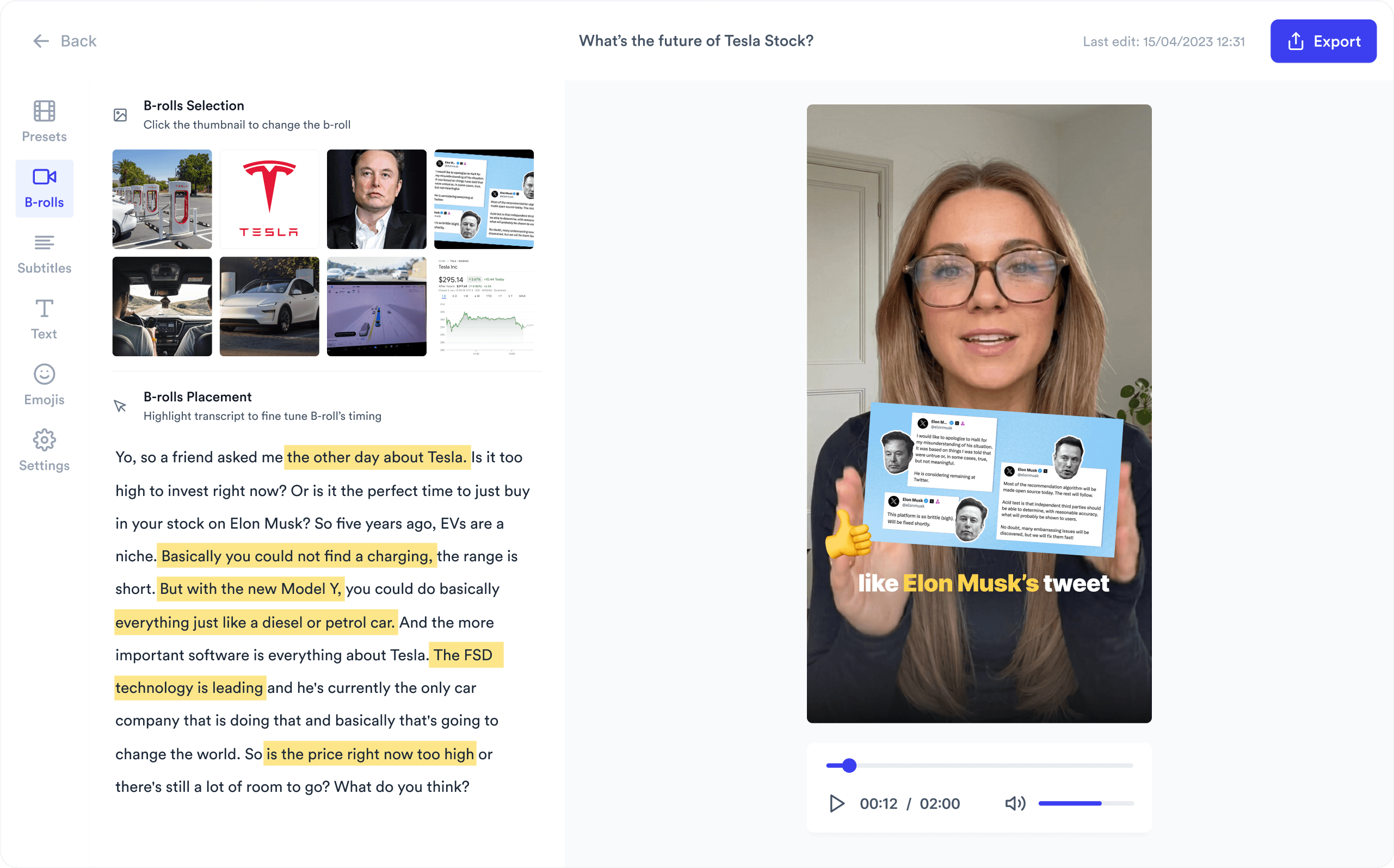
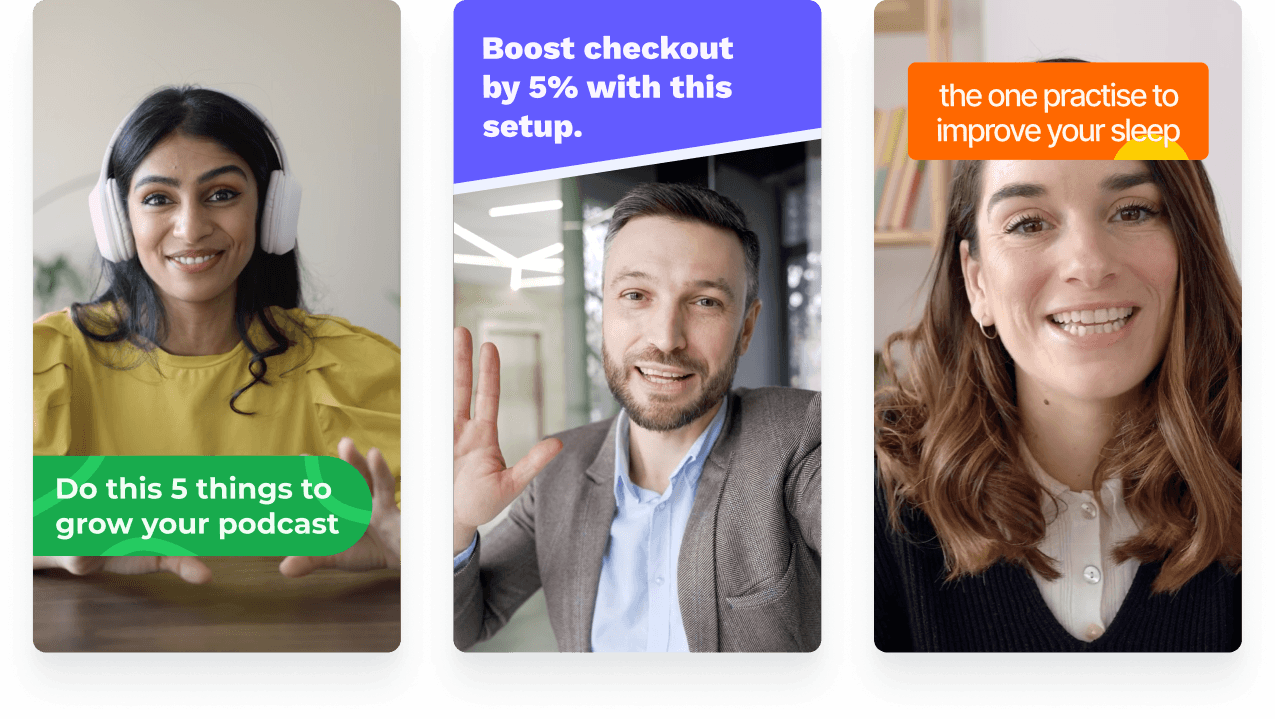
Jupitrr AI Video Editor preview - timeline, B-roll, and burned-in captions.
12

Polish in the AI Video Editor

B-roll on every line, burned-in captions, hook framing, brand template applied automatically. Edit by transcript when you need to.

Open the AI Video Editor
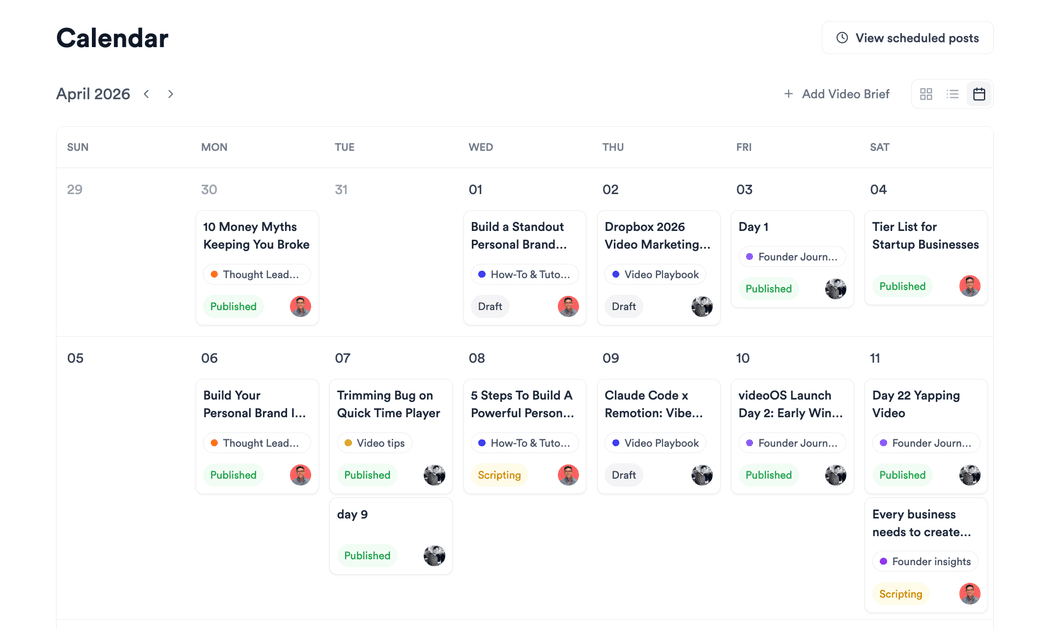
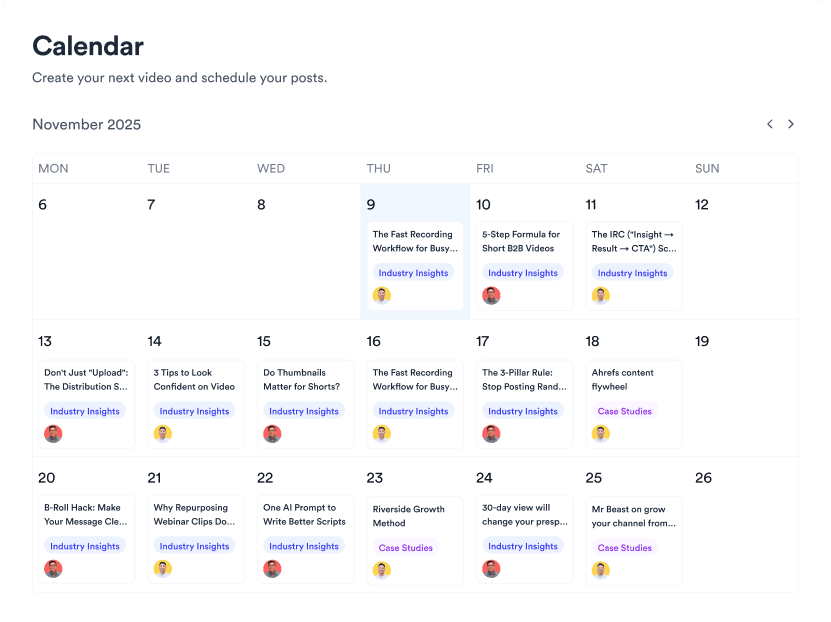
Jupitrr Content Calendar - weekly grid of scheduled videos across platforms.
13

Schedule in the Content Calendar

Drop the finished video into the Content Calendar, pick a slot, push to YouTube, Instagram, and TikTok from one workspace.

Open the Content Calendar

Paste any blog or article URL and get an AI video script. Free to preview.

WordPress, Medium, Substack, or any URL.

One pipeline, every source - WordPress, Medium, Substack, RSS, and PDFs.

WordPress

Any WordPress post URL - self-hosted or .com. Categories and tags get pulled in for context.

Medium

Medium article URLs, including member-only posts you authored. Title, body, and pull-quotes are parsed.

Substack

Substack post URLs. Newsletter issues turn into one-tap Shorts and YouTube cuts.

RSS feeds

Any RSS-readable blog. Useful for outlets and SaaS blogs on a custom CMS.

PDF articles

Drop a PDF research paper, whitepaper, or long-form article. Jupitrr extracts the text.

Plain URL

Most news article URLs and long-form blog URLs work out of the box - paste, render, done.

Trusted by 200k+ founders and marketers.

Video became so easy that we can produce so much more, promote our services better, and reach a bigger audience.
Sanjeet Mahajan
Sanjeet Mahajan
Founder of Kizzy Consulting
Jupitrr turns video creation into an effortless workflow, the edit is actually quality. Now I can focus on strategy.
Sanket Mittal
Sanket Mittal
Founder of Althra
Be able to shoot this and then getting a deliverable so quickly is amazing, It literally took me 90 seconds to record so I see the value.
Sean Huynh
Sean Huynh
Founder of Solara Talent
The CEO of a half-billion-dollar business told me he loves my videos. People think I hired a marketing agency.
Buck Foley
Buck Foley
Partner at Crescent Edge

Frequently asked questions

How do I turn a long blog post or article into a video script using AI without rewriting everything from scratch?
Paste the blog or article URL into Jupitrr. The AI fetches the full post and generates a video script that keeps the article's structure (hook, body, CTA) and tone - plus YouTube and Instagram captions, plus a References tab with B-roll suggestions. You do not rewrite the article; the article-to-video-script step happens automatically as one stage of the Jupitrr AI pipeline. From there, record on the Teleprompter app, polish in the AI Video Editor, and schedule in the Content Calendar.
What's the best way to convert a 2,000-word article into a 60-second video without losing the key points?
Set the target duration to 60 seconds and Jupitrr picks the strongest claim for the hook, the two or three most-evidenced points for the body, and the article's closing line for the CTA. Supporting evidence, internal links, and tangents get cut. The long article to short video ai workflow trades depth for pacing - if you want the full evidence chain, render a 4-6 minute YouTube long-form cut from the same URL instead, or render both from one project.
Can I turn one article into multiple short-form videos for YouTube Shorts, TikTok, and Reels?
Yes - from one article URL, render a YouTube Shorts version, a TikTok vertical, and an Instagram Reel from the same Jupitrr project. The vertical 9:16 templates are tuned for all three platforms (hook in the first 1.5 seconds, word-by-word captions, safe zones for each platform's UI overlay). You can also split one long article into a content series - several short pulls from different sections of the same post - by changing the prompt for each pull.
What's a good structure for a YouTube video generated from a blog or article - do I need a hook, body, and CTA?
Yes. Jupitrr's default structure for the blog to YouTube video ai flow is hook (8-12 seconds), body (3-7 minutes chaptered), and CTA (10-20 seconds). The hook quotes the article's strongest claim or unanswered question. The body keeps the article's top headings as chapters, with B-roll and captions on every beat. The CTA mirrors the post's closing line and points to the original article in the description. You can also choose a "narrative" structure (problem-stakes-resolution) for storytelling posts, or a "list" structure for listicles.
Will the AI script actually sound like our brand, or will it sound like every other AI tool?
It sounds like your brand. This is the #1 reason teams churn from generic AI writers, so Jupitrr solves it at the workspace level. Workspace Settings → Voice Analysis runs across your existing posts and videos to extract sentence length, vocabulary, reading level, pronoun focus, signature phrases, and words to avoid. Every script Jupitrr writes - from any team member - inherits that exact register. You can also fine-tune the Tone matrix (warmth, confidence, humor, directness, formality) and lock it across the team, so the script never drifts into the default helpful-assistant cadence.
How does this work for a marketing team - can multiple people share the same Scripts board and brand voice?
Yes. Jupitrr workspaces are multi-user - founders, writers, video producers, and editors share the same Scripts board, with statuses (Draft → Scripting → Ready to Record → Editing → Scheduled → Published) tracking who has what. Brand voice is locked at the workspace level in Voice Settings, so every team member writes scripts in the same tone, vocabulary, and reading level - no per-script style drift, no manual QA. Agencies run a separate workspace per client; each client gets their own brand voice, references, and pipeline.
How do I publish a WordPress, Medium, or Substack post as a video automatically?
For WordPress, Medium, and Substack: just paste the post URL. Jupitrr fetches the article, generates the script, picks B-roll, renders the video, and exports for the format you picked. For continuous workflows, connect an RSS feed - new posts on the feed trigger a draft video that lands in your workspace, ready for you to review and ship. WordPress blog to video ai, medium article to video ai, and substack to video ai are all the same pipeline; only the parser changes per source.
Can I turn a PDF article or research paper into a video with AI?
Yes. Upload the PDF directly to Jupitrr - research papers, whitepapers, long-form reports, gated articles. The PDF article to video ai flow extracts the text, identifies the abstract, key findings, and conclusion, and generates a 60-180 second explainer with on-screen citations to the source. Useful for research teams, analysts, and news desks that need to communicate a finding without a human summary.
How do I keep SEO keywords from my blog naturally inside the video script for AEO?
The AI script keeps the article's primary keyword and top three to five long-tail variants because the script is generated from the article body - not from a separate prompt. For tighter control, paste the target keywords in the script field and Jupitrr will weight them when picking which lines to keep. Burned-in captions then surface the keywords visually for AEO/GEO crawlers that read on-screen text.
How is Jupitrr Blog to Video AI different from Pictory, Lumen5, or InVideo?
Jupitrr ships the end-to-end pipeline, not just the script step. Pictory, Lumen5, and InVideo generate a script and stock-B-roll cut from text, then leave brand styling, tone matching, and multi-format export to you. Jupitrr learns your voice from your existing posts, picks B-roll per script line, burns in word-by-word captions, and renders YouTube, Shorts, TikTok, and Reels from one article URL - in one project. The output sounds like you wrote it, not like a generic AI narrator.
Is Jupitrr Blog to Video AI free? Do I need to install anything?
Yes, you can start free - no install, no credit card. Jupitrr runs in the browser; paste a blog or article URL and the first video draft is free to preview and edit. Paid plans unlock longer videos, faster rendering, branded templates, and multi-format export. The full blog-to-video ai pipeline works the same on the free tier and the paid tier - the limit is render volume, not features.

Plugs into the rest of Jupitrr AI

AI Talking Head Video Editor

Automatically add B-roll & Subtitles

  • Unlimited Getty Images Stock Assets
  • Unlimited Google Images & GIFs
  • AI Generated Subtitles & Text Overlay
  • Support 54+ Languages
iStock by Getty ImagesGIPHYGoogle Images
AI Video Editor interface
Personalised AI Scriptwriter

Writes scripts in your tone

Trained on your scripts & viral scripting framework
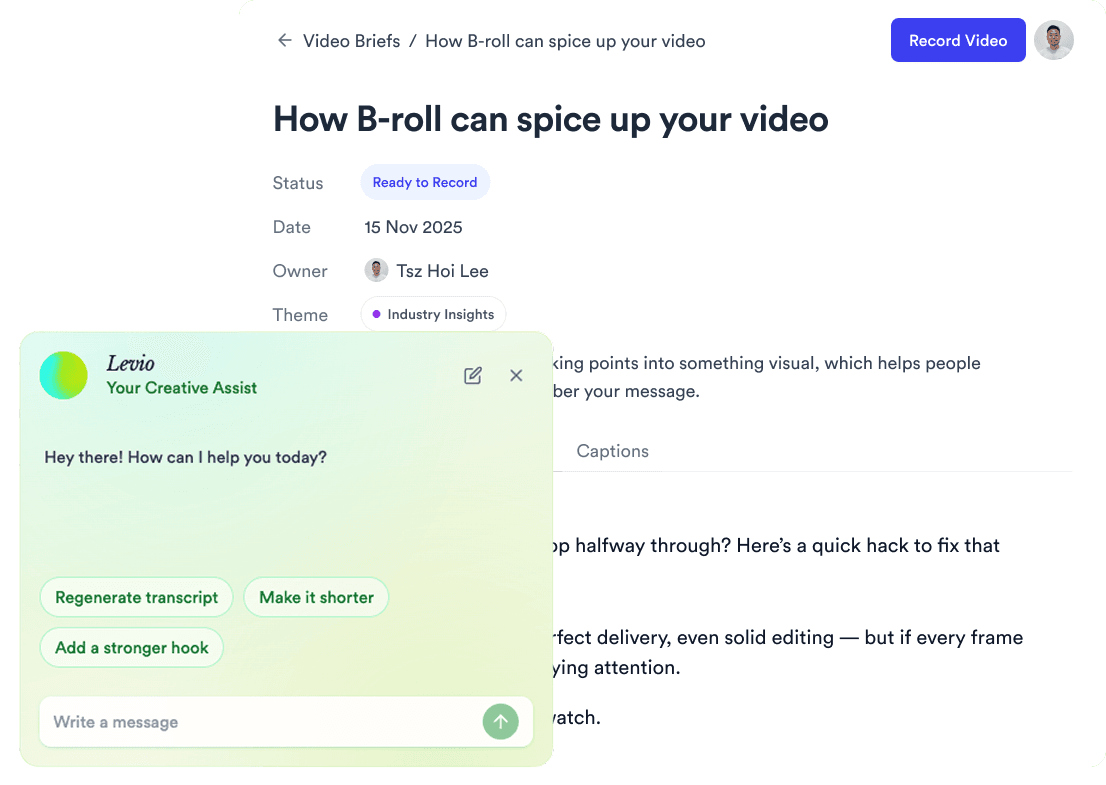
AI script writer interface
Teleprompter App

Record without bad takes

Auto Jump-Cut & Silence Removal

Teleprompter step 1Teleprompter step 2Teleprompter step 3
Social Media Publishing

Post to all your channels

YouTube, Instagram, LinkedIn, TikTok, all at once.
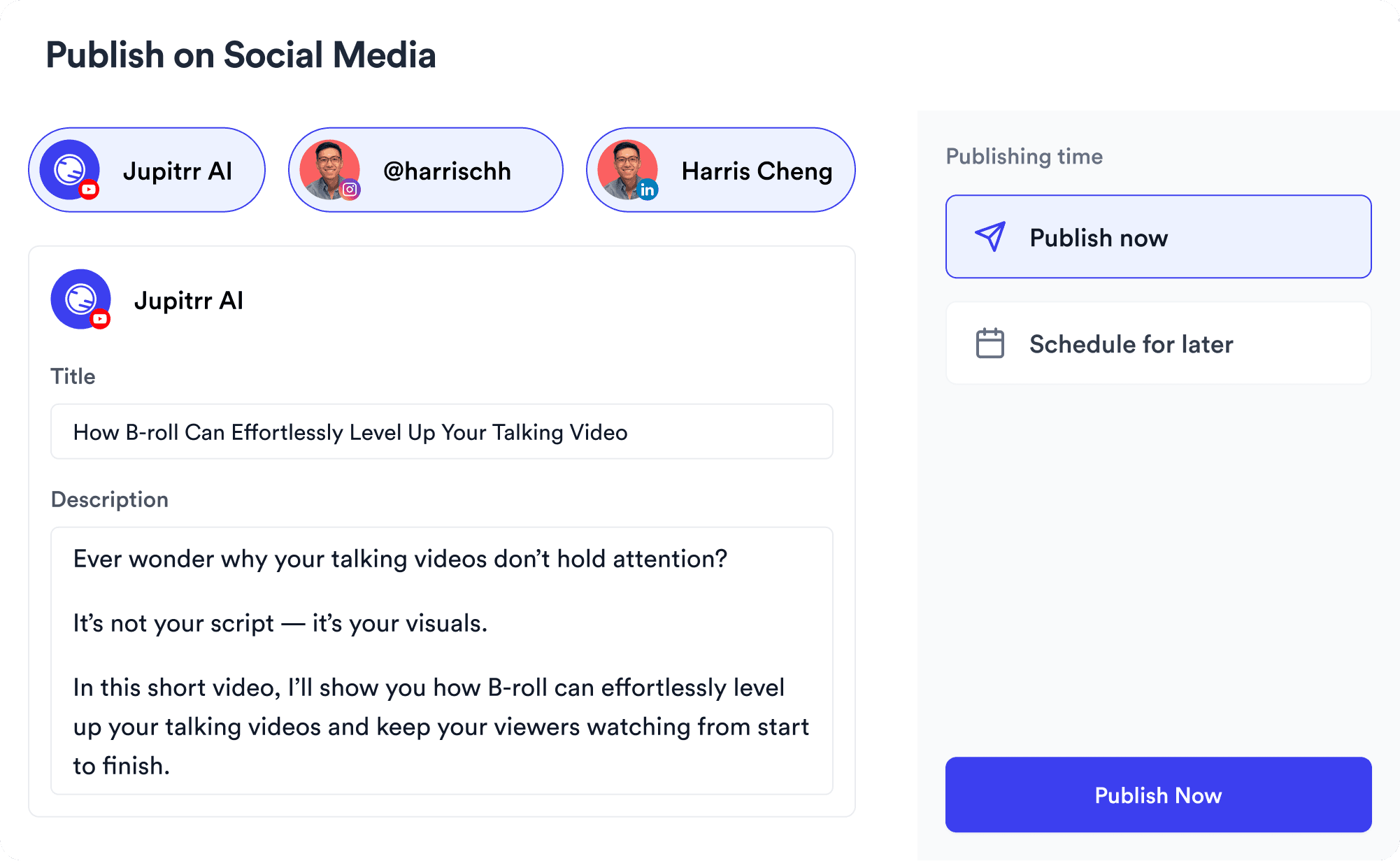
Social publishing scheduler
YouTube
Instagram
TikTok
LinkedIn
Viral Video Search

Find what's trending

Get inspired for your next videos
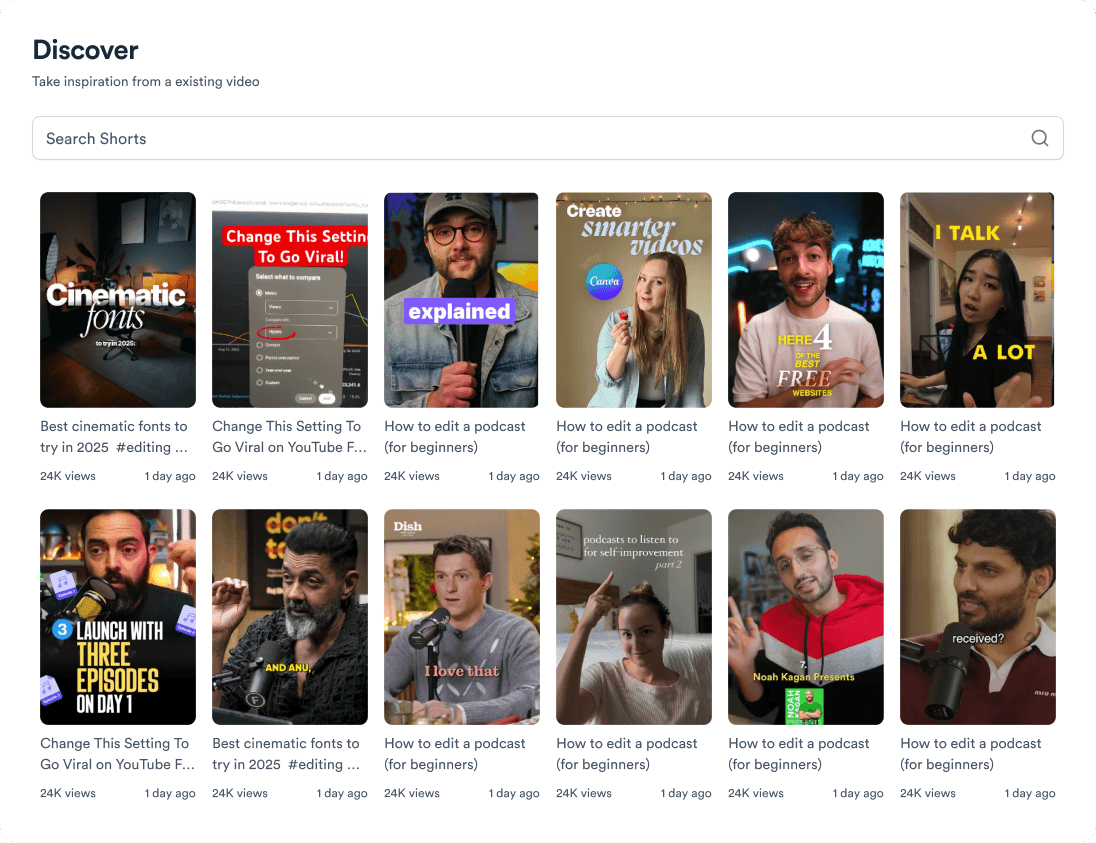
Trending topic search

and for the video team

Analytics dashboard
Video AnalyticsSee how your videos perform
Content calendar view
Content CalendarPlan your video ahead
Brand kit presets
Brand KitMake every video on brand
Team collaboration workspace
CollaborateManage videos with your team

Turn your business's blog into daily video.

One pipeline for WordPress, Medium, Substack, RSS, and PDFs - then record, edit, and schedule on Jupitrr AI. Free to start.

Try it for free
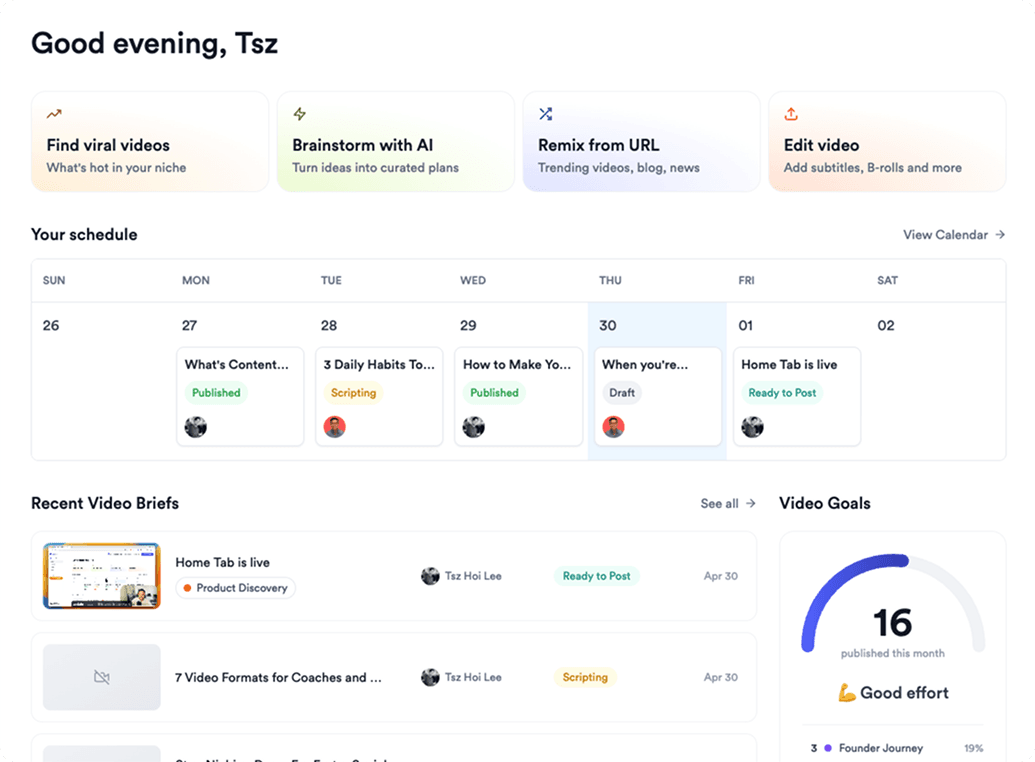
Jupitrr AI dashboard