Last updated April 2026
Opus Clip vs Jupitrr AI
Jupitrr AI picks up where Opus Clip leaves off, turning short-form clips into polished, published, and tracked organic content from one platform.
What makes Jupitrr AI different from Opus Clip?
We will be honest, Opus Clip is really good at what it does. If you have a two-hour podcast and need ten clips by tomorrow, it is hard to beat. Where it gets tricky is what happens next: the clips come out a bit raw, and you end up editing them somewhere else anyway. That somewhere else is often Jupitrr AI. We do not clip long videos (we are not even going to pretend), but Jupitrr AI takes short-form footage and finishes it: B-rolls, subtitles, hooks, music, scheduling, tracking. Plenty of creators use both, and honestly, we think that is the move.
Opus Clip is good for
Chopping long podcasts and webinars into short clips
- Their Virality Score is genuinely useful for picking which clips are worth posting
- Auto-reframing handles the landscape-to-vertical crop really well, speaker tracking included
- Pro plan comes with a scheduler so you can auto-post straight from the tool
- Unlimited stock B-roll on Pro, which is nice if you go through a lot of clips
- You can set up brand templates with your logo, fonts, and colors so clips stay on-brand
Jupitrr AI is best for
Consistent video output for businesses and marketing teams
- Scheduling, publishing, and analytics all live in one place
- Pairs really well with Opus Clip, a lot of creators use both
- Purpose-built for short-form, so every feature is tuned for that
- Upload a clip and the AI adds B-rolls, subtitles, hook text, and music for you
- Premium Getty and Google images pulled in automatically
- Chat with Levio to tweak your edit like talking to a real editor
What editing looks like
See the difference between a timeline editor and an AI-powered platform.
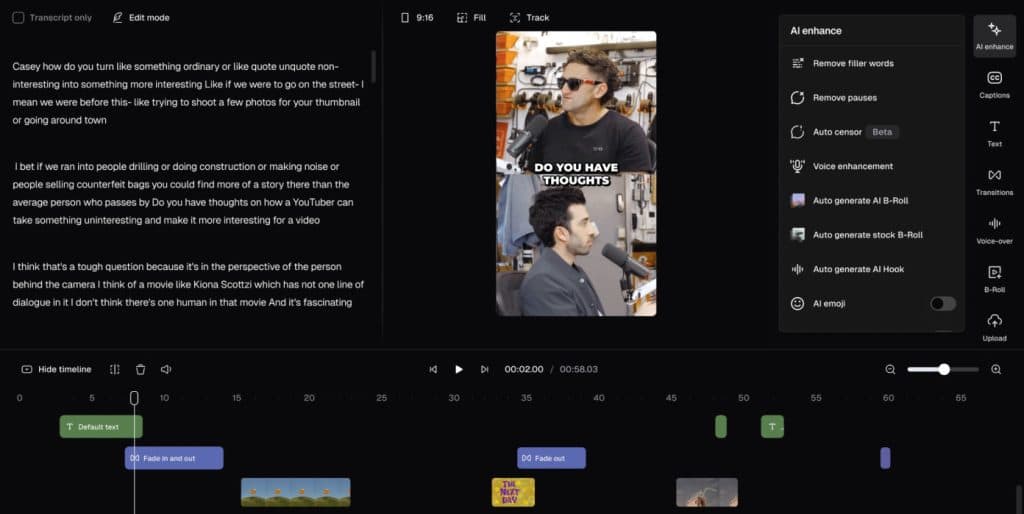
Opus Clip
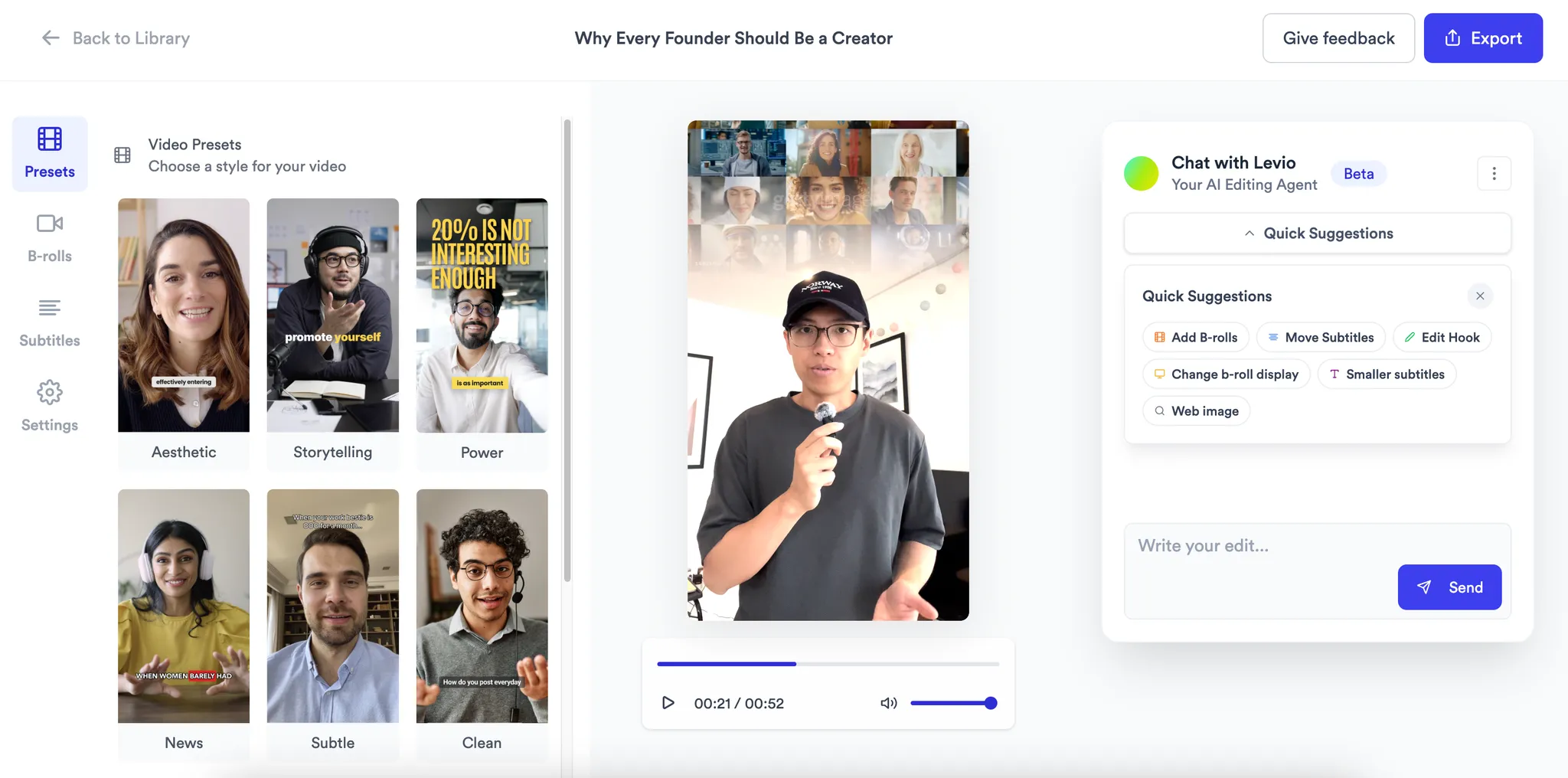
Jupitrr AI
Feature comparison
A detailed look at how Opus Clip and Jupitrr AI compare across key features.
Platform type
Research & Ideation
AI Scriptwriting
Primary use case
B-rolls and Sources
Automation level
Content Calendar & Scheduling
Analytics
Price
No credit card required
Helping you decide
No tool is perfect for everyone. Here is who we think each one is best for.
Solopreneurs
Go with Jupitrr (or both)
- Purpose-built for original short-form talking head content
- Use Opus Clip too if you have long-form to repurpose
- Scheduling and analytics built in so you can track what works
Startups and B2B teams
Go with Jupitrr
- Add team members to co-work on scripts, editing, and analytics together
- Measure your video success across platforms from one dashboard
- Brand kit keeps every video consistent as the team scales
Content creators
Use both
- Opus Clip to extract the best clips from your long-form content
- Jupitrr to polish them with B-rolls, hooks, and subtitles
- Then schedule and publish directly from Jupitrr
Marketing agencies
Go with Jupitrr
- Separate workspaces to manage video per client
- One platform for editing, scheduling, and performance tracking
- Use Opus Clip alongside for clients with podcast content
Frequently asked questions
Jupitrr AI is the better choice if you create original short-form content like talking head videos. Opus Clip is designed for repurposing long-form content into short clips, not for enhancing or editing original short videos. More importantly, Jupitrr AI is a full marketing platform — it handles research, scripting, editing, publishing, and analytics, while Opus Clip only does clipping.
Yes, and many creators already do! Use Opus Clip to extract the best clips from your long-form content, then bring those clips into Jupitrr AI to enhance them with B-rolls, dynamic captions, hook text, and background music. From there, use Jupitrr AI's content calendar to schedule and publish them, and track performance — all from one platform.
If you already use Opus Clip to extract clips from long-form content but then need separate tools to enhance, schedule, and track those clips — Jupitrr AI picks up where clipping ends. It is built for businesses, marketers, and creators who want to take raw clips and turn them into polished, published, and tracked content.
Opus Clip is great at clipping but the editing still requires manual fine-tuning after the clips come out. The B-roll, title, and hook text options are limited compared to dedicated editors, and at its core it is still primarily a clipping tool — there is no full editing, research, scripting, or analytics. The free plan is watermarked and projects expire in just 3 days, which can catch you off guard if you do not export quickly.
The big one is that Jupitrr AI does not do long-form to short-form clipping at all — if you need to chop a two-hour podcast into clips, you will want to pair it with Opus Clip for that. Jupitrr is purpose-built for short-form content, so it is not the right tool if you need a general-purpose editor.
No, that is Opus Clip's strength and we are not trying to replicate it. Jupitrr AI is built for short-form content — either original talking head videos or clips you have already extracted. A lot of creators use both tools together: Opus Clip to pull the best moments from long-form content, then Jupitrr AI to polish those clips with B-rolls, subtitles, and hooks, schedule them, and track performance.
Opus Clip has a free plan with watermarks (60 min/month), Starter at $15/month for 150 minutes, and Pro at $29/month for 300 minutes with a scheduler and unlimited B-roll. Jupitrr AI Pro is $49/month on annual, Team is $149/month for 5 seats, and Scale is $379/month for 15 seats. Opus Clip is cheaper if you only need clipping, but since many creators use both together, the combined cost is still reasonable for the full workflow you get.