Last updated April 2026
CapCut vs Jupitrr AI
Jupitrr AI is the all-in-one alternative to CapCut, built for businesses to create organic social media videos consistently.
What makes Jupitrr AI different from CapCut?
CapCut is a fantastic editor, there is a reason millions of creators use it. But if you have ever spent an hour dragging B-rolls onto a timeline just to realise you still need to open three other apps to schedule and track the post... that is the gap Jupitrr AI fills. You upload your talking head, the AI handles the edit, and the rest of the workflow (research, scripting, scheduling, analytics) is already there. We are not trying to out-edit CapCut. We are trying to save you the other five tabs.
CapCut is good for
One-off creative video editing, especially on mobile
- The mobile editing experience is one of the best out there, fast and intuitive
- You can generate B-roll straight from a text prompt, which is genuinely cool
- 4K and HDR exports if you are on the Pro plan
- Massive template library, so you are rarely starting from a blank canvas
- Works everywhere, web, desktop, and mobile
Jupitrr AI is best for
Consistent video output for businesses and marketing teams
- Research, scripting, editing, publishing, and analytics all live in one place
- Content calendar and social publishing built in, no extra tools needed
- Brand kit and professional templates so your videos look like business, not hobby
- Upload a talking head and the AI pre-edits the whole thing for you
- Premium Getty and Google images instead of the same stock clips everyone uses
- Chat with Levio to tweak your edit like you would talk to a real editor
What editing looks like
See the difference between a timeline editor and an AI-powered platform.
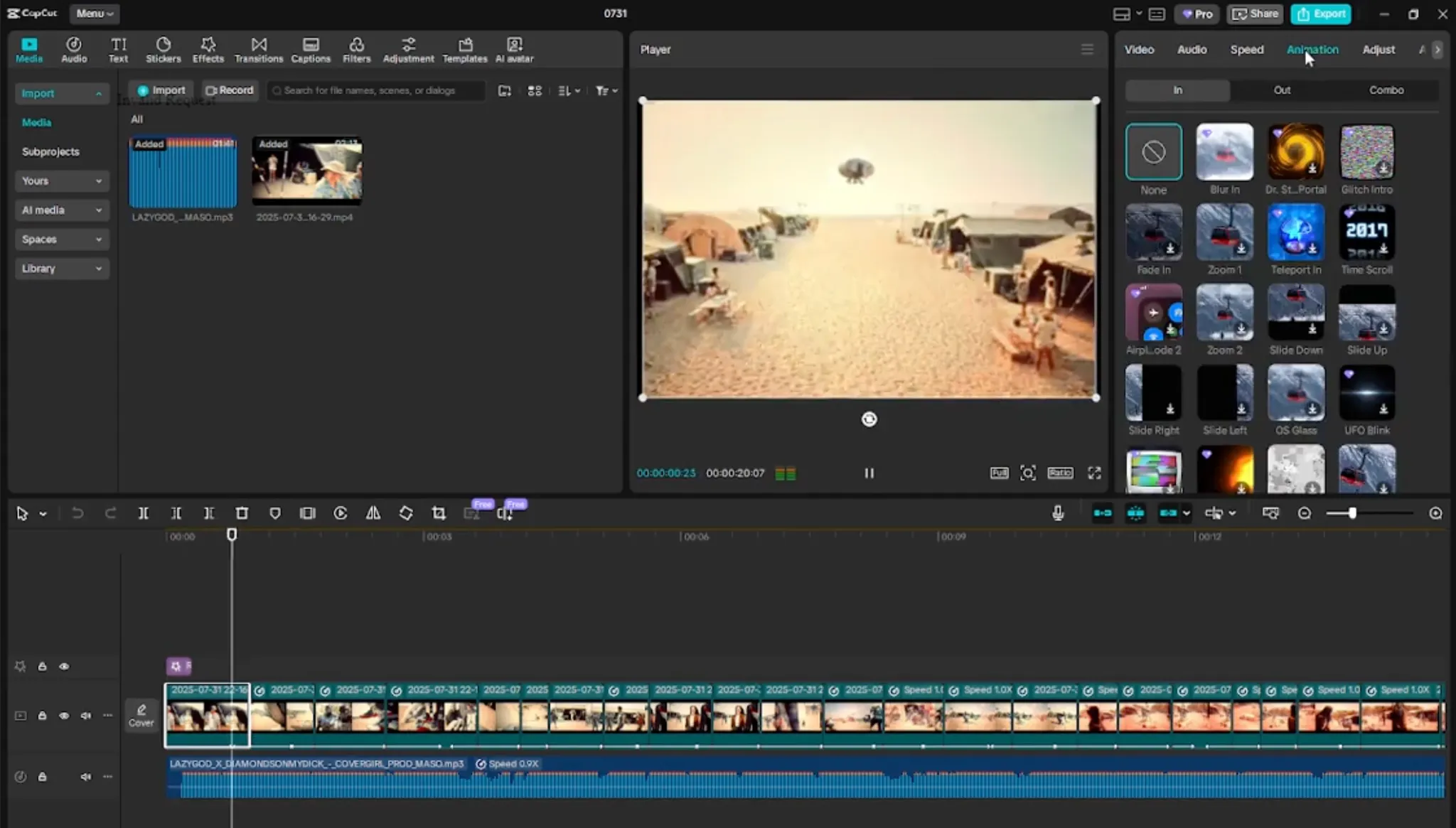
CapCut
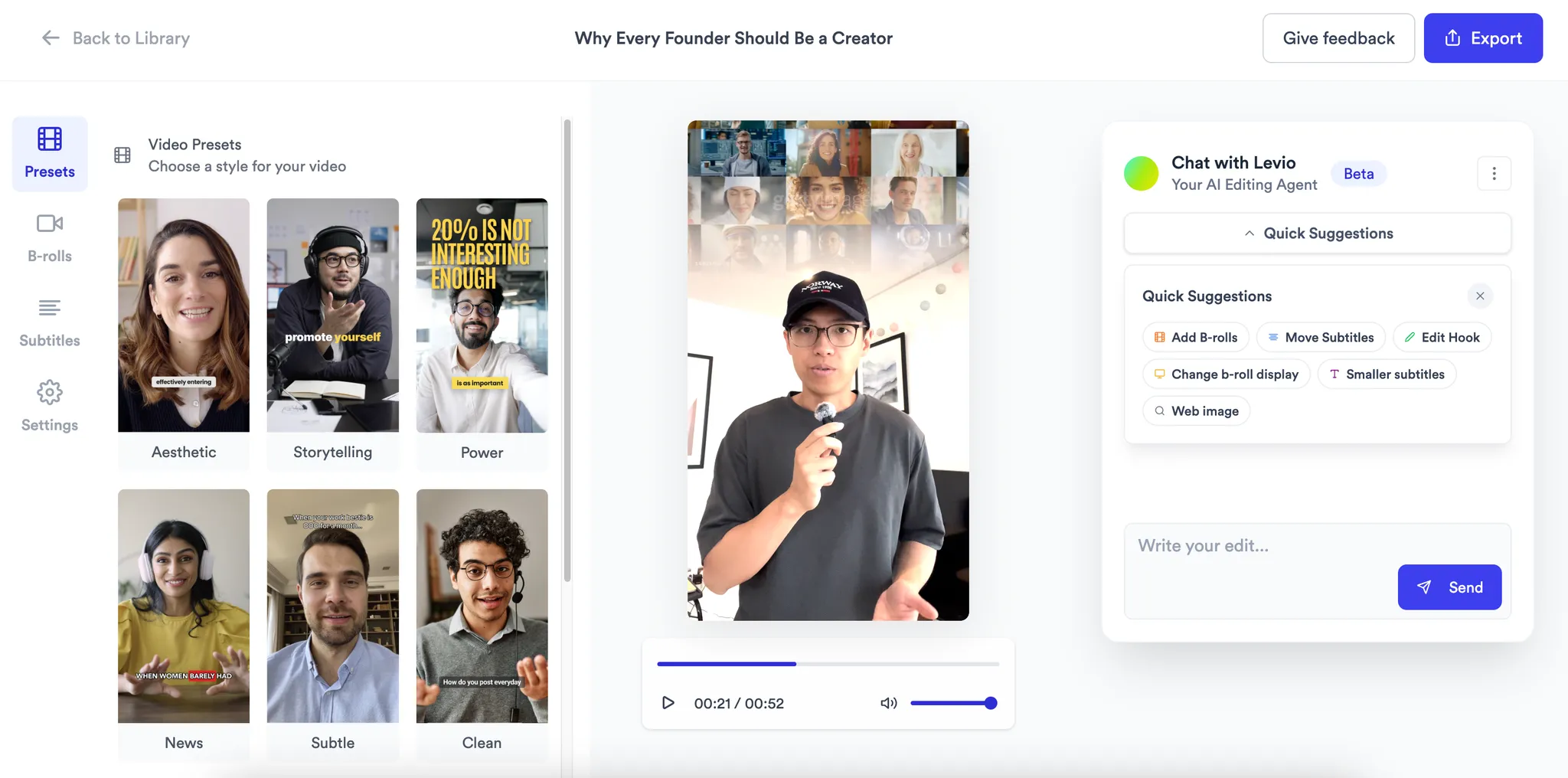
Jupitrr AI
Feature comparison
A detailed look at how CapCut and Jupitrr AI compare across key features.
Platform type
Research & Ideation
AI Scriptwriting
B-rolls and Sources
Automation level
Content Calendar & Scheduling
Analytics
Price
No credit card required
Helping you decide
No tool is perfect for everyone. Here is who we think each one is best for.
Solopreneurs
Go with Jupitrr
- You film yourself, the AI handles the edit
- Research, scripting, scheduling, and analytics all in one place
- No need to learn a timeline editor or juggle extra apps
Startups and B2B teams
Go with Jupitrr
- Add team members to co-work on scripts, editing, and analytics together
- Measure your video success across platforms from one dashboard
- Brand kit keeps every video consistent as the team scales
Content creators
Go with CapCut
- Best-in-class mobile editing for quick creative work
- Massive template library and multi-platform export
- Just know it is an editor only, not a marketing platform
Marketing agencies
Use both
- Jupitrr for the workflow: separate workspaces per client, scheduling, and analytics
- CapCut for one-off creative edits when a client needs something custom
- Brand kit and client-ready templates keep output consistent across accounts
Frequently asked questions
CapCut is a powerful editor built for creators and creative work, but it is just an editor — and one where you still drag and drop everything yourself. Jupitrr AI is designed for business. Your AI pre-edits the entire video after upload, and the platform includes brand kit, marketing tools, content calendar, social publishing, and analytics. You get an all-in-one system, not just an everything tool.
If you are a CapCut user who spends hours manually adding B-rolls, subtitles, and music to every video — and then switches to a separate app to schedule and track performance — Jupitrr AI replaces that entire stack. It is built for businesses, marketers, and creators who want to publish video consistently without the manual editing grind.
Yes. CapCut gives you a powerful timeline editor, but you still drag and drop every element yourself and then jump to other apps to schedule and track results. Jupitrr AI automates the editing step — B-rolls, subtitles, hook text, music — and wraps it in a business-ready platform with brand kit, content calendar, social publishing, and analytics. You stop assembling tools and start running a system.
CapCut was built for creators and creative work, so it is not really optimised for business use cases. There is no brand kit or marketing tools for teams, and most tasks still require manual drag-and-drop editing effort. You also will not find a chat-to-edit feature, there is no premium asset gallery or Google image sourcing, and if you are on the free plan your exports come out watermarked.
We will be upfront about this. Jupitrr AI requires a desktop dashboard for thorough editing, so it is not a mobile-first editor (though your content syncs across devices). There is no multi-track timeline for complex long-form edits, and the platform is best suited for short-form talking head content. If you need deep timeline control or mobile editing, CapCut is probably the better pick.
Jupitrr is desktop-first for thorough editing, but your content syncs across devices. If you need to edit on your phone, CapCut is better for that. But if your goal is to publish consistently for your business, the desktop workflow is actually faster because the AI does the heavy lifting.
CapCut has a free plan (with watermarks), Standard at $9.99/month, Pro at $19.99/month, and Team around $24.99/month. Jupitrr AI starts at $49/month for Pro on an annual plan, with Team at $149/month for 5 seats and Scale at $379/month for 15 seats. CapCut is cheaper if you just need an editor, but Jupitrr includes research, scripting, scheduling, and analytics — so you are paying for the full platform, not just editing.